Networking
LinkedIn Sales Lead Generation: Count Conversations, Not Names
12 min read
Key takeaways
- A lead is a person who answered you or asked you something. Until someone replies, they are a name on a list, and a list of 1,200 names is not 1,200 leads.
- LinkedIn sales leads come from six places: your own messages, your comments, inbound messages, old contacts, mutual connections and paid lead forms. Most people only count the first.
- Write each person down with the date and the source. After four weeks, count conversations per source and put your next hour where they come from.
- LinkedIn's own message guide says to keep a message to 50 to 75 words with one clear ask. Its 13% lead form figure comes from a 2017 page and does not say what it counts.
- Every lead needs a next date. A lead with no date is the one that goes quiet.
Short answer: Sales lead generation on LinkedIn means getting people to answer you. Pick the sources you can run by hand, write each person down with the date and where they came from, and count conversations, not connections, after four weeks. Then do more of the source that works.
In this article
What counts as a lead on LinkedIn, and what is only a name?
Where do LinkedIn sales leads come from?
Which source is worth your hour?
What do you write when someone finally says yes?
How do you bring old contacts back without a pitch?
Do paid lead forms change anything?
Which numbers should you stop counting?
Where does a simple follow-up tracker fit?
FAQ
Do this today
What counts as a lead on LinkedIn, and what is only a name?
Keisha (an example, not a real person) sells fleet-tracking software to regional trucking companies. Her profile says 1,200 connections. At the end of the month her manager asks how many leads she got, and she says "around 300, I think." Then she opens her messages and counts. Eleven people have written back to her.
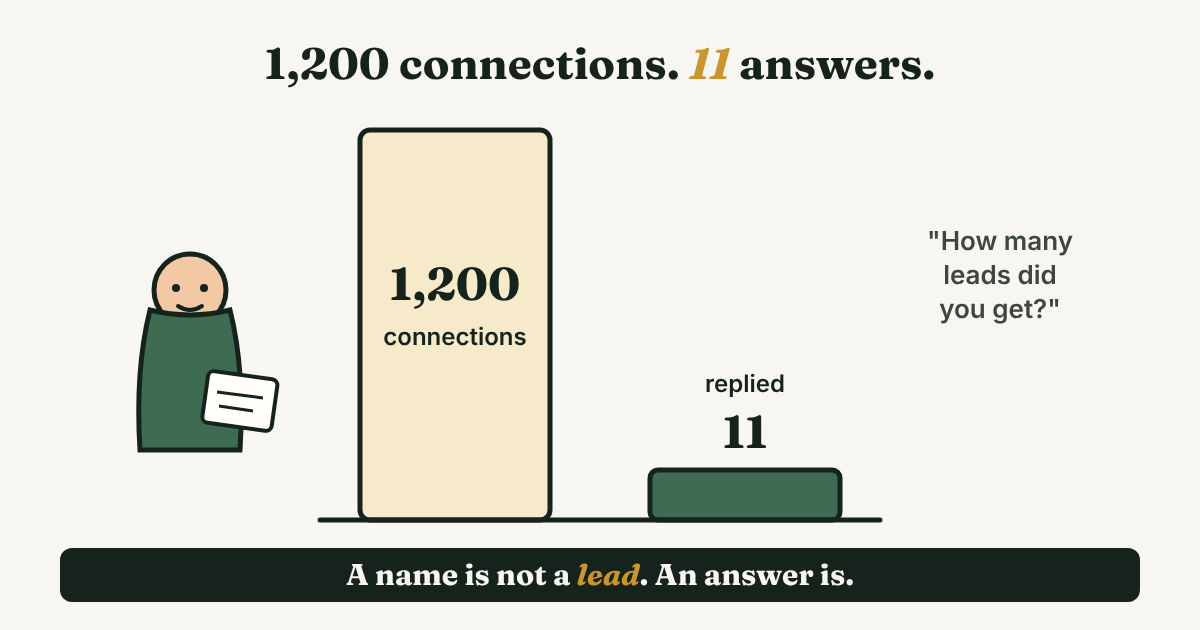
That gap is the whole topic. A connection is a name. A lead is a person who answered you, asked you something, or agreed to talk. Four labels are enough, and each person moves one step at a time:
- Name. On your list. You have not been in touch yet.
- Warm. They accepted your request, replied with a line, or answered your comment. There is no question or problem yet.
- Lead. They asked something, described a problem, or said yes to a conversation.
- Parked. Not now. You wrote down a date to check back.
A bigger list of names makes the problem worse, not better. In a Gartner survey of 632 B2B buyers, reported by Demand Gen Report in July 2025, 73% said they actively avoid suppliers who send irrelevant outreach. That measures what buyers say they do, not what they did, but it is a good reason to message fewer people with a better reason each time.
If you want the weekly routine that goes around this, start with LinkedIn for sales: a simple weekly routine. To decide who earns a message in the first place, see LinkedIn prospecting: decide who is worth a message first. This post starts after that: you have people, so where do real conversations come from?
Where do LinkedIn sales leads come from?
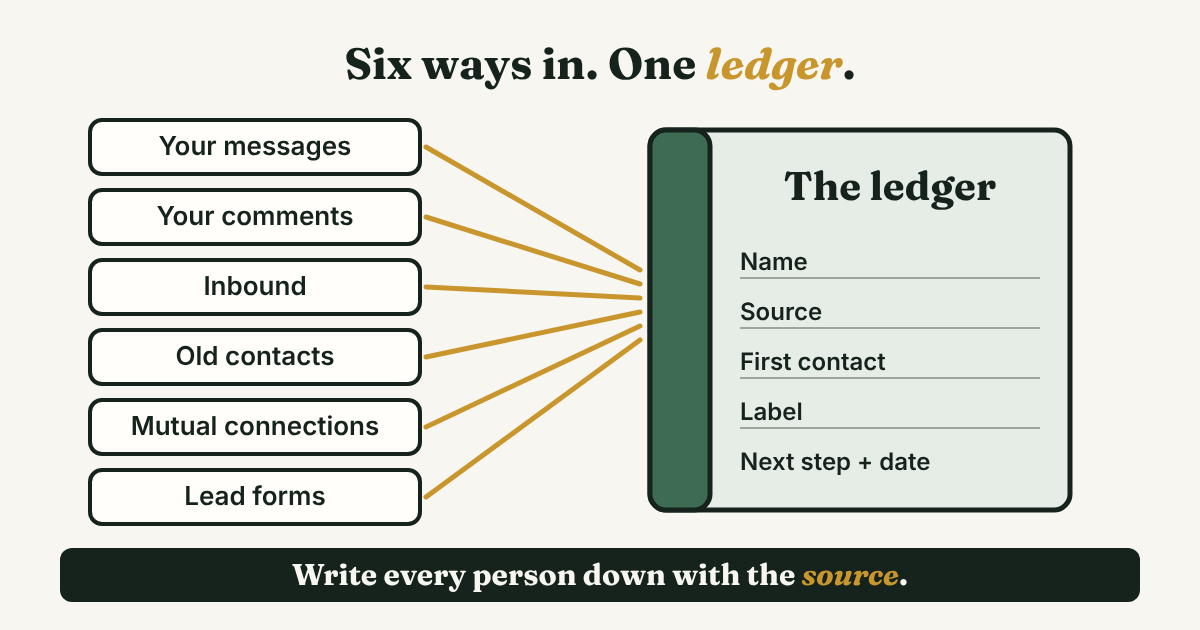
Six places. Each one costs something different: your time, a favor, or money.
- Your own messages. A connection request with a reason, then one follow-up. It costs time. LinkedIn's own InMail guide says to "include one clear ask" and to aim for 50 to 75 words, because many messages are read on a phone.
- Your comments. You write something useful under a post by the person you want to reach, before you message them. Pipedrive's July 2026 guide says to engage publicly before you message privately. LinkedIn's guide says people are "more likely to respond to names they recognize." It costs about ten minutes a day.
- Inbound messages and profile visits. Someone writes to you first. The 2025 Edelman and LinkedIn report says the people behind a deal who never talk to a seller still read and judge a vendor's content, and can speak up for a lesser-known vendor. It reports no numbers on how often that turns into a message, so treat posting as a slow source that costs weeks.
- Old contacts and lost deals. People who said "not now" months ago, or who stopped answering. Salesflow's 2023 guide puts closed-lost deals and forgotten prospects first on its list. They already know you, so the first message is easier.
- Mutual connections. Someone you both know says a word. LinkedIn's guide calls the mutual connection's name "the strongest driver of opens" among its templates and gives no figure. It also says to ask permission first and to make sure the relationship is real.
- Paid lead forms. LinkedIn ads with a form inside them. It costs ad money. More on this below.
There is a seventh source, tools that send requests and messages for you. Skip it. The reasons, with sources, are in why to avoid automating LinkedIn activities.
You do not need all six. Most people run two well. The next section shows how to find out which two.
Which source is worth your hour?
Pipedrive's guide warns against tracking vanity numbers such as profile views and impressions, and says to watch reply rate, meetings booked and opportunities that came from LinkedIn. Do the same on a small scale. You need one line per person and one tally per week.
Here is the ledger line. Copy it into a note or a sheet:
[Name], [company]. Source: [message / comment / inbound / old contact / mutual / form]. First contact: [date]. Label: [name / warm / lead / parked]. Next step: [the one message I will send] on [date].
Once a week, add up each source. Three counts are enough: people you reached, people who replied, and conversations. A conversation is a reply that asks or answers something. "Thanks for connecting" is warm, not a lead.
Here is Keisha's tally after four weeks. The counts are made up for this example.
- Cold messages: 40 reached, 9 replied, 3 conversations.
- Comment first, message after: 12 reached, 6 replied, 3 conversations.
- Inbound: 4 people wrote to her, 4 conversations.
- Old contacts: 10 reached, 4 replied, 2 conversations.
- Mutual connections: 3 asked, 2 agreed, 2 conversations.
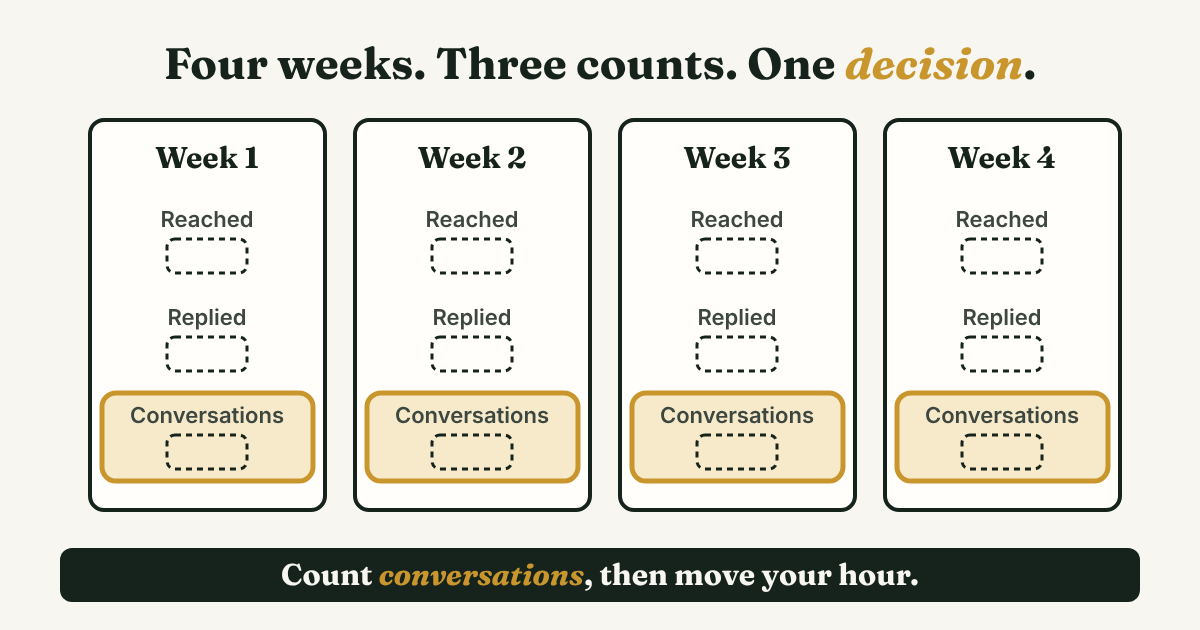
Read it by effort, not by total. Cold messages gave her 3 conversations from 40 people. Comments gave her the same 3 from 12. Old contacts gave 2 from 10. So her next month changes in three ways: 20 cold messages instead of 40, fifteen minutes a day of comments on the people she most wants to reach, and a message to every old contact she has not tried yet.
One warning. With counts this small, a source that wins by one conversation proves very little. Run a second four weeks before you drop anything.
What do you write when someone finally says yes?
This is where many leads are lost. Someone answers, and then you take two days to write back because you are not sure what to say. Keep it short. LinkedIn's guide says 50 to 75 words, one clear ask, and a question because it "keeps the outreach low-pressure."
Here are two replies you can copy and change. Write each one yourself, one person at a time. An Entrepreneur contributor puts it well: "If your message is so generic that it could go to 100 people without changing a word, it's not personal."
When they wrote to you first:
Hi [Name], thanks for writing. You said [what they said, in their words]. So I can send you something useful: [one question about their situation]?
When they replied to your message:
Thanks, [Name]. You mentioned [their problem]. Would 15 minutes on [day] or [day] work to talk it through? If not, tell me what suits you better, and I can send what I have in writing first.
Both are under 50 words. Then do the one thing that is easy to skip: change the person's label to lead, and write the date you will check for a reply. For more wording, see LinkedIn follow-up message: 4 templates and when to send.
How do you bring old contacts back without a pitch?
Old contacts are the cheapest source, and the one people feel most awkward about. The awkward part is the pitch. Skip the pitch and ask a small question about something that was true when you last spoke.
Make the list in ten minutes. Scroll your messages for three kinds of people: those who said "not now" more than three months ago, those who changed jobs, and those who went quiet after a good first call. Write the reason you stopped next to each name.
Then send a few by hand each day:
Hi [Name], it has been a while since we talked about [topic]. I saw [one specific public thing: a post, a new role, a launch]. Is [the problem you discussed] still on your list? If not, no problem at all.
If they say yes, they are a lead. If they say "not now" again, set a new date and park them. Salesflow says you only need a few people who are ready to buy right now. A short list of old contacts is a fair place to look for them.
Do paid lead forms change anything?
If you do not run LinkedIn ads, skip this section. If you do, or your marketing team does, a few facts from LinkedIn's own lead form page help. The page is from 2017, so check the current details in Campaign Manager.
- The form is pre-filled from the member's profile: name, contact info, company, seniority, job title and location.
- LinkedIn recommends "3-4 fields at most." One free-text question can cost 3 to 4 percent of submissions, it says.
- LinkedIn says the average form converts at 13%, against 4.02% for a landing page in an Unbounce study. The page does not define the 13% and gives no sample, so do not use it as a goal.
- "You'll have access to lead data for 90 days." Download your leads, or send them to your CRM, before then.
A form lead is warm at best. The person tapped a button. They did not talk to you. Give them the same label as anyone else, send the first message by hand, and write a next date. When you judge the ads, divide what you spent by conversations, not by forms.
Which numbers should you stop counting?
- Connections. Accepted requests tell you the request looked fine. They do not tell you anyone wants to talk.
- Profile views and impressions. Pipedrive lists them as vanity numbers. They are fine to glance at and no use for a decision.
- Someone else's response rate. Pipedrive's guide says LinkedIn reports 10% to 25% for InMail. That figure reaches you through Pipedrive, not through a page from LinkedIn, and it says nothing about your connection requests. Use it for a rough feel and not as a target.
- The size of your list. Fewer people with a reason beats more people with none.
Count the things you can change by Friday: people you reached, replies, conversations, and how many leads have a next date.
Where does a simple follow-up tracker fit?
Full disclosure: we make GrowthSeeded, a simple follow-up tracker for LinkedIn. It does not count sources or run a pipeline, so keep the four-week tally in a note or a sheet. What it does is the step that slips after the tally: it tells you who to message each day, so you don't forget to follow up. You add a person and why they matter, write a note after each conversation, and the next step follows what happened.
If you run a sales team with shared stages and forecasts, a CRM fits better. Should you use a CRM for LinkedIn follow-ups? gives four questions to decide.
FAQ
How do you generate sales leads on LinkedIn?
Message and comment by hand, write each person down with the date and the source, and count conversations. A lead is a person who answered you or agreed to talk. After four weeks, put more time into the source that gave you the most conversations for the least effort.
Is LinkedIn lead generation free?
The by-hand sources are free: your messages, comments, old contacts and mutual connections. Paid options are lead form ads and tools such as Sales Navigator. See LinkedIn Sales Solution: what you get and who needs it before you pay.
How many leads can you get in a week?
No source behind this post gives a number that holds for everyone, and any figure you see without a method should be treated with care. Your own four-week tally is the only number that is about your work.
Do LinkedIn Lead Gen Forms work for B2B?
LinkedIn says the average form converts at 13%, on a page from 2017 that does not define the term. A form lead is a name that tapped a button. It becomes a lead when it answers you. Judge the ads by cost per conversation.
Should I use a tool to find or message leads?
A tool that helps you find and check people can save time, and LinkedIn prospecting tools: pick by the job, not the rank shows how to choose one. A tool that sends requests or messages for you is a different thing. Skip it.
Do this today
- Open your last 20 LinkedIn conversations and label each one: name, warm, lead or parked.
- Copy the ledger line above for the three warmest people. Write a next date on each.
- Put a date four weeks from today in your calendar with one word on it: tally.
If your ledger tends to go quiet after the first week, GrowthSeeded is a simple follow-up tracker for LinkedIn. Add the person and why they matter, and it tells you who to message each day, so you don't forget to follow up. You send every message yourself, it never touches LinkedIn, and the Free plan holds 5 active people at a time.
Sources
- How to use LinkedIn Lead Gen Forms, LinkedIn Marketing Solutions, 2017
- 6 InMail Templates that Can Help You Break Through, LinkedIn Sales Solutions, checked November 2026
- 2025 B2B Thought Leadership Report, Edelman and LinkedIn, 2025
- 3 of 5 B2B Buyers Prefer a Rep-Free Buying Experience: Gartner, Demand Gen Report, July 2025
- How to use LinkedIn for sales to generate qualified leads consistently, Pipedrive, July 2026
- How to generate sales leads from LinkedIn, Salesflow, 2023
- If You Want Real Leads From LinkedIn, Stop Being Pushy, Entrepreneur, 2025
About the author
Anisur Rahman Fagun is a marketing and content strategist with more than 9 years of experience in SEO, content, paid advertising and brand growth. He holds a master's degree in mass communication and journalism, and has led content and SEO strategy, built editorial teams and worked with product, design and sales teams. He also builds simple tools that turn marketing data into clear decisions. He writes the GrowthSeeded blog, which shares practical ways to build professional relationships on LinkedIn.