Networking
Should You Use a CRM for LinkedIn Follow-Ups?
11 min read
Key takeaways
- You need a CRM when more than one person works the same list, when you track deals, stages or reports, or when it has to sync with email. If none of that is true, a CRM is more than the job needs.
- LinkedIn follow-ups mostly fail in one place: you forget. A name, a reason and a next date fix that.
- There is no proven contact count where a spreadsheet stops working. One vendor says "around 200." We found no data behind it, so use your own signs.
- Before you pick a LinkedIn CRM, ask if it needs your LinkedIn login, cookies or an extension, and whether it sends anything for you. Skip any tool that does.
- Do the five-person test today. It shows which problem you really have.
Short answer: Probably not yet. If you work alone, follow up with a short list, and your problem is forgetting who to message and why, a list with a name, a reason and a next date is enough. A CRM fits when a team shares the list, you track deals or reports, or you need email sync.
In this article
Why does everyone say something different?
What problem do you actually have?
What are the four questions?
Is there a contact count where a spreadsheet stops?
Do people keep using a CRM?
What does a simple list need to hold?
What should you check before choosing a LinkedIn CRM?
Where does a simple follow-up tracker fit?
What do we not know?
FAQ
Do this today
Why does everyone say something different?
You sent twelve connection requests last week. Six people accepted. You meant to write to four of them. Now it is Sunday, and you cannot remember which four, or what you wanted to say. One friend says, "You need a CRM." Another says, "A spreadsheet is fine." Both can be right. It depends on which problem you have.
This guide is for people who write their own messages to a short list: job seekers, freelancers, sales reps working their own accounts, founders. It gives you four questions to decide. For the wording of the follow-up itself, see our guide to the LinkedIn follow-up message, with four templates and when to send them.
What problem do you actually have?
Before you compare tools, name the problem. Write down the last five people you meant to follow up with on LinkedIn. Next to each, write what stopped you. It will be one of three things.
- You forgot. Nothing reminded you to write. This is a "when" problem.
- You forgot why. You had a reason when you connected, and it is gone. This is a "notes" problem.
- You lost the stage. You cannot see who has a request waiting, who accepted, who replied, and who is waiting on you. This is a "stage" problem, and it gets harder with more people or more teammates.
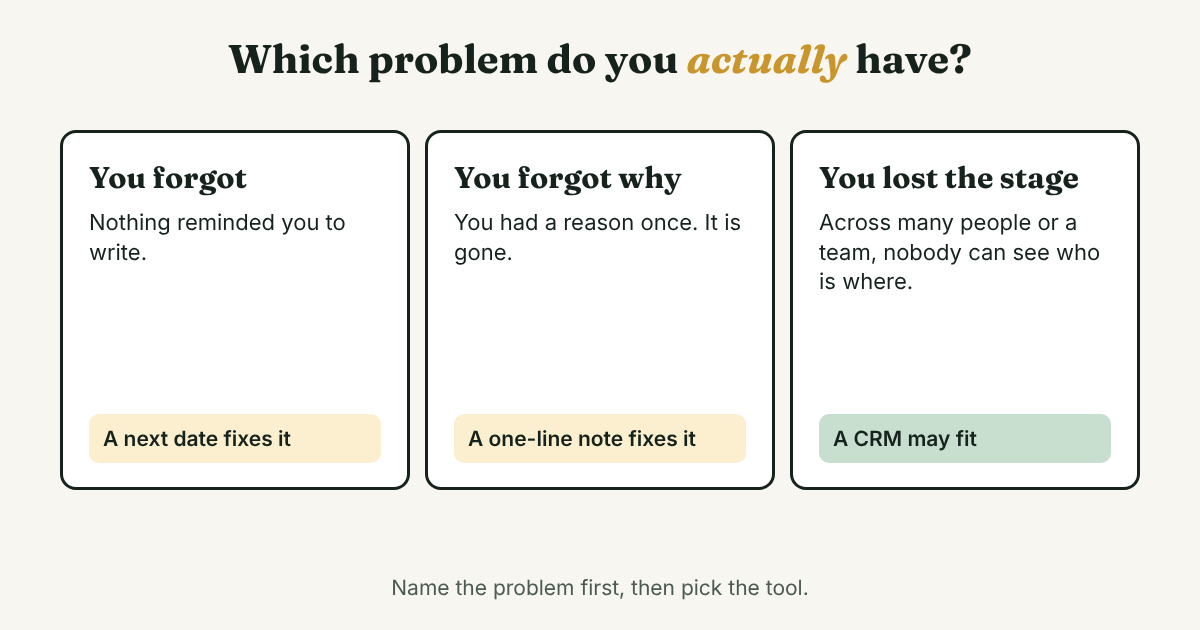
The first two problems need a short list and a date. The third is where a CRM starts to earn its price.
What are the four questions?
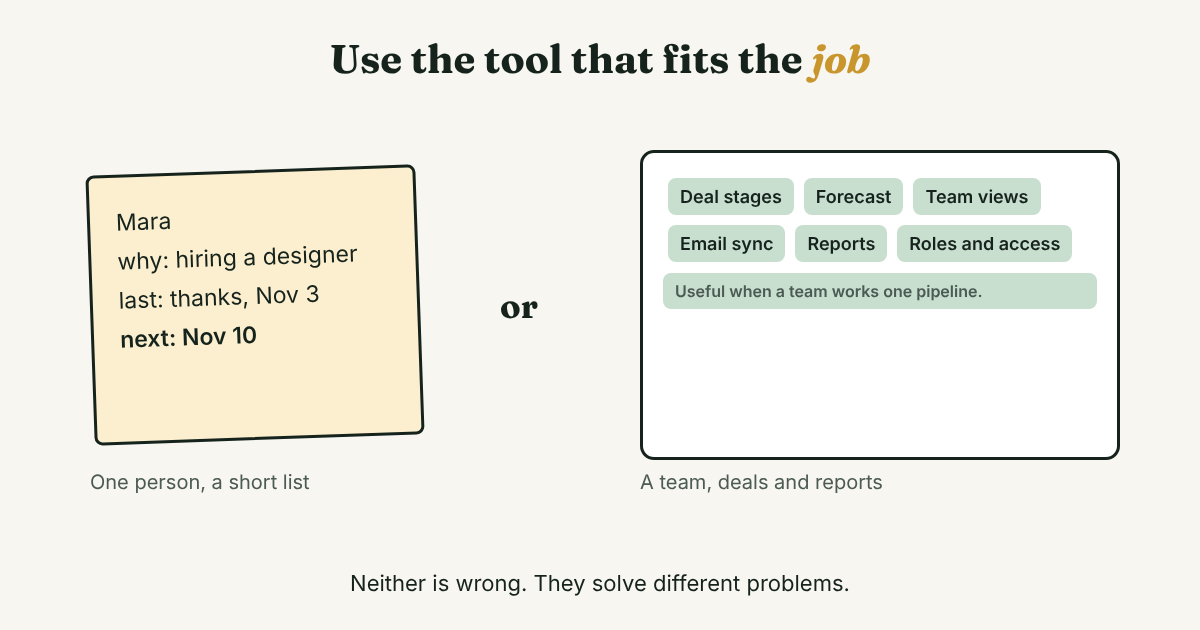
A CRM (customer relationship management software) keeps people, companies, deals, tasks and history in one shared system. Two CRM vendors, Nimble and Insightly, each publish a list of signs that a spreadsheet is no longer enough. We turned their signs into four questions. A "yes" to any of them is a reason to look at a CRM.
- Does more than one person work this list? Nimble says that as a team grows, keeping everyone aligned in a shared Excel file becomes "nearly impossible." Insightly lists "staffing up" for the same reason.
- Do you track deals, stages or forecasts? Insightly lists a longer, more complex sales pipeline and wanting to predict the future as signs. If you need to say "this deal is worth this much and is at this stage," a plain list gets awkward.
- Does it need to talk to other software? Insightly names chat, accounting and e-signature tools. If you want every email to the same person in one place, that is a CRM job.
- Is your list longer than you can check each morning? This one is ours, not a vendor's. If you cannot look at everyone who is due in about ten minutes, you have outgrown a quick list.
Both vendor pages are written to sell a CRM, so they describe when you would buy one. They give no data on how many people reach these points. We use them as a checklist, not as proof.
Is there a contact count where a spreadsheet stops?
Nimble's page says in its summary that spreadsheets "stop working around 200 contacts." The post gives no source for that number, and we found none. Treat it as a sales line, not a rule.
Count open follow-ups, not contacts. Twenty people with three open threads each can be harder to keep straight than two hundred people you contact once a year. This is our rule of thumb, not a study: if you can scan everyone who is due in ten minutes, a list still works.
Do people keep using a CRM?
A CRM only helps if you update it. CSO Insights tracked CRM use in an annual study of more than 1,200 companies. In its 2014 report, 82.9% of sales organizations used CRM, up from 48.7% a decade earlier. For the first time, though, the share of salespeople who used it as part of their daily work went down (CRM Magazine, 2014).
That study is old, and it covers company sales teams, not one person on LinkedIn. We found no newer figure we could open. We take one small lesson from it: the more a tool asks you to fill in, the more likely you are to skip it. Pick the fewest fields that answer who, why and when.
What does a simple list need to hold?
For one person, six columns are enough. Copy this header into any spreadsheet:
Name | How we connected | Why they matter | Last thing that happened | Next step | Next date
An example row (Mara is not a real person):
Mara | Accepted my request Nov 3 | Posted about hiring a designer | Sent thanks, no reply | One short follow-up with a link | Nov 10
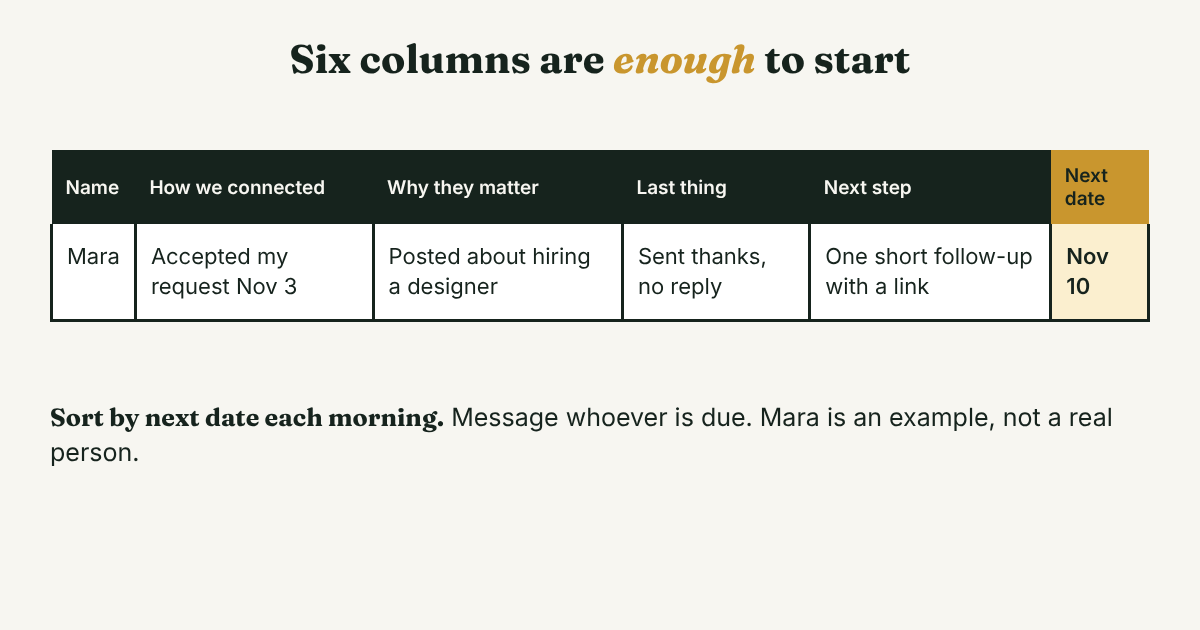
The next date does the work. Sort by it each morning and write to whoever is due. Then change the last thing, the next step and the date before you close the sheet. If you want the order of steps for one person, our manual 14-day LinkedIn sequence shows one. To see your whole list on one page first, try mapping your professional network.
What should you check before choosing a LinkedIn CRM?
Many tools sold as LinkedIn CRMs do more than store notes. Kondo's guide to lightweight CRMs says a CRM typically connects to LinkedIn "through a browser extension or a direct connection with LinkedIn Sales Navigator." Salesflow, which sells LinkedIn automation, says such tools may need login credentials, browser cookies, a local extension or an active LinkedIn session, and that "no third-party automation platform can promise zero account risk."
Both are vendors, so read them with that in mind. We could not open LinkedIn's own Help pages, because the site blocks our reader, so we cannot quote LinkedIn's rules. Read them yourself before you install anything. Then ask four things:
- Does it need your LinkedIn password, cookies or an extension? If yes, think twice.
- Does it send requests or messages for you? If yes, skip it. We do not recommend automation or mass messaging.
- Can you take your data with you? Check for an export before you type in 100 people.
- What does it cost per person on the team? Nimble lists $24.90 per seat per month in its own post (checked November 8, 2026). Prices change, so check the vendor's page.
Where does a simple follow-up tracker fit?
Full disclosure: we make GrowthSeeded, a simple follow-up tracker for LinkedIn, so we are biased. It tells you who to message each day, so you don't forget to follow up. It is not a complex CRM. You add a person and why they matter, you write a note after each conversation, and the next step follows what happened, such as an accepted request or a reply.
You send every message yourself. It never sends anything and never connects to LinkedIn, so it adds no risk to your LinkedIn account. It is not built for deal values, a team working one pipeline, or email sync. If you need those, a CRM fits better, and a spreadsheet can carry you until then. For how it works day to day, see how GrowthSeeded helps track LinkedIn follow-ups.
What do we not know?
- How many people outgrow a spreadsheet, and when. The vendor pages give signs, not data, and we found no study.
- How many people on LinkedIn keep using a CRM. The one study we opened is from 2014 and covers company sales teams.
- What LinkedIn allows. We could not open its Help pages, so check your own account and the current rules.
- Prices for other CRMs. The pricing pages for HubSpot and Pipedrive would not open for us, so we quote none.
FAQ
Do I need a CRM for LinkedIn follow-ups?
Not at the start. If you work alone and your problem is forgetting who to message and why, a list with a name, a reason and a next date is enough. Look at a CRM when a team shares the list, you track deals, or you need email sync.
Is a spreadsheet enough for LinkedIn follow-ups?
Yes, while you can scan everyone who is due in about ten minutes each morning. That is our rule of thumb, not a study. Add a "next date" column and sort by it.
Is a LinkedIn CRM safe to use?
It depends on what it does. A tool that only stores notes you type does not touch your account. A tool that acts in your account, or needs your login or cookies, carries risk. Salesflow, a vendor of such tools, says none can promise zero account risk. We do not recommend automation.
When should I move from a spreadsheet to a CRM?
When more than one person works the list, when you need deals, stages or forecasts, or when you need email and other software to sync. A list that is too long to scan each morning is a sign too.
Do this today
- Write down the last five people you meant to follow up with, and mark each: forgot, forgot why, or lost the stage.
- Make the six-column list and add everyone who is waiting on you, each with a next date.
- Set ten minutes tomorrow morning. Sort by next date and message whoever is due.
If a list does not hold up, GrowthSeeded is a simple follow-up tracker for LinkedIn that keeps the reason and the next step beside each name and shows who to message today. You send every message yourself, and it never sends anything or touches your LinkedIn account. The Free plan holds up to 5 people at a time.
Sources
- The Adoption Rate Challenge, CRM Magazine (destinationCRM), 2014
- CRM vs. Spreadsheets: Why Small Businesses Outgrow Excel for Relationship Management, Nimble, 2025, updated 2026
- Using a spreadsheet CRM, Insightly, 2023, updated 2024
- The Top 5 Lightweight CRMs for LinkedIn, Kondo, 2025
- How to Choose a Safe LinkedIn Automation Tool in 2026, Salesflow, 2026
About the author
Anisur Rahman Fagun is a marketing and content strategist with more than 9 years of experience in SEO, content, paid advertising and brand growth. He holds a master's degree in mass communication and journalism, and has led content and SEO strategy, built editorial teams and worked with product, design and sales teams. He also builds simple tools that turn marketing data into clear decisions. He writes the GrowthSeeded blog, which shares practical ways to follow up and stay in touch with people on LinkedIn.