Forget to follow up on LinkedIn?
GrowthSeeded tells you who to message today. Add the people you want to stay in touch with, and you won’t forget a follow-up again. No complex CRM, no automation. You send every message yourself, and it adds no risk to your LinkedIn account.
- No automation
- You send every message yourself
- No risk to your LinkedIn account
What are you working on?
Pick one. Three taps and you'll see your plan, before signing up.
Who are you reaching out to?
Pick one. You can add more kinds of people later.
Who matters most for your raise?
Pick one. You can add more kinds of people later.
Who can open the door?
Pick one. You can add more kinds of people later.
Who are you selling to?
Pick one. You can add more kinds of people later.
Who do you need on side?
Pick one. You can add more kinds of people later.
Who are you hiring for?
Pick one. You can add more kinds of people later.
Who do you want to stay close to?
Pick one. You can add more kinds of people later.
Your plan is ready
No card. Nothing is ever sent for you.
Add a person
One name and why they matter. About fifteen seconds.
Do today's step
Comment, connect or message. You write it. GrowthSeeded never sends anything.
Get told when to follow up
Mark what happened, and the next step is timed from their reply, not your memory.
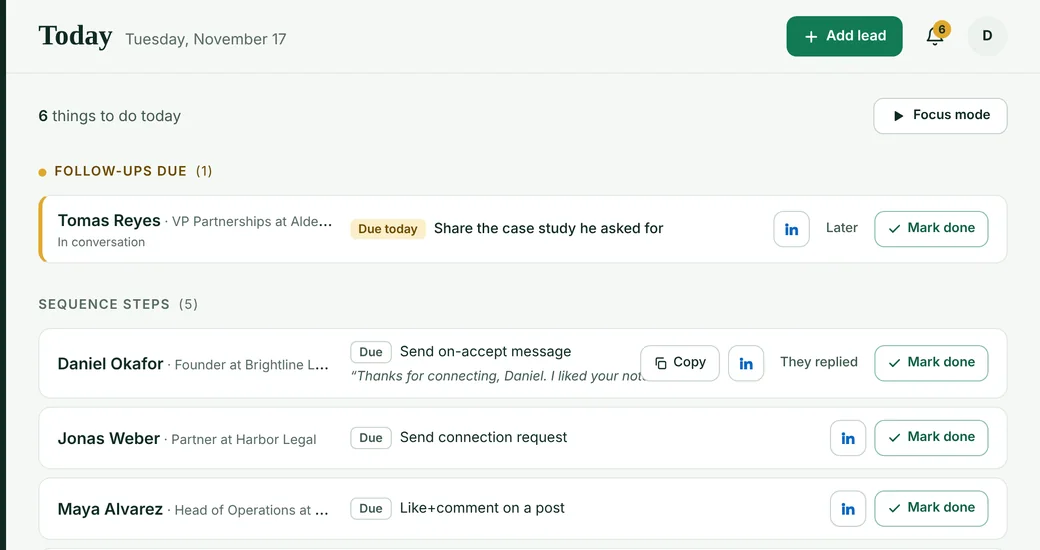
See it before you sign up
Five real screens from the app. This is where you'll work each day: a short list of who's due, and everything you need to reach them.
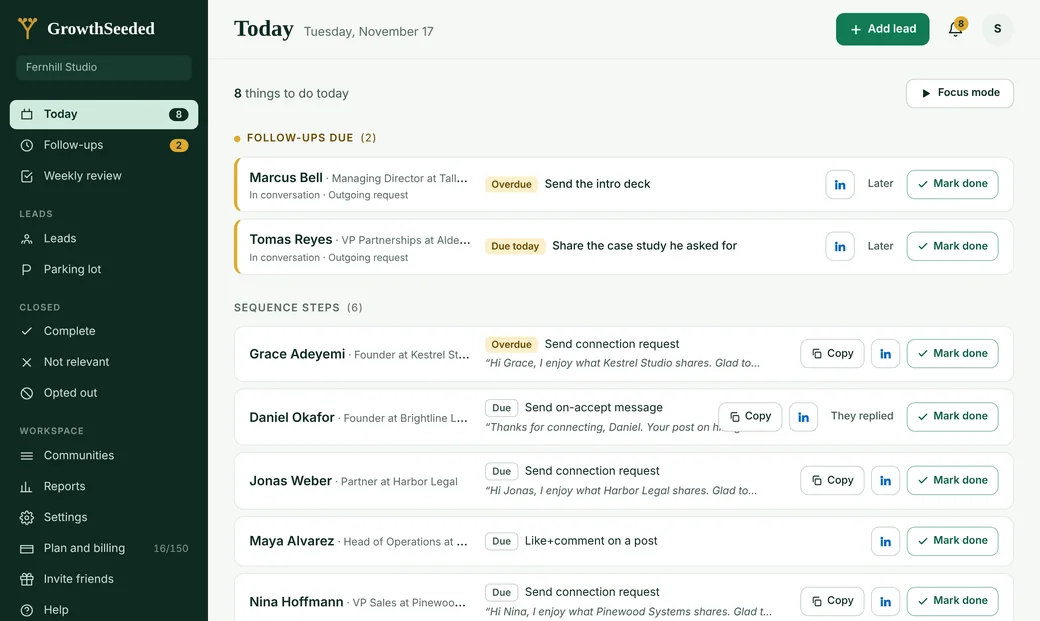
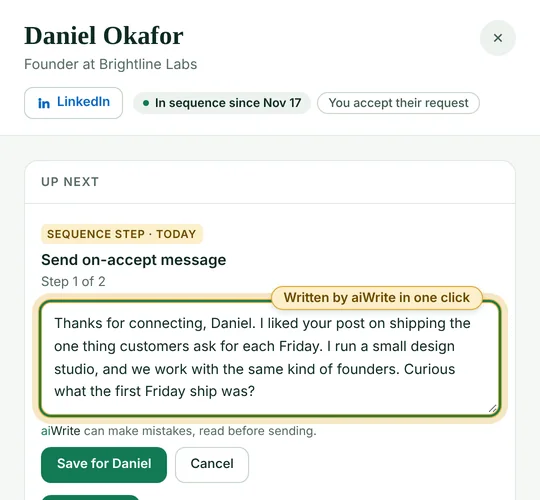
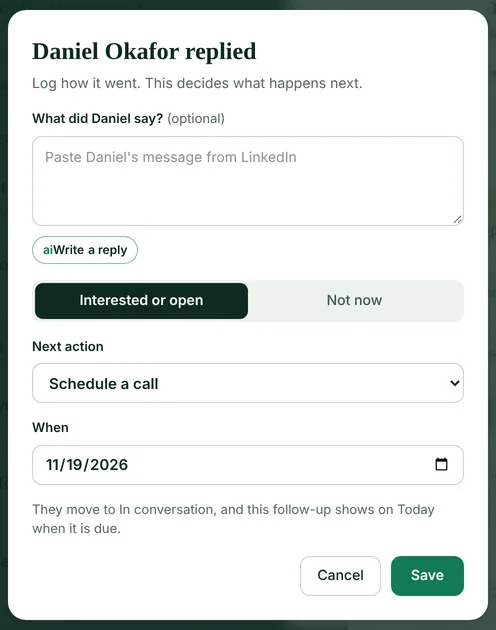
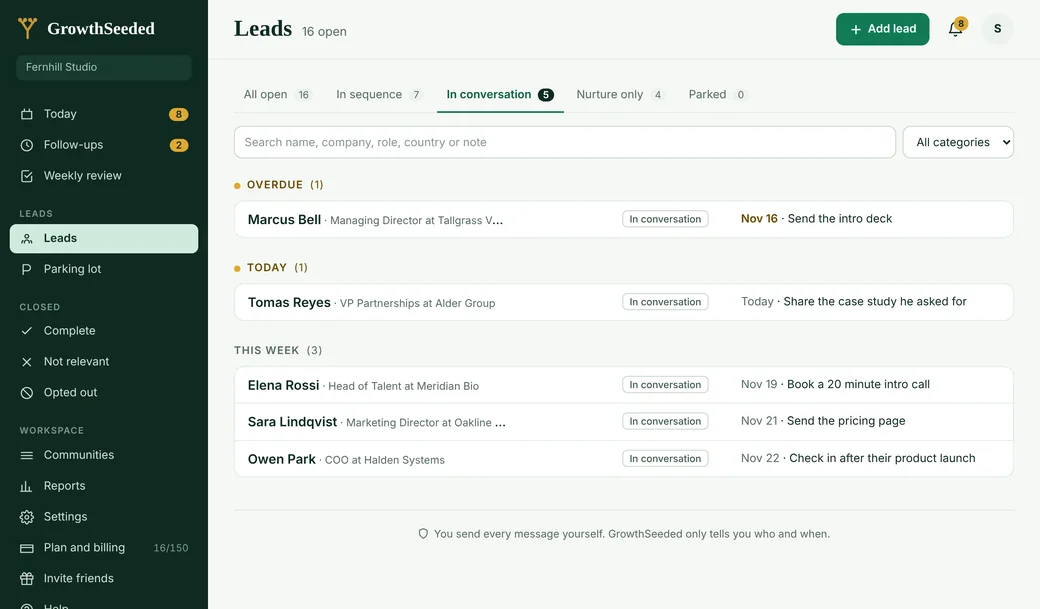
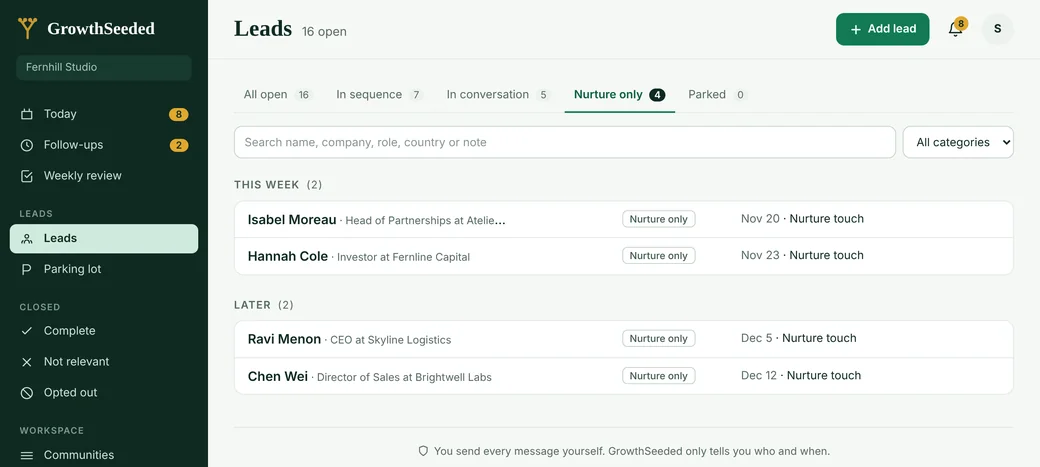
Screens from the app, filled with sample contacts.
You've abandoned tools like this before.
I don't have time to enter a hundred people.
Then don't. Add the one person you just thought of and stop there. One name is a working system, and it takes about fifteen seconds. Most people add the second and third within a week, because the first one worked.
This is going to feel fake and salesy.
Nothing sends itself. Not one message leaves without you reading it and sending it yourself. The app never touches LinkedIn and never sends anything for you. On Pro and Max it can draft a comment or a note, and you edit it and send it. It just makes sure you're the one who remembered.
It adds no risk to your LinkedIn account.
- Nothing for LinkedIn to flag
- No automation, no LinkedIn connection, no scraping. GrowthSeeded never touches your account.
- You set the pace
- Nothing sends itself. The app tells you what's due; you decide what actually happened.
- Quiet is allowed
- Someone can stay in Nurture for years. You check in now and then, without chasing.
- Names never leave
- Share your numbers if you like. Anything shareable is aggregate only, by design.
There are no testimonials on this page.
I could have put five glowing quotes here. But GrowthSeeded is new, and inventing praise for it would be a strange way to start, on a page about being honest with people.
So here's what's true instead: I built this because I kept losing track of people I genuinely respected, and the only ones who stayed in my life were the ones I happened to remember. That felt like a bad way to run a life. It's a small tool doing one thing carefully. If it works for you, tell someone. If it doesn't, tell me.
The founder, GrowthSeeded
The people worth knowing won't wait for someday.
No card. Nothing is ever sent for you.