LinkedIn basics
How GrowthSeeded Helps in Tracking LinkedIn Follow-Ups
9 min read
Key takeaways
- Follow-ups slip when the reason, the date and the next step live in different places. You need one place that shows who to follow up with today.
- In a 2026 Belkins study of 14,077 LinkedIn contact records, 17.6% of connected prospects replied to follow-up messages.
- LinkedIn has message nudges and a Sent tab. We found nothing saying they keep your reason for writing or your next step.
- GrowthSeeded is a simple follow-up tracker for LinkedIn. You add a person and why they matter, and the next step follows what happened.
- You send every message yourself. GrowthSeeded never sends anything and never touches your LinkedIn account.
Short answer: GrowthSeeded is a simple follow-up tracker for LinkedIn. You add a person and why they matter. When something happens, such as an accepted request or a reply, you write a note and the next step follows. Each day it shows who to follow up with. You send every message yourself.
In this article
Why do LinkedIn follow-ups slip?
What can LinkedIn do for you?
Why don't spreadsheets and calendar reminders fix it?
What does GrowthSeeded do?
What does one week look like?
Who is it for, and who should use something else?
What do we not know?
FAQ
Do this today
Why do LinkedIn follow-ups slip?
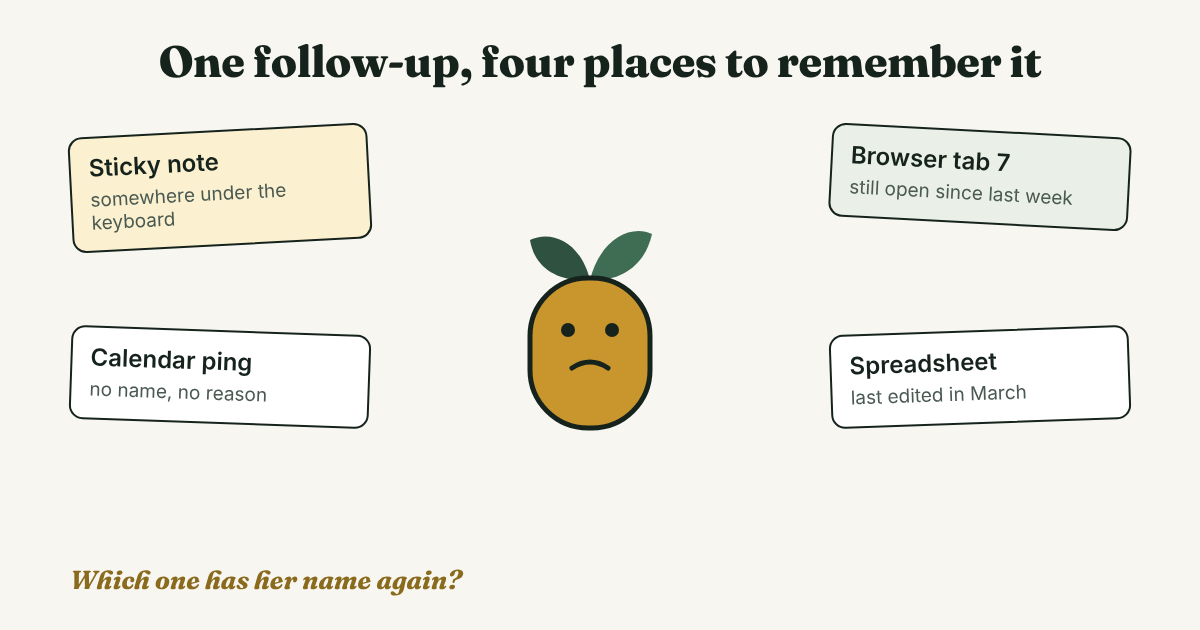
Dana (an example, not a real person) saw three people accept her requests on Tuesday. She meant to write to all three by Friday. On Friday she remembered one. The other two names were buried in her notifications, and she could not say why she had wanted to talk to them.
Her plan was fine. Her system had one weak spot. The reason, the date and the next step were stored in different places, or nowhere. A follow-up needs all three at the moment you decide who to write to.
The follow-up is worth the effort. In Belkins' 2026 LinkedIn study, which covers 14,077 contact records from 34 client campaigns in 2025, 17.6% of connected prospects replied to follow-up messages. The study says replies in one campaign type, Connector, split about evenly between the first touch and the follow-ups. Belkins' separate email study points the same way: steps two to six of an email sequence brought 58.6% of replies. That one is email, not LinkedIn.
Both studies come from business outreach run by one agency, so your numbers may differ. They do not show that a tool raises replies. They show that the later messages matter.
This post is about the part before the message: remembering who to write to. For the words and the timing, see our guide to LinkedIn follow-up messages and how soon is too soon to follow up.
What can LinkedIn do for you?
LinkedIn gives you two things, and you can add one habit.
- Message nudges. A Guideflow tutorial (last updated March 23, 2026) puts the setting under Me, then Settings & Privacy, then Data privacy, then Message nudges. It describes them as gentle reminders to follow up on important conversations. We could not open LinkedIn's own help page, so check the setting on your account.
- The Sent tab. It lists requests nobody has answered yet. Our guide to sent invitations shows where it is and when to decide.
- Marking a message unread. A common workaround. Kondo (2026) says a thread left unread gets pushed down as new messages arrive, and then it is forgotten.
Kondo sells a reminder tool, and it says LinkedIn has no way to snooze a conversation or flag a thread for follow-up. That is a vendor's view, and nudges may cover part of it. Either way, we found nothing saying a nudge holds your reason for writing or your next step. That is the part people lose.
Why don't spreadsheets and calendar reminders fix it?
They can, for a small list. They tend to break in three places, which Kondo (2026) describes:
- The reminder sits outside the conversation. A calendar ping says "follow up" and nothing else.
- The context is gone when it fires. The reminder is disconnected from the conversation, so you have forgotten the details.
- Entry is manual. Name, date, status and link, every time. It takes discipline once you send dozens of messages a week.
Kondo sells a competing tool, so weigh that. You can test the three problems yourself: open your own spreadsheet or calendar and check whether each entry says why you wanted to write.
What does GrowthSeeded do?
Full disclosure: we make GrowthSeeded. GrowthSeeded is a simple follow-up tracker for LinkedIn. It tells you who to message each day, so you don't forget to follow up. You send every message yourself.
Here is how it works:
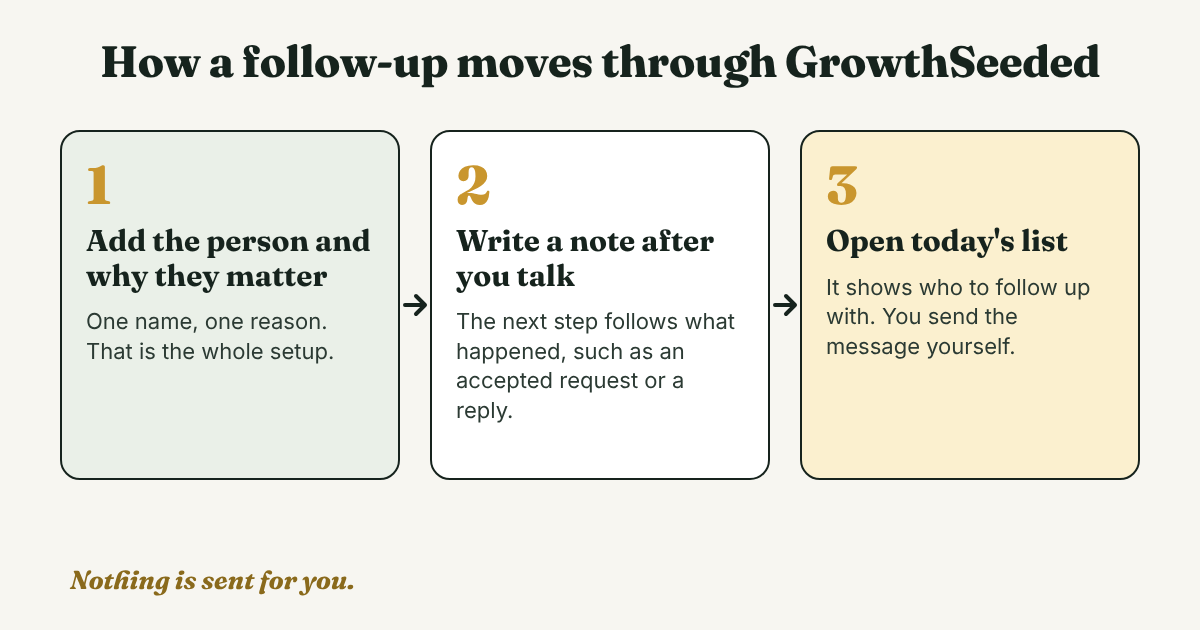
- Add the person and why they matter. One name and one reason.
- Write a note after each conversation. One line on what was said or what happened.
- The next step follows what happened. An accepted connection or a reply moves the person on. It does not wait for a date you picked weeks ago.
- Open the due-today view. It shows who to follow up with. You write the message and send it on LinkedIn yourself.
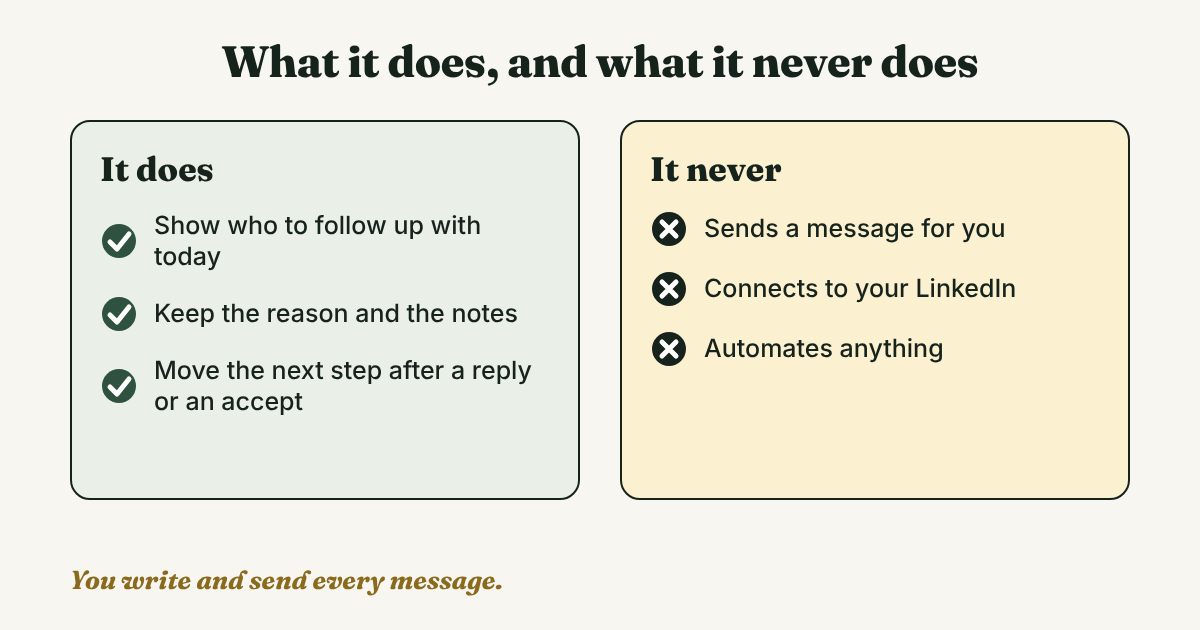
What it does not do matters as much. GrowthSeeded never sends a message for you, never connects to LinkedIn and never automates anything, so it adds no risk to your LinkedIn account. Its pricing page says it plainly: "Nothing is ever sent for you."
What does one week look like?
Here is one week (an illustration with an example person, not a real one, and not a screenshot). Marcus, a consultant, meets Ana at a workshop.
- Monday. Marcus sends Ana a request. He adds her to GrowthSeeded with the reason: "Ran the workshop. Want to ask how she runs the exercises."
- Wednesday. Ana accepts. Marcus records it, and the next step moves on.
- Thursday. Her name is on today's list. Marcus reads his own reason, writes a short message and sends it on LinkedIn himself. For ideas on what to write, see our examples of follow-up messages after connecting.
- Next Tuesday. Ana replies. Marcus adds a note about what she said, and the next step follows from the reply.
Marcus never had to remember Ana's name on Thursday. He had to open one list.
Who is it for, and who should use something else?
GrowthSeeded fits people who use LinkedIn to reach people and keep in touch, and who keep forgetting to follow up. That covers outreach, job hunting, sales, raising investment, headhunting and plain professional networking.
Other tools fit other jobs:
- A notes app or a spreadsheet is enough if you send a few requests a month and you already open it every week.
- A CRM fits if you need deal values, a team working one pipeline, or email sync. GrowthSeeded is not a complex CRM, and it is not built for those jobs.
- Skip any tool that sends messages or automates your LinkedIn. We do not recommend it.
Plans: the Free plan holds 5 active people at a time, and up to 20 when friends you invite join. Pro is $15 a month for 150 active people. We checked the pricing page on November 7, 2026. Prices and limits change, so check it before you decide.
What do we not know?
- Whether any tracker raises your reply rate. We know of no study that tested it. Belkins measured replies to follow-ups, not the effect of a tool.
- How LinkedIn nudges work in detail. We could not open LinkedIn's help pages, so we rely on a third-party tutorial. Check the setting on your own account.
- Your own numbers. Both Belkins studies cover business outreach run by one agency. A job hunt or a small network may behave differently.
FAQ
Is GrowthSeeded a CRM?
No. It is a simple follow-up tracker for LinkedIn, not a complex CRM. It keeps who to follow up with, why, and what comes next.
Does GrowthSeeded connect to my LinkedIn account?
No. It never connects to LinkedIn and never sends anything for you. You send every message yourself.
What does GrowthSeeded cost?
The Free plan costs $0 and holds 5 active people at a time, up to 20 when invited friends join. Pro is $15 a month for 150 active people. We checked the pricing page on November 7, 2026, and prices change.
What happens after someone accepts my request?
The next step follows what happened, such as an accepted connection or a reply, instead of a fixed date. Then you write the message yourself. This guide has four examples.
Can I track follow-ups in a spreadsheet instead?
Yes, if you follow up with a few people. Add a column for why you wrote to each person and one for the next step, and open the sheet once a week. If you stop opening it, that is the sign to try something else.
Do this today
- List the people you owe a follow-up. Stop at five.
- Write one line next to each name: why you wanted to talk to them.
- Pick one, write the message yourself and send it.
If that list keeps growing, GrowthSeeded keeps the name, the reason and the next step in one place, and shows you who to follow up with each day. It never sends a message or touches your LinkedIn account. The five people from today fit on the Free plan.
Sources
- LinkedIn outreach study, Belkins, updated 2026
- Sales follow-up statistics in B2B: Belkins' 2026 study, Belkins, 2026
- How to turn on message nudges on LinkedIn, Guideflow, updated 2026
- How to Set Follow-Up Reminders on LinkedIn So You Never Lose a Warm Lead, Kondo, 2026
- How to Follow Up LinkedIn Messages Without Being Annoying, Kondo, 2026
- GrowthSeeded pricing, GrowthSeeded, checked November 7, 2026
About the author
Anisur Rahman Fagun is a marketing and content strategist with more than 9 years of experience in SEO, content, paid advertising and brand growth. He holds a master's degree in mass communication and journalism, and has led content and SEO strategy, built editorial teams and worked with product, design and sales teams. He also builds simple tools that turn marketing data into clear decisions. He writes the GrowthSeeded blog, which shares practical ways to follow up and stay in touch with people on LinkedIn.