Networking
LinkedIn Follow-Up Message: 4 Templates and When to Send
Updated: October 23, 2026 · 10 min read
Key takeaways
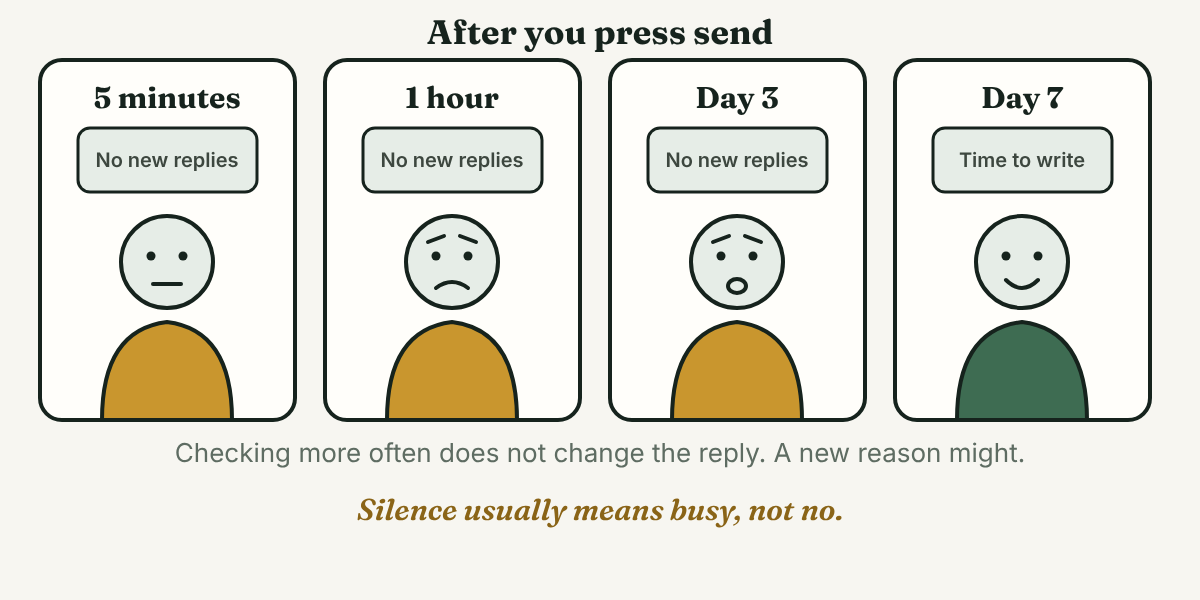
- Silence on LinkedIn often means busy, not no. In one study of work email, people put off replying to 37% of the messages that needed a reply.
- Send your follow-up about a week after your last message. The sources we read say 3 to 7 days, and none measured results on LinkedIn.
- A follow-up needs one new reason to answer: a useful link, a smaller question or an update from you. "Just checking in" gives none.
- Plan for two follow-ups at most, then stop. You write every message yourself, to one person at a time.
Short answer: Send a LinkedIn follow-up message about a week after your last message if you got no reply. Write two or three short sentences, add one new reason to answer, such as a useful link or a smaller question, and give an easy way to say no. Stop after two follow-ups.
In this article
- Why does a LinkedIn message get no reply?
- When should you send a LinkedIn follow-up message?
- How do you write a LinkedIn follow-up message?
- What are four LinkedIn follow-up message templates?
- What should you skip?
- Where does a tracker fit?
- FAQ
- Do this today
Why does a LinkedIn message get no reply?
You wrote a careful message and nothing came back. It is easy to read that as a no. The research we found points the other way, though it is not about LinkedIn.
A University of Waterloo and Microsoft study, reported by MediaPost in 2019, found that people put off replying to 37% of the emails that need a reply. They delay when they lack the time or need to gather information first. The researchers interviewed 15 Microsoft employees and studied logs from one email client. So the study covers work email at one company, not LinkedIn messages.
A second study looks at the sender. In a 2008 paper by Francis Flynn and Vanessa Lake, summarized by Stanford Graduate School of Business, people who planned to ask for help guessed they would need to ask about 50% more people than they really did to get the yeses they wanted. The tasks were small favors and fundraising, not networking. Treat it as a hint: people are often more willing to help than the person asking expects.
Neither study tested LinkedIn follow-ups, so this is our reading, not a result. Silence is often a message that is waiting its turn, not a message that failed. A follow-up is a fair thing to send, and it does not need an apology.
When should you send a LinkedIn follow-up message?
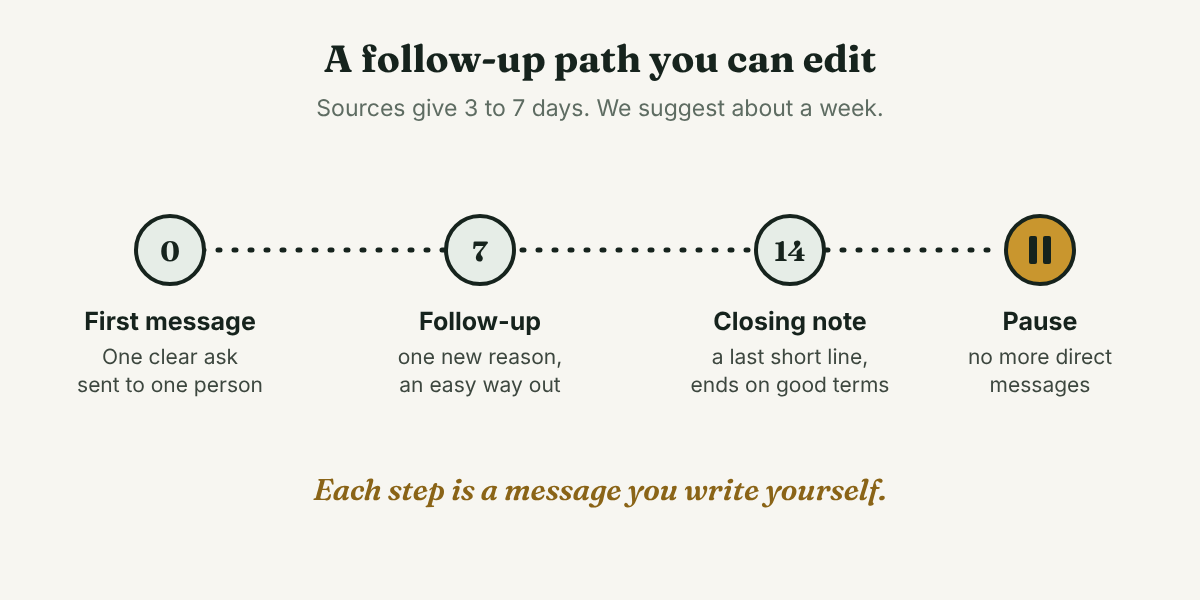
The sources we read do not agree, and none of them measured results on LinkedIn. Snov.io, which sells outreach automation, says to follow up 3 to 5 business days after your first message. NTC, a career advice site, says about one week, then a second note a week later, then a last one after a month. Callyzer says 4 to 7 days after a first note with no reply. Twain, which also sells outreach software, gives no fixed number and says to write again only when something real has changed.
That puts the range at about 3 to 7 days. We suggest the late end, one week. It gives the person several working days to see your message, and they can still remember you. This is our judgment, not a measured result.
If you spoke at an event or on a call, write within a day or two. Snov.io says 24 to 48 hours for events.
How do you write a LinkedIn follow-up message?
Step 1: Read your last message and write down what you asked
Open the thread and write one line: what you sent, on what date, and what you hoped the person would do. If you cannot say what you asked, the person could not tell either. A message that asks for three things is hard to answer, so ask for one small thing.
Step 2: Find one new reason to write
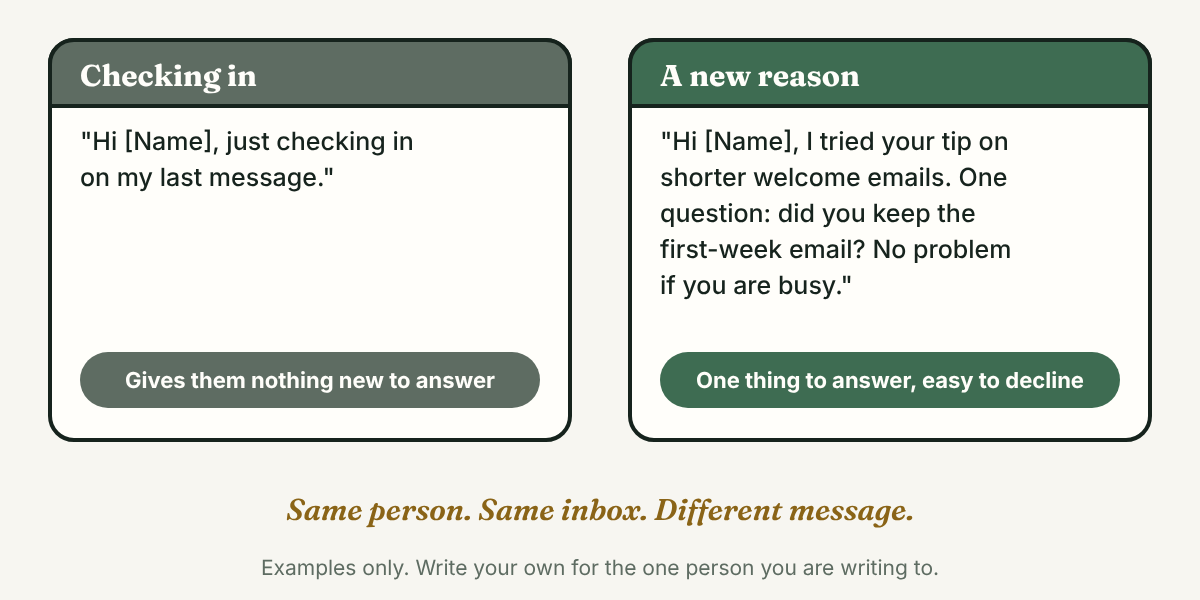
Twain says to follow up when a real fact has changed, and to stop when the next message would only say "checking in." NRCA, in a 2022 summary of Harvard Business Review advice, warns that openers like "following up" or "checking in" can make the other person feel bad about answering slowly, and suggests being specific instead.
A new reason can be:
- Something they posted. One specific line about it shows you read it.
- A useful link or fact. It answers a question they probably had.
- A smaller ask. One question instead of a call.
- A change on your side. You finished the project you mentioned in your first message.
If you have none of these, do not send yet. Wait a few days, or leave a thoughtful comment on one of their posts.
Step 3: Keep it short
The sources set different limits: under 75 words (Callyzer), about 120 (NTC) and 150 (Snov.io). We suggest three short sentences, about 60 words. Name what you wrote last time, give the new reason and ask one question.
Step 4: Give an easy way out
The NRCA summary says to give the other person an easy way to answer or to decline politely. A line such as "No problem if now is not a good time" does that. It also tells the person that a short answer is fine.
What are four LinkedIn follow-up message templates?
A template is a starting point. Change every part in [brackets], and write each message for one person. Our guide to writing outreach messages covers the first message.
1. They accepted your connection request and said nothing
Callyzer says to write 1 to 2 days after the connection is accepted. Daniel (an example, not a real person) read a new connection's post about onboarding emails. His note picks one detail and asks one question:
Hi [Name], thanks for connecting. I read your post about [topic], and the point about [one detail] stayed with me. One question: [a question they can answer in one line]?
2. You sent a message a week ago and heard nothing
This is the main follow-up. The new reason goes in the middle, and the last line makes declining easy:
Hi [Name], a short note on my message from [date]. [New reason: a link, a fact or an answer to something they asked]. If it is easier, a one-word answer is fine: [yes or no question]? No problem if now is not a good time.
3. They replied, then the conversation stopped
This is the easiest follow-up, because the new reason is what you did with their answer:
Hi [Name], I tried [the thing they suggested], and [what happened]. Thank you for the idea. One question: [a specific next question]?
4. The last note, about two weeks in
Callyzer calls this a break-up message. It is short and kind, and it asks for nothing:
Hi [Name], I will stop writing so I do not fill your inbox. If [topic] becomes useful to you, I would be glad to hear from you. Thank you for your time.
After this note, NTC suggests staying visible by commenting on their posts instead of sending more direct requests. NTC advises stopping after three polite touches. We suggest two follow-ups, so you stay under that limit.
What should you skip?
Skip these:
- Tools that send follow-ups for you. Snov.io recommends automation to find who has not replied and keep follow-ups regular. We do not recommend automation, bots or auto-messaging. A follow-up is meant to show that one person wrote to another.
- "Just checking in" on its own. It gives the reader nothing to answer.
- The same message to many people. A follow-up that fits everyone fits no one.
- Fake urgency or guilt. Twain warns against false urgency.
Where does a tracker fit?
Full disclosure: we make GrowthSeeded, a LinkedIn relationship tracker. It does not write follow-ups, send them or touch LinkedIn. It helps with the part people forget: when to write and why. You add the person, write a note after each conversation, and a due-today view shows who to follow up with. The next step depends on what happened, such as an accepted connection or a reply, not on a fixed date. So the week in this post is a starting guess, not a rule. You write every message, and it never sends anything.
Free is $0 for 5 active people at a time, and up to 20 when friends join through invites. Pro is $15 a month or $150 a year. Max is $29 a month. We checked these on October 23, 2026, and they change.
If you follow up with only a few people, a notes app or a spreadsheet can do the same job.
FAQ
How long should you wait before a LinkedIn follow-up message?
The sources we read give 3 to 7 days after a message with no reply. We suggest about a week. After an event or a call, write within a day or two.
How many follow-ups should you send?
Sources differ. NTC says stop after three polite touches, and Twain gives no number. We suggest two follow-ups: one with a new reason, then a short closing note. After that, stop sending direct messages.
Is it rude to follow up on LinkedIn?
No source we opened calls one polite follow-up rude. Twain and the NRCA summary warn against repeated reminders with nothing new in them. Send one with a reason, be kind, and accept the answer you get, including no answer.
Should you use a tool to send LinkedIn follow-ups?
We do not recommend it. Automation, bots and auto-messaging send the same words to many people. Write each follow-up yourself, one person at a time.
Do this today
- Open the last LinkedIn message that got no reply and write down what you asked and the date you sent it.
- Find one new reason to write, such as a link, a smaller question or an update. If you have none, wait.
- Write one follow-up in your own words, about 60 words, with an easy way out. Send it to that one person.
A follow-up is easy to write and easy to forget to send. GrowthSeeded shows who is due today and puts your own note from the last conversation next to their name, so the new reason is already in front of you when you start writing. You write every message, and it never sends anything or touches LinkedIn. The Free plan is $0 for up to 5 active people at a time.
Sources
- Email triage: why people delay replying to messages, MediaPost, 2019 (summary of a University of Waterloo and Microsoft study)
- Francis Flynn: If You Want Something, Ask For It, Stanford Graduate School of Business, 2008
- How to Write Follow-up LinkedIn Messages (With 7 Effective Templates), Snov.io, 2025
- LinkedIn Follow-Up Messages After No Response: 3 Better Angles, Twain, 2026
- Networking on LinkedIn Without Sounding Desperate: Practical Tips, NTC, 2026
- The Art of the Soft Follow-Up on LinkedIn, Callyzer, 2026
- How can you graciously follow up with someone?, NRCA, 2022 (credits Harvard Business Review)
About the author
Anisur Rahman Fagun is a marketing and content strategist with more than 9 years of experience in SEO, content, paid advertising and brand growth. He holds a master's degree in mass communication and journalism, and has led content and SEO strategy, built editorial teams and worked with product, design and sales teams. He also builds simple tools that turn marketing data into clear decisions. He writes the GrowthSeeded blog, which shares practical ways to build professional relationships on LinkedIn.