Networking
LinkedIn Activity Sequence for B2B Sales Professionals
8 min read
Key takeaways
- A LinkedIn activity sequence is a fixed order of small steps for one person: research, request, first message, two follow-ups, then stop. Run it by hand.
- Later messages matter. In Belkins' LinkedIn data, follow-ups drew as many replies as first messages in Connector campaigns (4.0% each).
- Give the request up to 14 days. Belkins found over 62% of connections happen within 24 hours and 91% by the two-week mark.
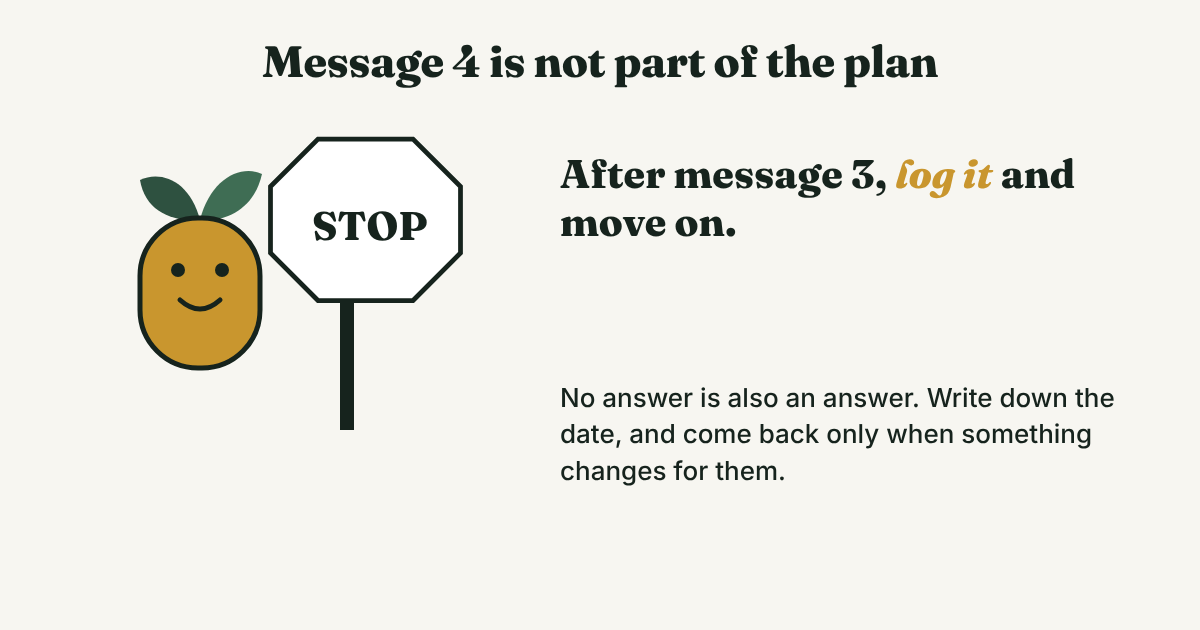
- Cap it at one request and three messages. A fourth message adds pressure, not information.
- Write each step in a log the day you do it, so what to do next is never only in your head.
Short answer: A LinkedIn activity sequence for B2B sales is a fixed order of steps for one prospect at a time. Research on day -1, send the request on day 0, check the Sent tab on day 14. After they accept, message them, follow up 4 days later and again 10 days later. Then stop and log it.
In this article
What is a LinkedIn activity sequence?
What are the steps, day by day?
Do the second and third messages pay off?
What about liking or commenting before you connect?
How many people can you run at once?
How do you keep track?
What do we not know?
FAQ
Do this today
What is a LinkedIn activity sequence?
Sam (an example, not a real person) sells software to operations teams. By Thursday he has 40 prospects in different states. Some have a request waiting. Some accepted and got one message. A few replied once, and he cannot remember what he promised. He is not short on effort. He is short on an order.
A sequence is that order. It says what you do for one person, on which day, and when you stop. Many tools run sequences for you. We do not recommend that. Overloop (2026) notes that LinkedIn's automation policy restricts third-party software and that no tool guarantees account safety. This plan is by hand, one person at a time.
For the message itself, see our guides to a connection request message for sales and the LinkedIn follow-up message. This post is about the order and the days.
What are the steps, day by day?
Here is a 14-day plan. Day A is the day they accept.
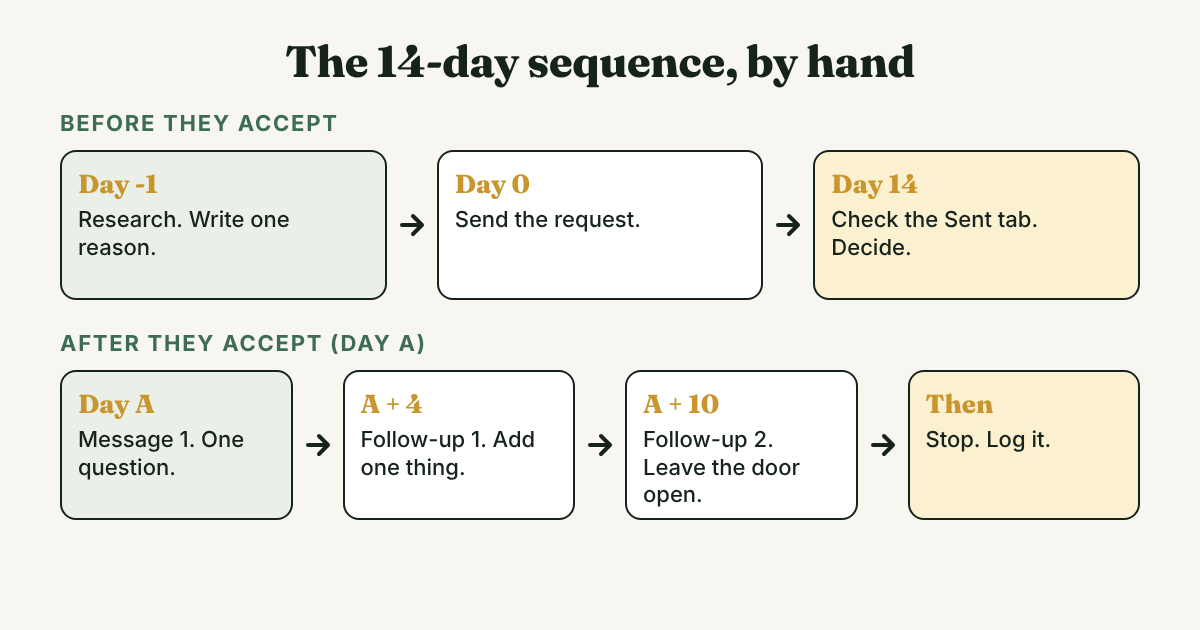
- Day -1: research (about 3 minutes). Find one real reason to write, such as a post, a job change or a shared topic. Write it in one line. If you cannot, do not send the request. Overloop's workflow starts the same way: find a reason to contact.
- Day 0: send the request. Belkins looked at 11.5 million requests sent in 2025. Requests without a note were accepted 27.6% of the time, and requests with a note 25.3%. That does not mean a note is wrong, only that it is not free. Our guide on a note or no note goes deeper.
- Day 14: check the Sent tab and decide. Belkins (2026) found over 62% of connections within 24 hours and 91% by two weeks. After that, waiting adds little. Where to find sent invitations, and what to do with them.
- Day A: message 1. Ask one question about their work. Do not pitch. BotDog (2026) says to lead with value or a specific observation, and Overloop says to ask one relevant question. For wording, see follow-up messages after connecting.
- Day A + 4: follow-up 1. Add one thing they did not have yet, such as a short article or a fact about their field. Do not write "just checking in."
- Day A + 10: follow-up 2. Keep it short and leave the door open. Say you will not keep writing.
- Then stop. Log the outcome and a date to look again, only if something changes for them.
The gaps are a starting point. BotDog suggests day 0, days 3 to 5 and days 10 to 14 after acceptance, and calls three messages "usually the ceiling." It gives no data for those gaps and it sells automation, so treat it as one example.
Do the second and third messages pay off?
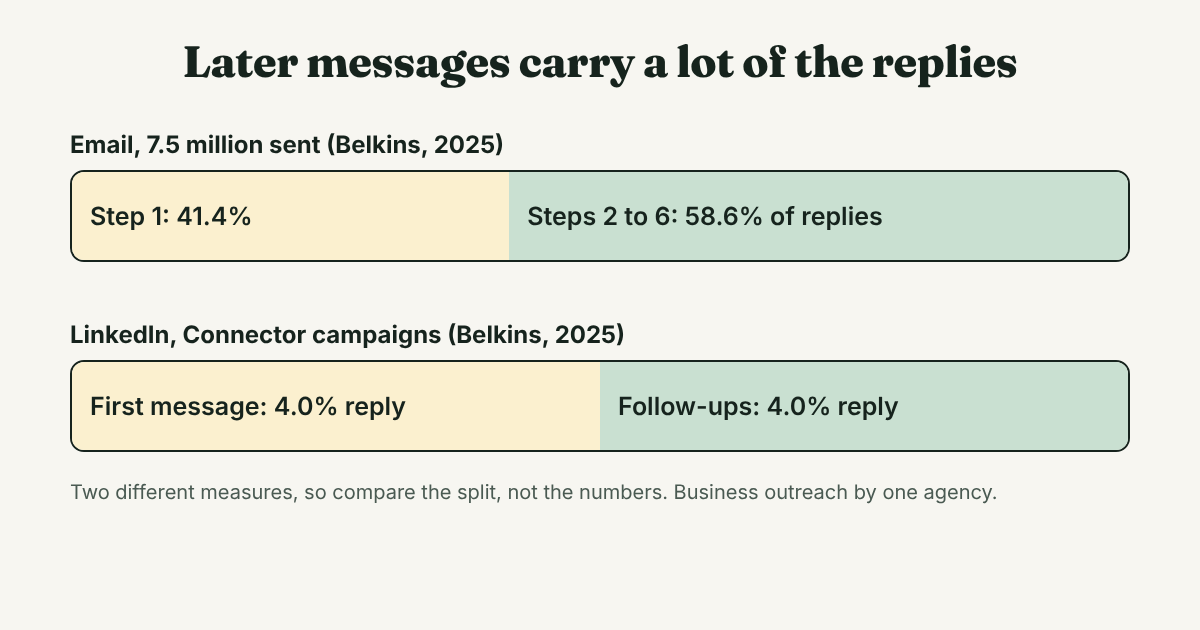
Yes, but the data is uneven. Belkins' 2026 LinkedIn study covers 14,077 contact records from 34 client campaigns in 2025. In Connector campaigns, first messages drew a 4.0% reply rate and later messages drew 4.0%, so follow-ups carried about half of the replies.
Belkins' separate email study of 7,530,489 emails found steps 2 to 6 brought 58.6% of replies, and it suggests 3 to 5 steps. That is email, not LinkedIn, and it is the only number we found for sequence length.
What about liking or commenting before you connect?
Many guides add a profile view, a like or a comment before the request. We found no study showing that any of them raises acceptance. Belkins did not test it, and the BotDog and Overloop sequences leave it out. If you already read the person's posts, a real comment can be your reason in step 1. Do not count it as a step, and do not do it just to be seen.
How many people can you run at once?
Fewer than you think. Overloop (2026) says LinkedIn does not publish a universal daily quota, and our guide on connection limits explains why to think weekly. Do the arithmetic first. Each person can take up to three messages over 10 days. Ten people a week can mean 30 messages to write well.
Start with the number you can follow up on. Add more only when the follow-ups on the last batch are done.
How do you keep track?
Use one row per person. Fill each cell the day you do the step. Copy this header:
Name | Company | Reason | Request sent | Accepted | Message 1 | Follow-up 1 | Follow-up 2 | Outcome | Look again
An example row (Priya is not a real person):
Priya | a regional logistics firm | Posted about late carrier updates | Nov 3 | Nov 5 | Nov 5 | Nov 9 | Nov 15 | No reply, stopped | Feb 1
Full disclosure: we make GrowthSeeded, a simple follow-up tracker for LinkedIn, so we are biased. A spreadsheet works for this plan. Use whatever you will open every day.
What do we not know?
- Whether 4 and 10 days are the best gaps. We found no study that tested gaps on LinkedIn. The numbers come from a vendor's example and from our own judgment.
- How many steps work best on LinkedIn. The only number we found for sequence length is for email.
- What LinkedIn allows. We could not open LinkedIn's help pages, so check your own account for limits.
- Your results. Belkins data comes from one agency's client campaigns. Your list and your offer will change the numbers.
FAQ
How many follow-ups should I send on LinkedIn?
Two after the first message, so three messages in all. BotDog calls three the usual ceiling, and Belkins' email data suggests 3 to 5 steps. After that, stop.
How long should I wait after the connection request?
Up to 14 days. Belkins (2026) found 91% of the connections that will ever happen have happened by then.
Should I use automation to run a sequence?
No. We do not recommend it. Overloop (2026) says LinkedIn's automation policy restricts third-party software and no tool guarantees account safety. You can run this plan by hand.
What if they accept but never reply?
Send the three messages, then stop and log it. Look again only if something changes for them, such as a new role or a post that fits your reason.
Can I pitch in message 1?
We would not. Ask one question about their work. BotDog and Overloop both say to lead with value or a relevant question, not a pitch.
Do this today
- Pick up to five people and write a one-line reason for each. Drop anyone without one.
- Send the five requests yourself.
- Write "check Sent tab" for 14 days from today in your log.
If tracking those dates by hand gets heavy, GrowthSeeded is a simple follow-up tracker for LinkedIn. It tells you who to message each day, so you don't forget to follow up. You send every message yourself.
Sources
- LinkedIn outreach study, Belkins, updated 2026
- Sales follow-up statistics in B2B: Belkins' 2026 study, Belkins, 2026
- LinkedIn response time study, Belkins, 2026
- LinkedIn outreach sequence, BotDog, April 2026
- LinkedIn outreach playbook, Overloop, updated September 2026
About the author
Anisur Rahman Fagun is a marketing and content strategist with more than 9 years of experience in SEO, content, paid advertising and brand growth. He holds a master's degree in mass communication and journalism, and has led content and SEO strategy, built editorial teams and worked with product, design and sales teams. He also builds simple tools that turn marketing data into clear decisions. He writes the GrowthSeeded blog, which shares practical ways to follow up and stay in touch with people on LinkedIn.