Networking
LinkedIn Maximum Connections Per Day: Think Weekly, Not Daily
11 min read
Key takeaways
- The number most pages give is weekly, not daily: about 100 connection requests in a rolling seven days. We could not open LinkedIn's own page to confirm it.
- The daily numbers you see, 10 to 25, are pacing advice from tool makers. We found none we could trace to LinkedIn.
- The sources disagree on how fast the count resets, on paid accounts, and on what withdrawing does. Plan for the stricter reading.
- If you see "You've reached the weekly invitation limit", stop, wait several days, and restart with fewer requests, each written by you.
- Ten requests a workday is 50 a week, half the usual number. The harder job is following up with the people who accept.
Short answer: We found no daily cap from LinkedIn. The number most pages give is weekly: about 100 connection requests in a rolling seven days. If you write each request by hand, 5 to 10 a day is plenty. We could not open LinkedIn's own help page, so treat 100 as a guide, not a promise.
In this article
What is the maximum number of connection requests per day?
Why do the numbers differ so much?
How many should you send a day?
What do you do when LinkedIn says you reached the weekly limit?
Should you withdraw old requests?
Is there a best time to send?
How do you keep track so no request gets lost?
What do we not know?
FAQ
Do this today
What is the maximum number of connection requests per day?
You have a list of people to connect with, and you want to know how many you can send before LinkedIn says stop. Here is what we found: none of the 11 pages we read gives a daily limit as LinkedIn's rule. The number they give is weekly.
Eight of the pages say about 100 a week: lemlist, PhantomBuster, Outscore, Expandi, Salesforge, LinkedNav, Topo and Overloop. Cleverly recommends about 100 and says the warning can come "after 100 to 250 connection requests sent per week." Taplio and Kondo say 100 to 200.
When you reach it, LinkedIn shows a message. Two of the pages quote it: "You've reached the weekly invitation limit."
Daily numbers do exist, but read them as pacing advice. lemlist calls 15 to 20 a day safe for a warmed account. PhantomBuster recommends 20. Outscore says 20 to 25, and Salesforge says 15 to 25. Expandi spreads 15 to 20 across five working days. These are what each company suggests. We did not find a daily figure that we could trace to LinkedIn.
One more thing to know. Most of these pages come from companies that sell outreach tools, so read their numbers as their experience, not as LinkedIn's rulebook. LinkedIn's own help pages would not open for us, so 100 is a guide. We checked on November 6, 2026, and these numbers change.
Why do the numbers differ so much?
Three reasons show up across the pages.
- Different accounts. PhantomBuster says about 100 for free and Premium accounts and 150 to 200 for Sales Navigator. The other pages do not split it by plan, so we could not confirm that.
- A range, not a line. Cleverly says the warning can come anywhere from 100 to 250. Taplio and Kondo say 100 to 200. None of the pages say how they measured it.
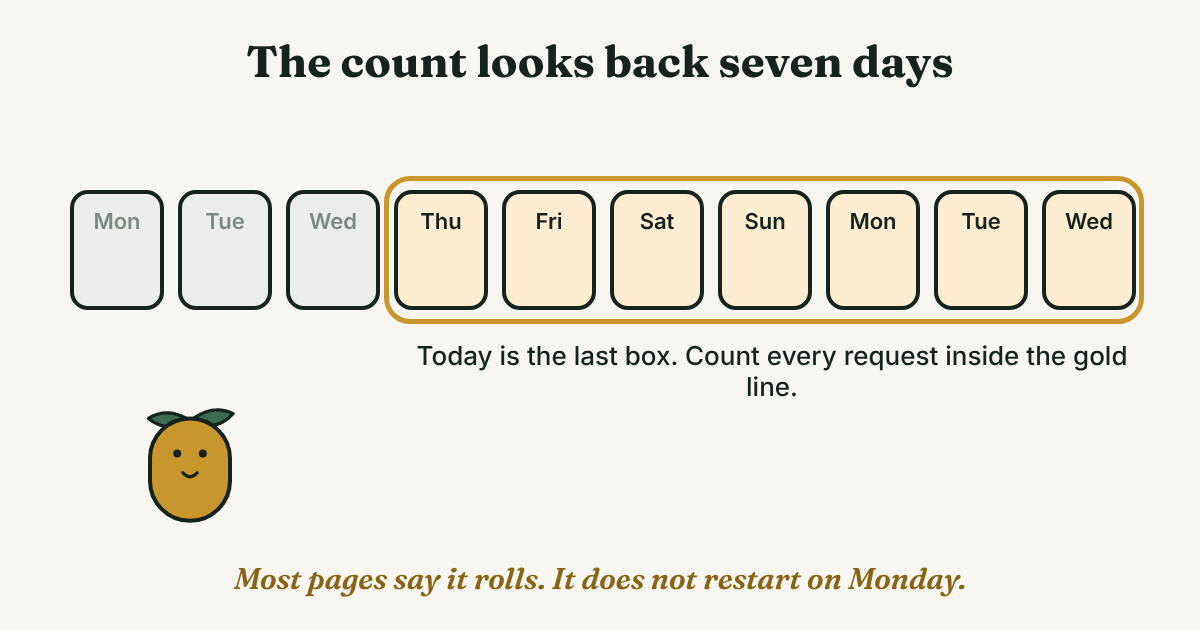
- Different reset rules. Topo, Overloop and Salesforge say the count covers a rolling seven days, with no Monday reset. LinkedNav says not to count on a Monday reset. Kondo describes it as seven days from your first request.
Our reading: plan for the stricter version. Count the requests you sent in the last seven days, and stay under 100 with room to spare.
How many should you send a day?
Ten requests a workday is 50 a week. That is half of the usual 100, and about as many as you can write one at a time with a real reason in each. That is our number. It is not a rule from any source.
Here is why days are the wrong way to think about it. Say the window rolls. You send 40 on Monday and 40 on Tuesday. By Wednesday you have about 20 left for the rest of the week, and Monday's 40 will not free up until next Monday. The same 100 spread as 10 a day leaves room every day.
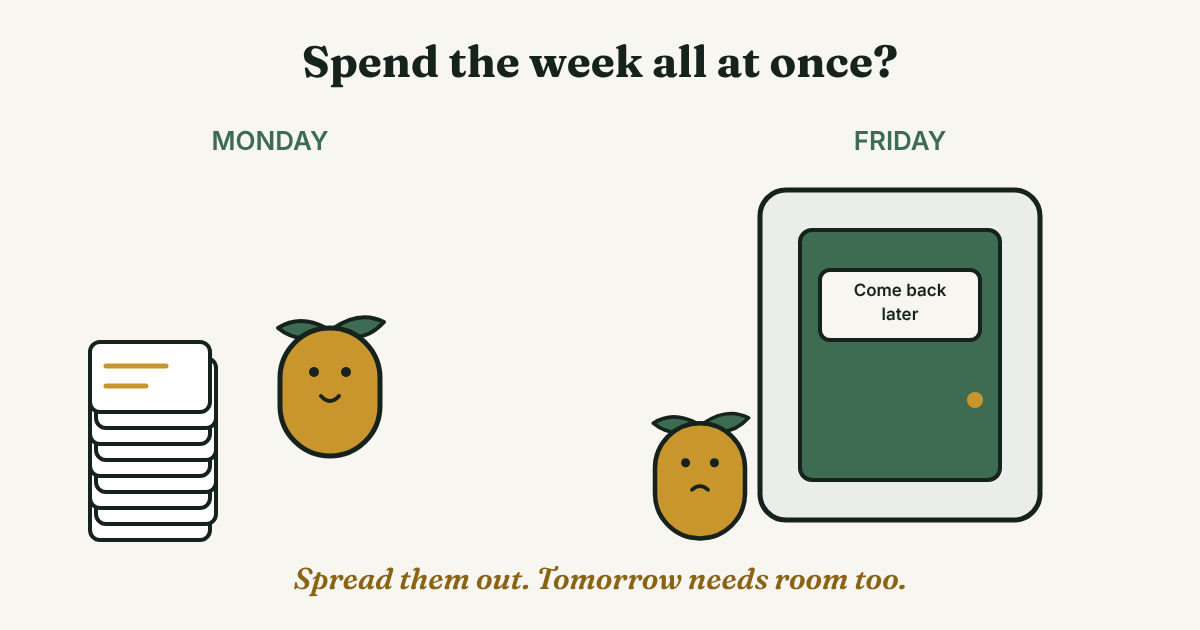
Dana (an example, not a real person) sells accounting software. On Monday she picks 10 people from a panel she attended. For each one she writes a single line about why she is writing. By Friday she has sent 50 and has a short list of who accepted. Here is her week as a plan you can edit:
Each workday: send up to [10] requests, each with one reason written for that person. Each morning: check who accepted and write them a first message. Each Friday: add up the last seven days. Near [100]? Send fewer next week.
For what to put in the note itself, see our guide to the LinkedIn connection request message. If you want the basics of requests and notes first, start with LinkedIn Connection Request: Note or No Note, Then What?.
What do you do when LinkedIn says you reached the weekly limit?
The pages agree on the first step and disagree on the wait.
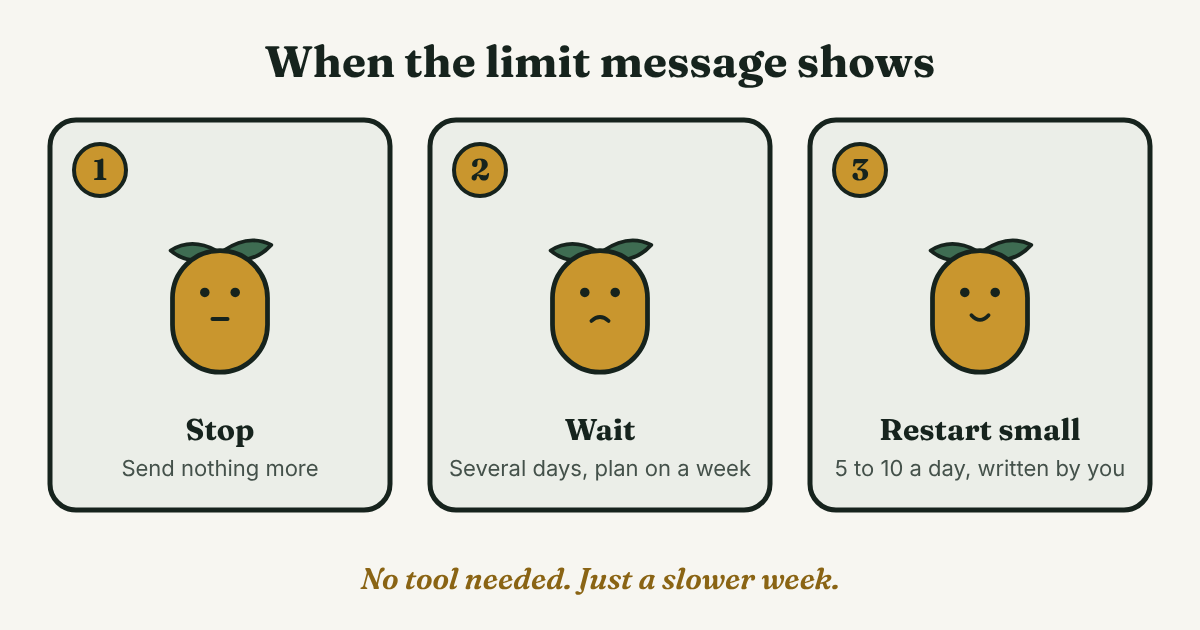
- Stop sending. Expandi says to stop immediately and calls the restriction typically a week. Taplio says not to test the limit.
- Wait. The waits we found: 24 to 72 hours (Overloop), 4 to 5 days (PhantomBuster), 3 to 7 days (Taplio) and about a week (Expandi). Plan for a week.
- Restart slower. PhantomBuster says to restart at a lower pace. Come back at 5 to 10 a day.
- Skip tools that send for you. Several of these pages are about automation tools. We do not recommend sending requests with software. Every request here is written and sent by you, one at a time.
Should you withdraw old requests?
The pages do not agree. Kondo says withdrawing frees space in your weekly quota. Overloop says it does not restore your weekly cap on the spot. On sending again, Outscore and Taplio say you cannot invite the same person for up to about three weeks after you withdraw. Overloop says you can re-send without LinkedIn treating it as a duplicate. We could not settle it.
So do not withdraw to make room. Withdraw a request when you would not follow up on it anyway. Our rule is the same as in our guide to sent invitations on LinkedIn: wait about two weeks, send one follow-up if the person still matters, then let it go.
The pages also warn about a large pile of waiting requests. lemlist and Salesforge say 500. Topo and Taplio say about 1,500, and Taplio says LinkedIn may block new invites past that. Overloop calls a large pending pile a known trigger. Keep yours small.
Is there a best time to send?
No page we read cited a study. The advice is plain. lemlist says to send during business hours in the recipient's time zone. Taplio says working hours, no more than 10 an hour. Expandi says to spread requests across the week.
We found nothing showing that one hour or weekday gets more accepted, so we will not name one. A fair rule is to send each request when you have time to write it for that person.
How do you keep track so no request gets lost?
A limit is easy to see. The slip is quieter. You send 10 requests, and say 4 accept (an example, not a statistic). A week later you cannot remember who was who, or why you wrote. The message you owe them gets forgotten.
One line for each request is enough:
[Name], [role]. Reason: [place, work or contact]. Sent [date]. If they accept, message by [date + 2 days]. If not, let go on [date + 14 days].
Dana's line: Marcus, finance director. Reason: spoke on the Tuesday panel. Sent Nov 9. If he accepts, message by Nov 11. If not, let go Nov 23. To see who is still waiting, use the steps in our guide to sent invitations. When someone accepts, our guide to the follow-up message after connecting has four examples.
Full disclosure: we make GrowthSeeded, a simple follow-up tracker for LinkedIn. It tells you who to message each day, so you don't forget to follow up. A spreadsheet with one row per person works for a short list too.
What do we not know?
- LinkedIn's own numbers. LinkedIn's help pages would not open for us, so every number here is secondhand.
- Whether the limit is the same for every account. One page splits it by plan. The others do not.
- How many notes a free account gets. lemlist says 3 a month in its text and 3 to 5 in its table. Taplio and Expandi say about 5. The other pages do not say. We could not confirm it.
- What withdrawing does to the weekly count and to sending again to the same person.
- A best time to send. No page we read cited a study.
FAQ
What is the maximum number of LinkedIn connections per day?
We found no daily cap from LinkedIn. Pages give about 100 requests per rolling seven days, and tool makers suggest 15 to 25 a day. We could not confirm either with LinkedIn's own help page.
How many connection requests can I send per week?
About 100 is the number most pages give. Some say 100 to 200, and one says 150 to 200 for Sales Navigator. Stay under 100.
Does the weekly limit reset on Monday?
Several pages say the count covers a rolling seven days and not a Monday reset. One says seven days from your first request. We could not confirm which, so count the last seven days before you send more.
Can I send more with Premium or Sales Navigator?
One page says about 100 for free and Premium and 150 to 200 for Sales Navigator. The others do not split it by plan. We could not confirm it, so we would not plan on more.
Should I use a tool to send more requests?
No. A tool that sends requests for you is automation, and we do not recommend it. Writing each request yourself is slower, but each note is about one person.
Do this today
- Count the requests you sent in the last seven days.
- Pick up to 10 people for today and write one true reason for each.
- Write the one-line entry for each, with a date to let go: 14 days out.
The limit is about how many you send. The harder part is the people who go quiet. In GrowthSeeded you add each person with the reason you wrote, and the next message shows up on the day it is due. You send every message yourself, and it never sends anything or touches your LinkedIn account. The Free plan holds 5 active people at a time, enough to try the one-line habit. Try it free.
Sources
- LinkedIn Connection Limit in 2026: Weekly Invites, Total Cap, and Safe Volumes, lemlist, October 2026
- LinkedIn Connection Request Limits in 2026, PhantomBuster, updated July 2026
- LinkedIn Connection Request Limits in 2026: Every Number, Sourced, Outscore, updated July 2026
- LinkedIn Weekly Invitation Limit for 2026, Expandi, September 2026
- LinkedIn Connection Request Limit in 2026, Salesforge, updated September 2026
- LinkedIn Weekly Invitation Limit in 2026, LinkedNav, October 2026
- LinkedIn invitation limit guide, Topo, 2025
- LinkedIn outreach limits and safety, Overloop, July 2026
- You've reached the weekly connection limit: now what?, Cleverly, 2025
- LinkedIn connection request limit, Taplio, 2026
- Understanding LinkedIn's connection request limits, Kondo, 2025
About the author
Anisur Rahman Fagun is a marketing and content strategist with more than 9 years of experience in SEO, content, paid advertising and brand growth. He holds a master's degree in mass communication and journalism, and has led content and SEO strategy, built editorial teams and worked with product, design and sales teams. He also builds simple tools that turn marketing data into clear decisions. He writes the GrowthSeeded blog, which shares practical ways to follow up and stay in touch with people on LinkedIn.