Networking
Why to Avoid Automating LinkedIn Activities
10 min read
Key takeaways
- LinkedIn bans bots and other automated ways of using the site, and it can restrict or suspend an account that breaks the rules. A restriction can be temporary or permanent.
- LinkedIn does not publish what triggers a restriction. Every "safe daily limit" we found comes from a tool vendor, and the vendors disagree.
- LinkedIn is suing companies that run fake-account scraping networks. Those cases are about scraping, not about follow-ups, but they show where LinkedIn is heading.
- You can use a list, a note and a reminder without touching your account. Keep the sending in your own hands.
Short answer: Avoid automating LinkedIn because it breaks LinkedIn's rules, the penalty can be permanent, and nobody outside LinkedIn knows the safe limit. Vendors give different numbers with no source. Sending each message yourself costs little, and a simple list can tell you when.
In this article
What does LinkedIn's rulebook say about bots?
What triggers a restriction?
Is LinkedIn really going after bots?
What does automation cost you even if your account stays safe?
What can a tool do without touching your account?
What can you do by hand in ten minutes a day?
Where does a simple follow-up tracker fit?
What do we not know?
A tool promises 100 connection requests a day while you sleep. Another says it will follow up with everyone who accepts. The demo looks good and the price is low. Then you read a post from someone whose account was restricted, and you wonder who is right.
This guide separates what is known from what vendors say, then shows what to do instead. If you want the wording of the follow-up itself, start with our guide to the LinkedIn follow-up message, then come back here to decide how much to hand to a tool.
We read five sources: two news reports on LinkedIn's lawsuits and three vendor pages. We could not open LinkedIn's own Help pages, because the site blocks our tool. Where a claim is a vendor's reading of those pages, we say so.
What does LinkedIn's rulebook say about bots?
Sellinger is a vendor that sells an automation product, and its article says so. It walks through LinkedIn's rules. It points to the User Agreement list of things you must not do, which includes using "bots or other unauthorized automated methods" to access the service. It also points to LinkedIn's Help pages on prohibited software and automated activity, and to the line that lets LinkedIn "restrict, suspend, or terminate" an account.
Two things follow. First, a tool that logs in as you, or drives your browser, to send requests or messages is on the wrong side of that line. Sellinger says it found no rule that treats cloud tools and browser extensions differently. That is its own reading, so check it yourself.
Second, the penalty is not small. Sellinger reads LinkedIn's page on automated activity as saying the result may be a temporary or permanent restriction. It says LinkedIn asks you to review and turn off any software that automates your activity. The account comes back at the time given in your notice, and you can ask LinkedIn to look again.
We have not read those pages ourselves. Before you decide, open LinkedIn's Help page on prohibited software and extensions.
What triggers a restriction?
Nobody outside LinkedIn knows. Quillreach, another vendor, says it plainly: "The exact triggers are not published." What it lists comes from experience, not from LinkedIn: dozens of invites in minutes, many people answering "I don't know this person," browser extensions, shared cloud proxies and robotic timing. Salesforge lists similar causes. It adds jumping from 0 to 150 actions a day on a new account and logging in from two sessions at once.
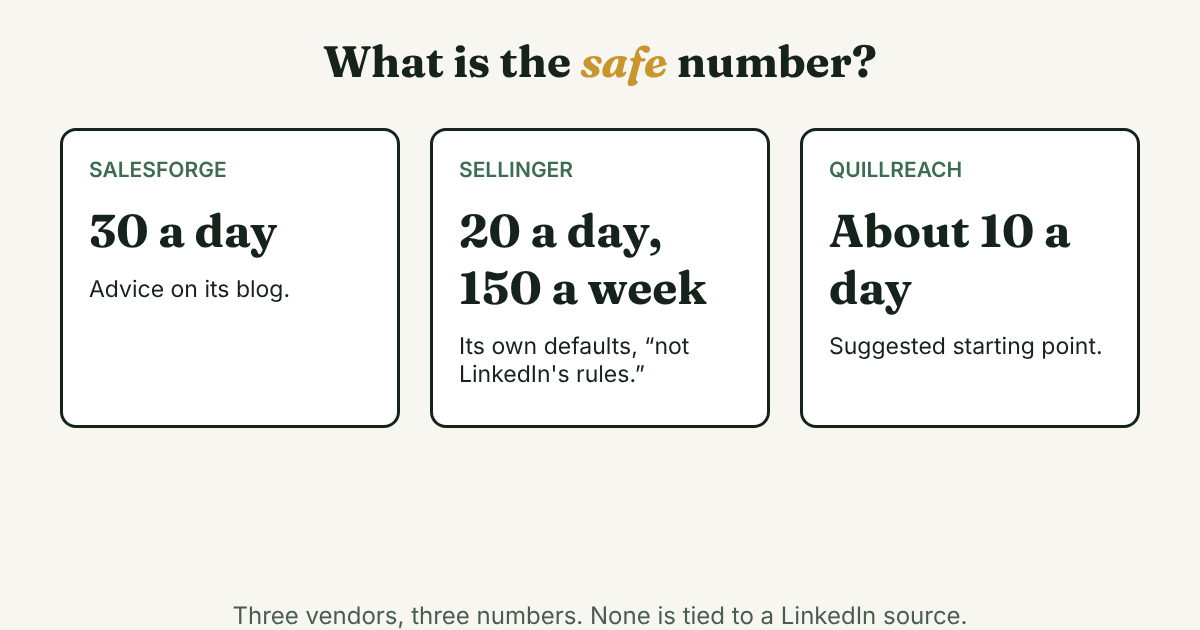
Now the numbers. Salesforge says to stay under 30 connection requests a day. Sellinger's own defaults are 20 invitations a day and 150 a week, and it says these are "not LinkedIn's rules." Quillreach suggests starting near 10 a day. Three vendors, three numbers, and none is tied to a LinkedIn source.
Treat those numbers as sales advice, not a safe limit. For what to do about invitations you already sent, see our post on LinkedIn connection limits, which thinks in weeks, not days.
Is LinkedIn really going after bots?
Yes, in court. Bloomberg Law reported in December 2025 on two cases. LinkedIn sued Proxycurl in early 2025, and Proxycurl shut down in July 2025 instead of fighting. In October 2025 LinkedIn sued ProAPIs and its CEO.
Security Affairs describes the ProAPIs complaint this way: a network of fake accounts "numbering in the millions," used to rent out scraping for up to $15,000 a month. LinkedIn says its defenses "regularly detect and restrict" those accounts "within hours of their creation." After the suit, LinkedIn's legal VP said the company will "continue to build new safeguards to stop fake accounts and prevent scraping."
These cases are about scraping and fake accounts. They do not show that a person who sends a few follow-ups will be restricted. They do show the direction: more detection, not less. Both reports repeat what LinkedIn said in its filings, and Bloomberg says the ProAPIs parties were "exploring an early resolution" in December.
What does automation cost you even if your account stays safe?
This part is our view, not a study. A message that goes to a hundred people reads like it. Quillreach lists a high rate of "I don't know this person" answers as a trigger, which means the people you message can act on it.
There is a second cost. A tool that sends the follow-up also decides when, and you stop knowing who you have talked to and why. A follow-up works because it is from you, about something you remember. We do not recommend automation or mass messaging, and we do not name tools that do it.
What can a tool do without touching your account?
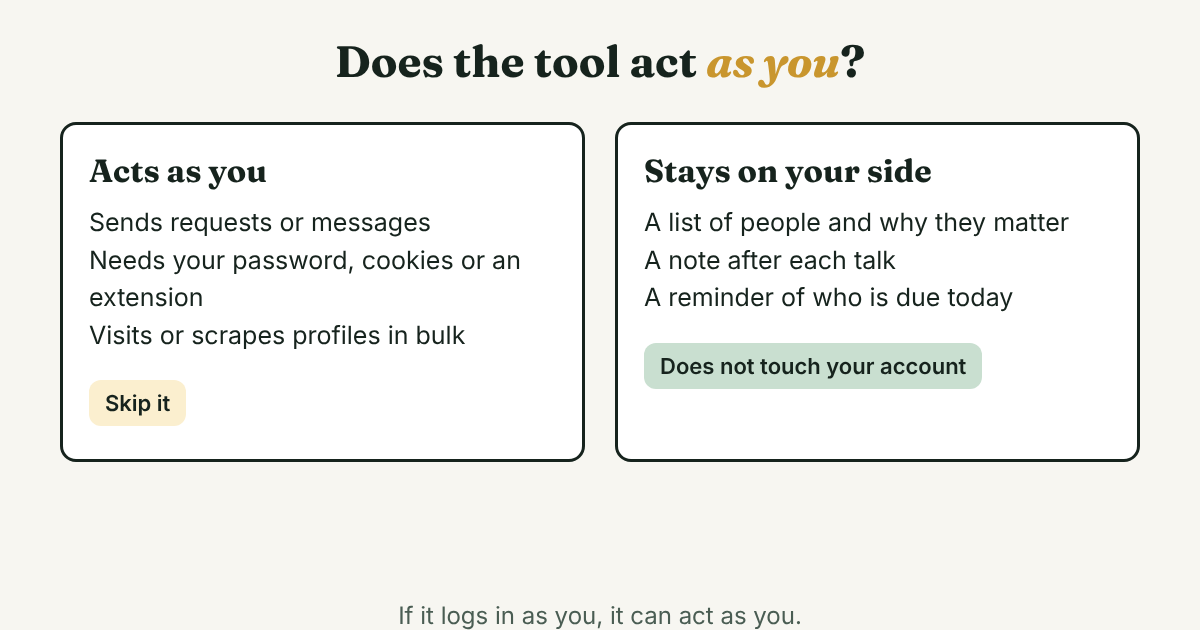
Split tools by one question: does it need to log in to LinkedIn as you? If yes, it can act as you. If it only holds what you type, it cannot.
- Stays on your side: a list of people and why they matter, a note after each conversation, a reminder each morning of who is due, and message drafts you write yourself.
- Acts as you: sending invites or messages, auto-following up, visiting profiles in bulk, scraping, and anything that needs your LinkedIn password, cookies or an extension.
If you are choosing between a spreadsheet, a CRM and a simple tracker, our post on whether you need a CRM for LinkedIn follow-ups has four questions to ask first. We have not tested any automation tools.
What can you do by hand in ten minutes a day?
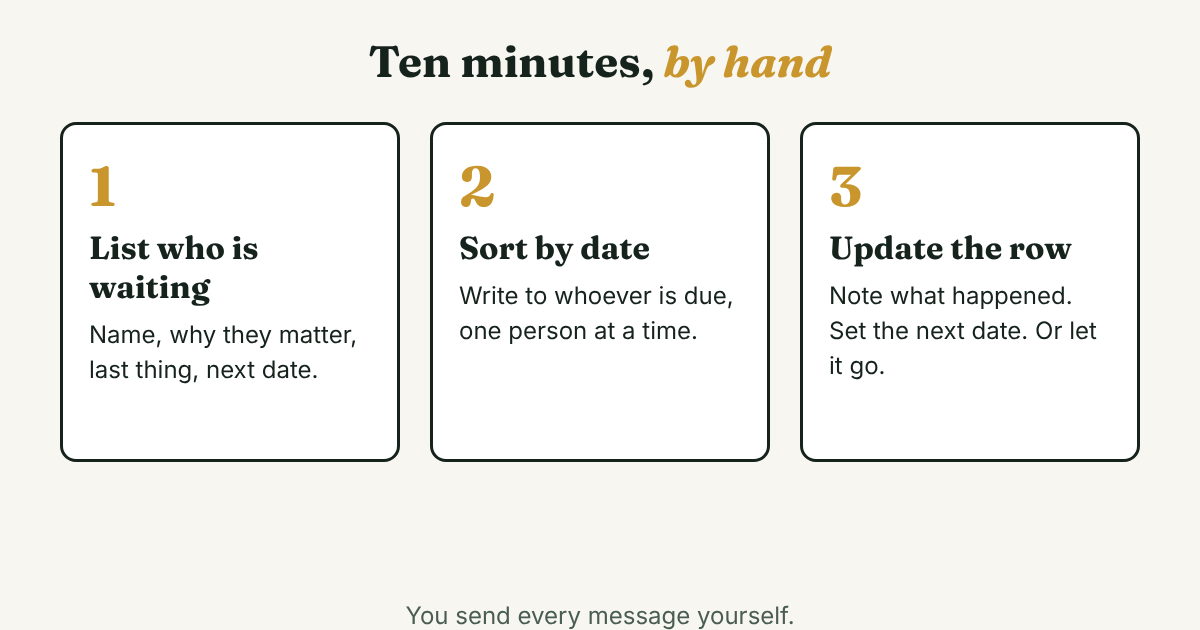
Step 1: List who is waiting on you
Write four things per person: name, why they matter, the last thing that happened, and the next date. An example (Dev is not a real person): Dev | accepted my request Nov 3 | posted about hiring a designer | no message yet | write Nov 10.
Step 2: Write to whoever is due, one at a time
Sort by next date each morning. Write each message for that person. A short frame you can edit: Hi [Name], thanks for connecting. You posted about [topic], and I had a question about [one specific detail]. How did you decide on it?
Step 3: Update the row, or let it go
Note what happened and set the next date. After one or two follow-ups with no answer, stop. This 14-day order of steps for one prospect shows a plan with a clear end, done by hand.
Where does a simple follow-up tracker fit?
Full disclosure: we make GrowthSeeded, a simple follow-up tracker for LinkedIn, so we are biased. It tells you who to message each day, so you don't forget to follow up. You add a person and why they matter, you write a note after each conversation, and the next step follows what happened.
It does not message anyone, and it never connects to LinkedIn. If you want a tool that sends for you, this is not it, and we would tell you to skip that kind of tool anyway.
What do we not know?
- What triggers a restriction, and at what volume. LinkedIn does not publish it, and we found no study.
- How many accounts LinkedIn restricts for automation. We found no figure.
- Whether any vendor limit is safe. The three we found disagree and have no LinkedIn source.
- What LinkedIn's Help pages say today. We could not open them, so read them on your own account.
FAQ
Is LinkedIn automation against the rules?
The vendors we read, including one that sells automation, say LinkedIn's User Agreement bans bots and other unauthorized automated methods. We could not open LinkedIn's pages, so check the User Agreement and the Help page on prohibited software yourself.
Will I get banned for using an automation tool?
LinkedIn can restrict, suspend or terminate an account that breaks its rules, and the restriction may be temporary or permanent. No source we opened says how likely it is. LinkedIn does not publish the triggers.
How many connection requests a day are safe?
There is no published safe number. Salesforge says under 30, Sellinger uses 20 a day and 150 a week as its own defaults, and Quillreach suggests about 10 to start. None of them ties its number to LinkedIn.
Is a reminder tool the same as automation?
Not if it never logs in as you. A tool that only holds notes you type and reminds you who is due does not act on your account. A tool that sends, visits or scrapes does.
What if my account is restricted?
Read the notice first. Sellinger's reading of LinkedIn's Help page is to turn off any software that automates your activity and then wait for the date in the notice, or ask LinkedIn to review. Confirm the steps on LinkedIn's own page, which we could not open.
Do this today
- Write down the last five people you meant to follow up with, and what stopped you.
- Check any tool you use or are about to try: does it log in as you, send for you, or need an extension? If yes, skip it.
- Make the four-part list from Step 1, and write to whoever is due first.
Want a reminder with no risk to your account? GrowthSeeded is a simple follow-up tracker for LinkedIn that shows who to message today. You send every message yourself, and it never sends anything or touches your LinkedIn account. The Free plan holds up to 5 people at a time.
Sources
- LinkedIn's War Against Bot Scrapers Ramps Up as AI Gets Smarter, Bloomberg Law, 2025
- LinkedIn sues ProAPIs for $15K/Month LinkedIn data scraping scheme, Security Affairs, 2025
- Is LinkedIn automation safe in 2026? What gets you banned, Quillreach, 2026
- Is LinkedIn Automation Illegal? Here's Everything You Need To Know, Salesforge, 2026
- LinkedIn Terms of Service and Automation: What the Rules Say, Sellinger AI, 2026
About the author
Anisur Rahman Fagun is a marketing and content strategist with more than 9 years of experience in SEO, content, paid advertising and brand growth. He holds a master's degree in mass communication and journalism, and has led content and SEO strategy, built editorial teams and worked with product, design and sales teams. He also builds simple tools that turn marketing data into clear decisions. He writes the GrowthSeeded blog, which shares practical ways to follow up and stay in touch with people on LinkedIn.