Networking
LinkedIn Connection Request Message for Sales: 4 Examples
10 min read
Key takeaways
- Write to one prospect at a time. Say who you are in a few words, give one reason that is about them, and leave out the ask.
- A request gets you access, not a conversation. The first message after they accept is where the talking starts.
- Guides say never pitch in the note. One vendor test found a plain, open sales note booked more calls than a blank request, so be clear about who you are.
- Keep the note under 200 characters. We checked on November 5, 2026 that the note box on a Sales Navigator profile allows 300. Other pages say 200 for a free account, and we could not confirm that.
- Write one line for each prospect: why you wrote, what you promised, and when you will write next.
Short answer: Write to one prospect at a time. Say who you are in a few words, give one reason that is about them, and do not ask for a meeting. Keep it under 200 characters. Save the offer for the first message after they accept, and write down what you promised so you can keep it.
In this article
What does a sales rep need from a connection request?
Should the note say what you sell?
How long can the note be?
What do you write in four common situations?
What do you send after they accept?
How do you keep track of who you wrote to?
What do we not know?
FAQ
Do this today
What does a sales rep need from a connection request?
Marcus (an example, not a real person) sells scheduling software. On Tuesday he had a 20-minute call with Priya, an operations lead. She said she would think about it. Now he wants to connect with her on LinkedIn, and a note box is open with a blinking cursor.
His problem is not the wording. It is the job. The request has one task: get accepted by a person who already knows what he sells. Everything else waits. AiSDR, an outreach software maker, puts it this way in its August 2026 test write-up: acceptance gives you access, not a conversation.
This page covers one prospect or client at a time. If you want the basics first, start with our guide to the LinkedIn connection request. For general notes to anyone, see connection request message examples. Founders writing about their own company should read our outreach guide for founders.
Should the note say what you sell?
Most guides say no. Klenty (2024) says never ask for a meeting through a connection request. Skylead (updated 2026) says don't sell in the request or in the first message. SuperLinkin (2026) says the only goal is to get accepted. Cognism (updated 2026) calls starting to sell right away one of the first mistakes reps make.
Two vendors tested it, and the results are less tidy:
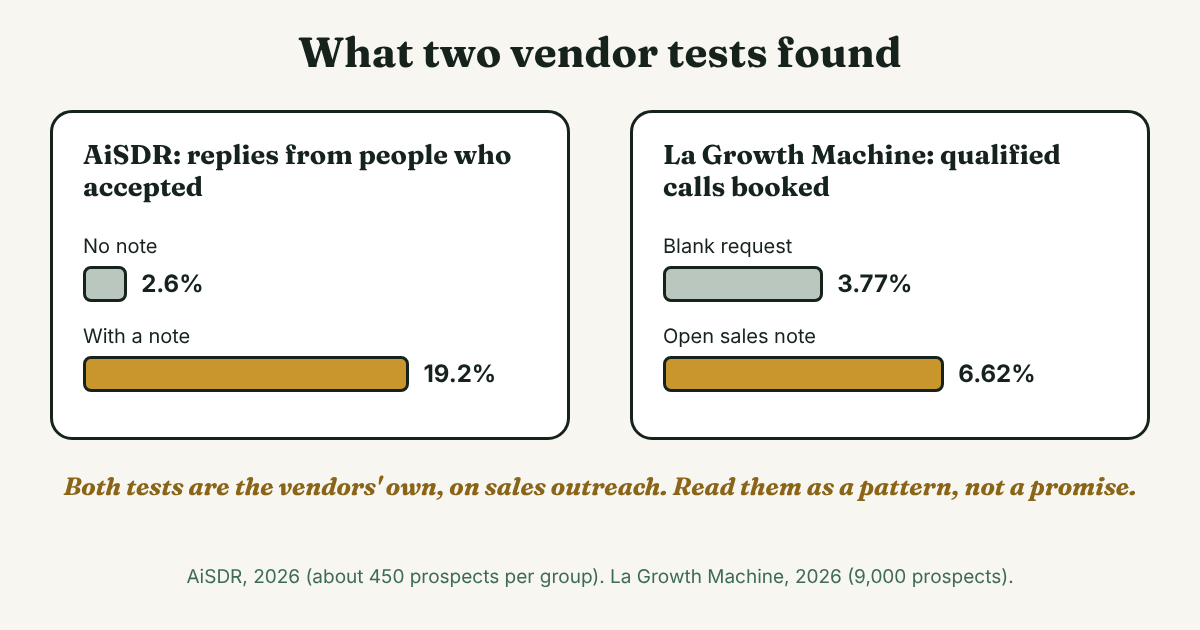
- AiSDR (2026). It sent two matched groups of about 450 prospects each, with and without a note. Acceptance was 37.3% without a note and 34.6% with one, which the write-up calls noise. Replies were 2.6% without and 19.2% with. The note was written by its own software, and the text is not published.
- La Growth Machine (updated 2026). It tested 9,000 marketing managers, brand directors and CMOs at big companies. Acceptance was 31% for a blank request, 29% for an open sales note and 32% for a vague note. Qualified calls booked were 3.77%, 6.62% and 5.1%.
Both companies sell outreach tools, both ran their own tests, and neither says how long the tests ran. We do not recommend automation or sending the same note to many people. We use the numbers only to see a pattern.
Our reading: a clear note does not seem to cost you acceptance. In the La Growth Machine test, acceptance was about the same for all three versions, and both notes booked more calls than the blank request. So say who you are and why you are writing, plainly. Do not ask for anything yet. That is our suggestion, not a study result.
How long can the note be?
Four of the guides we read say 300 characters: Klenty, Cognism, Skylead and SuperLinkin. SuperLinkin suggests aiming for 200 to 280. Other pages say 200 for a free account. On November 5, 2026, we checked the note box on a profile with Sales Navigator, and it counted to 300 characters. We could not confirm the 200 for a free account, and LinkedIn's own help pages would not open for us.
Stay under 200 and the note fits either way. Free accounts also get a limited number of notes each month, and sources disagree on how many. Our note guide has the numbers we found. Spend notes on prospects where you have a real reason.
What do you write in four common situations?
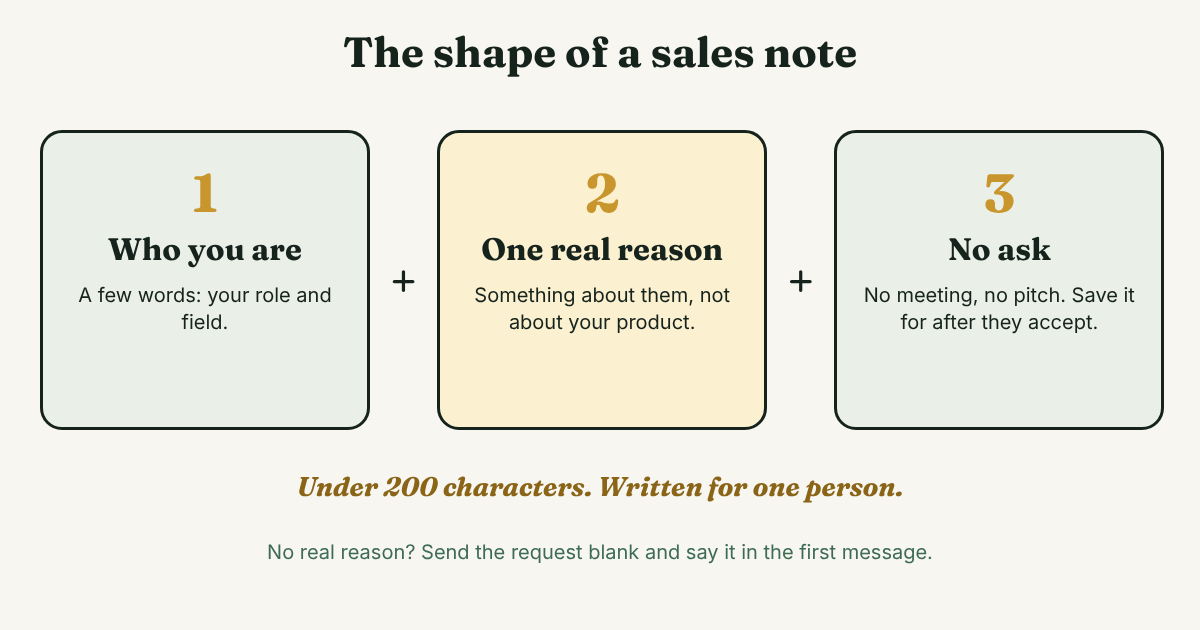
Each note has the same three parts: who you are, one reason about them, and no ask. Edit every template by hand for the one person you are writing to.
After a call or a demo
Hi [Name], thanks for the call on [day]. Happy to stay in touch here. No reply needed.
Marcus's version: Hi Priya, thanks for the call on Tuesday. Happy to stay in touch here. No reply needed. That is 87 characters. It does not repeat the pitch, because she heard it.
When they posted something
Hi [Name], I read your post on [topic], especially [one detail]. I work in [your field] and would like to follow your work.
The detail must be real. If you cannot name one, skip the note. AiSDR also liked a post of theirs before sending the request, in both of its test groups.
Through someone you both know
Hi [Name], [Contact] suggested I write to you about [topic]. I work on [one plain phrase]. Glad to connect.
Only use a name if that person said it is fine. A mutual contact you borrowed without asking is worse than no note.
A new contact at a client you already serve
Hi [Name], I work with [Company] on [project] with [Colleague]. Wanted to say hello before we speak on [day].
If a senior person is on the other end, keep it even shorter. La Growth Machine says seniority matters: a new rep writing to a C-level person has a lower chance of acceptance.
When to skip the note: when you have no real reason. Send the request blank, and put your reason in the first message after they accept. Our message guide explains the same test.
What do you send after they accept?
Here the guides give two plans. Cognism says to reply with a thank you, like their posts for a while, and message later. SuperLinkin says to send one message within 24 hours: thank them, add something useful, and ask one easy question, under 500 characters.
We suggest the middle. Write one message in the next one to three days, while your reason is still fresh. Make it about them, not your product:
Thanks for connecting, [Name]. [One useful thing: a link, a short answer to something they posted, or a fact about their field]. Do you handle [topic] yourself, or does someone else?
One question, one way to answer. Our guide to the message after connecting has four more examples, and the follow-up message guide covers when to write again.
How do you keep track of who you wrote to?
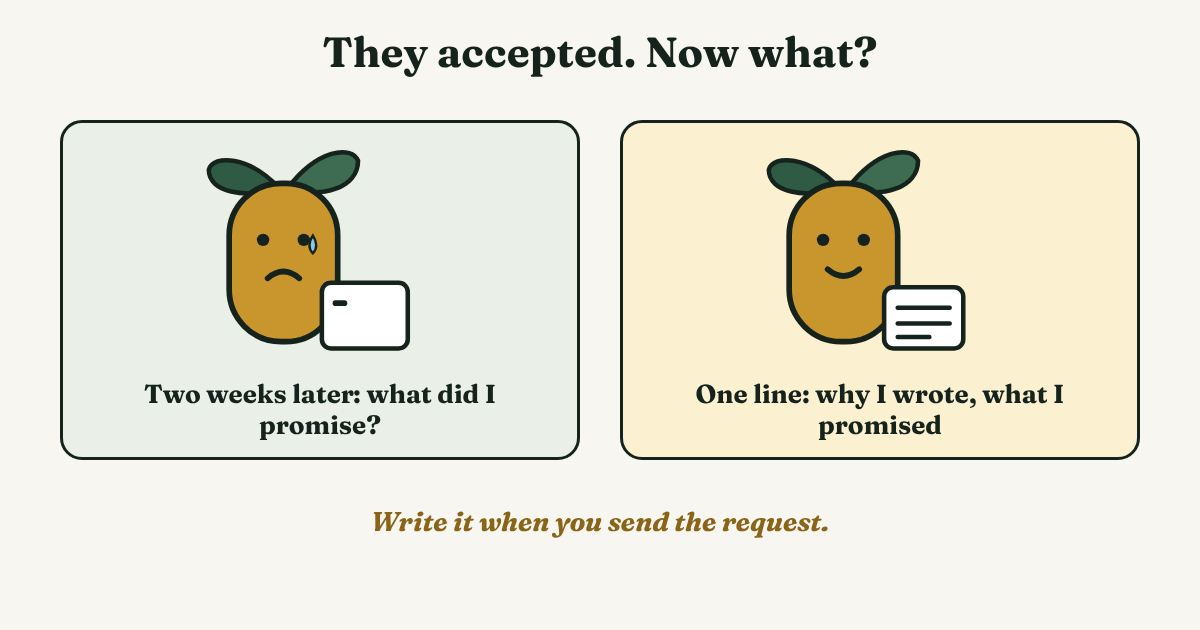
A note is easy to write and easy to forget. Two weeks later, you may not remember what you said or what you promised. So write one line when you send each request:
[Name], [company]. Sent [date]. Why I wrote: [reason]. What I promised: [promise]. Next message by [date].
Marcus's line: Priya, operations lead. Sent Nov 5. Why I wrote: thanks for the call. Promised: a one-page price sheet. Next message by Nov 8. If the request is still waiting after two weeks, our sent invitations guide shows where to look.
Full disclosure: we make GrowthSeeded, a simple follow-up tracker for LinkedIn. It tells you who to message each day, so you don't forget to follow up. If your company already has a CRM, log it there instead. One place is better than two.
What do we not know?
- LinkedIn's own words. We could not open LinkedIn's help pages, so the note limit and the monthly note count come from third-party pages that disagree.
- Which words work. We found no independent study that compared different notes. Both tests above come from outreach vendors.
- How prospects react to a pitch after they accept. None of the sources we read measured it.
- Your own prospects. The test groups were sales outreach to marketing and industry audiences. Yours may answer faster or slower.
FAQ
Should I mention my company in the request?
Say who you are in a few words, such as your role and field. Leave out the offer. Several guides say not to pitch, and one test found a plain note did not lower acceptance.
Can I ask for a meeting in the request?
Klenty says never to. We agree. Ask after they accept, in the first message, and keep it small.
Can I send the same note to many prospects?
No. Write each note for one person, by hand. A copied note reads that way, and the one good reason for a note is that it is about the person.
What if the prospect is a CEO or a senior person?
Keep it short and specific, and lead with a reason they can say yes to. La Growth Machine says seniority changes how likely a request is to be accepted.
What if they never accept?
Wait about two weeks, then decide. Our sent invitations guide covers withdrawing and what to do next. Do not send repeated requests.
Do this today
- Pick one prospect you plan to write to this week, and name one reason that is about them.
- Write the note in under 200 characters. Read it once and take out anything that asks for something.
- Write the tracking line with a date for the next message.
If you write to prospects one at a time, the part that slips is the message after the accept. GrowthSeeded keeps what you wrote and what you promised beside each name, and each day it shows you who to message. You send every message yourself, and it never sends anything or touches your LinkedIn account. The Free plan holds 5 people at a time.
Sources
- LinkedIn connection request templates for sales, Klenty, 2024
- 8 LinkedIn messaging templates for sales that get responses, Cognism, updated 2026
- 10 LinkedIn sales message templates, Skylead, updated 2026
- The best 10 LinkedIn connection request message templates for sales, eDigital Agency, 2026
- LinkedIn connection request messages: 18 examples for every scenario, SuperLinkin, 2026
- How we got 7x more LinkedIn replies with connection notes, AiSDR, 2026
- LinkedIn note: should you add a note with your connection request?, La Growth Machine, updated 2026
About the author
Anisur Rahman Fagun is a marketing and content strategist with more than 9 years of experience in SEO, content, paid advertising and brand growth. He holds a master's degree in mass communication and journalism, and has led content and SEO strategy, built editorial teams and worked with product, design and sales teams. He also builds simple tools that turn marketing data into clear decisions. He writes the GrowthSeeded blog, which shares practical ways to follow up and stay in touch with people on LinkedIn.