Networking
Folk vs GrowthSeeded: Which Fits Your LinkedIn Follow-Ups?
11 min read
Key takeaways
- Folk is a CRM for teams. Its LinkedIn part is a Chrome extension that adds people to Folk. A simple follow-up tracker only shows who to message today.
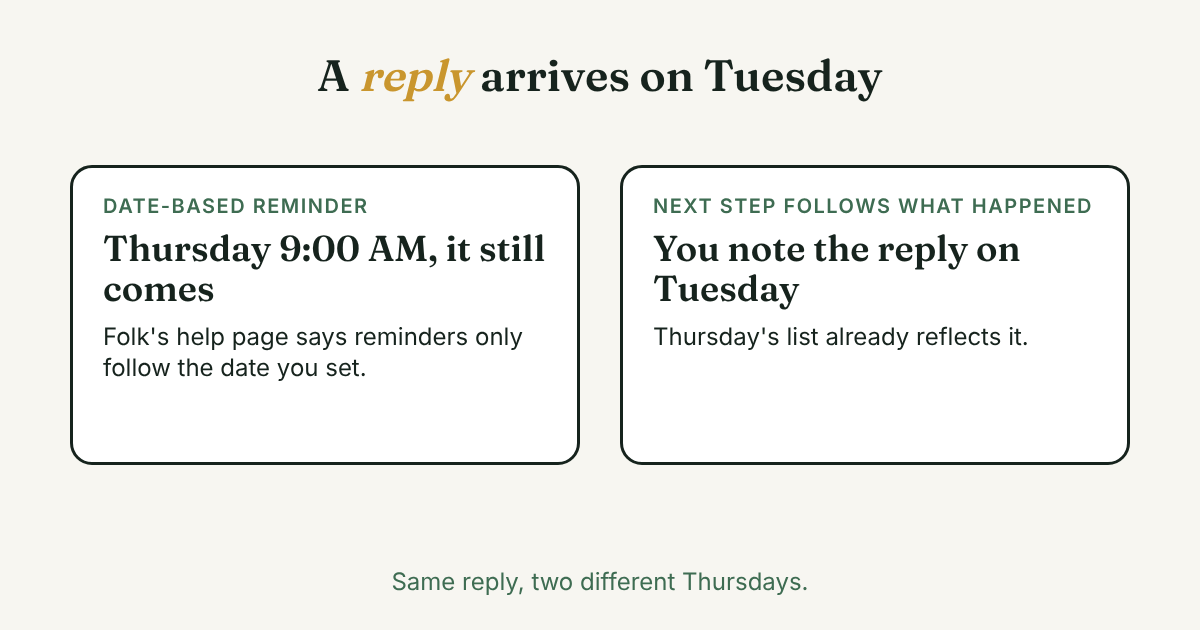
- Folk's help page says its reminders arrive by email at 9:00 AM on a date you pick, and a reply from the person does not change them. In a tracker, the next step follows what happened.
- Folk Standard costs $24 per member per month billed yearly, or $30 billed monthly (checked November 9, 2026). It has a two-week trial. GrowthSeeded has a Free plan, and Pro is $15 a month.
- Working alone and forgetting to follow up? A simple tracker is enough. Sharing contacts, email and WhatsApp with a team? Folk is built for that.
Short answer: Folk is a CRM for teams, with a Chrome extension that adds LinkedIn people to it. A simple follow-up tracker only tells you who to message each day. If you work alone and mostly forget to follow up, the tracker is enough. If a team shares contacts and email, Folk fits better.
In this article
What is Folk, and who is it for?
What does Folk do with LinkedIn?
How does Folk handle follow-ups and reminders?
What does each one cost?
How does the same week look in each tool?
Which one fits you?
Where does a simple follow-up tracker fit?
What do we not know?
Someone tells you to stop forgetting people on LinkedIn by using a CRM. Folk comes up, because its LinkedIn page calls it "The #1 LinkedIn CRM." Now you wonder if you need a full CRM just to remember who to message on Thursday.
This post compares Folk with a simple follow-up tracker, the other path. We read seven Folk pages and help articles, two review sources and our own pricing page. Prices and limits were checked on November 9, 2026, and they change. If your real problem is what to write, start with our guide to LinkedIn follow-up messages. This post is about which tool holds the list.
What is Folk, and who is it for?
Folk's home page calls it "The AI CRM for your entire sales motion" and says it is trusted by 5,000+ companies. Its menu names sales teams, agencies, startups and partnership teams. Pricing is "based on the number of members in your workspace." So it is built for people who work contacts together.
Reviewers like it. Capterra shows 4.5 out of 5 from 46 reviews (page updated October 19, 2026). One reviewer lists "Lacking an app" as a con, and another could not run email sequences on their plan. SyncGTM cites a G2 score of 4.5 from 280+ reviews, but it sells a competing product, so weigh its criticism.
What does Folk do with LinkedIn?
Folk's LinkedIn page says you can "import people or companies, individually or in bulk from search, without leaving LinkedIn using our folkX extension." You open a profile and click the extension. Folk then adds the name, company, job title, LinkedIn URL, and any public email or phone to your list (Folk Help Center).
The help pages give some limits. In Sales Navigator you can add up to 10 contacts at once. In regular LinkedIn search you go page by page. The extension also needs the Folk desktop app open in the background (folkX setup).
The capture articles describe you clicking each time. We found no Folk page saying it sends LinkedIn requests or messages for you. Its FAQ does mention "personalized campaigns," so ask Folk what those cover before you assume. Folk pages also say nothing about LinkedIn's terms or account safety. That is a gap in what we read, not a finding.
Standard also includes email lookup, 500 a month on its pricing page. What you get is a fast way to fill a list and fill in missing details. It is a good fit for building a list of people to reach.
How does Folk handle follow-ups and reminders?
Two Folk features matter for follow-ups.
- Reminders. You set a date and a frequency: weekly, monthly or yearly. On that date you get an email at 9:00 AM your time. Only the date can be changed, not the time. Notifications go to your inbox, not inside the app. And "reminders are only based on the date you set," so a reply from the person does not move them (Folk Help Center). That page says "Updated over a year ago," so check it in the app.
- Follow-up Assistant. A help article dated January 28, 2026 says it "uses AI to alert you when conversations go quiet and suggests personalized follow-ups." It reads your inbox, calendar and WhatsApp conversations. It needs your email or WhatsApp connected, and it only suggests after at least two exchanges in the past two months (Folk Help Center). It drafts, and you send. We did not find LinkedIn messages named in that article.
Put together: for email and WhatsApp threads, Folk watches for you. For LinkedIn conversations, the pages we read leave the follow-up to date-based reminders. That is our reading of two help pages, not a test. Try it in the trial before you pay.
What does each one cost?
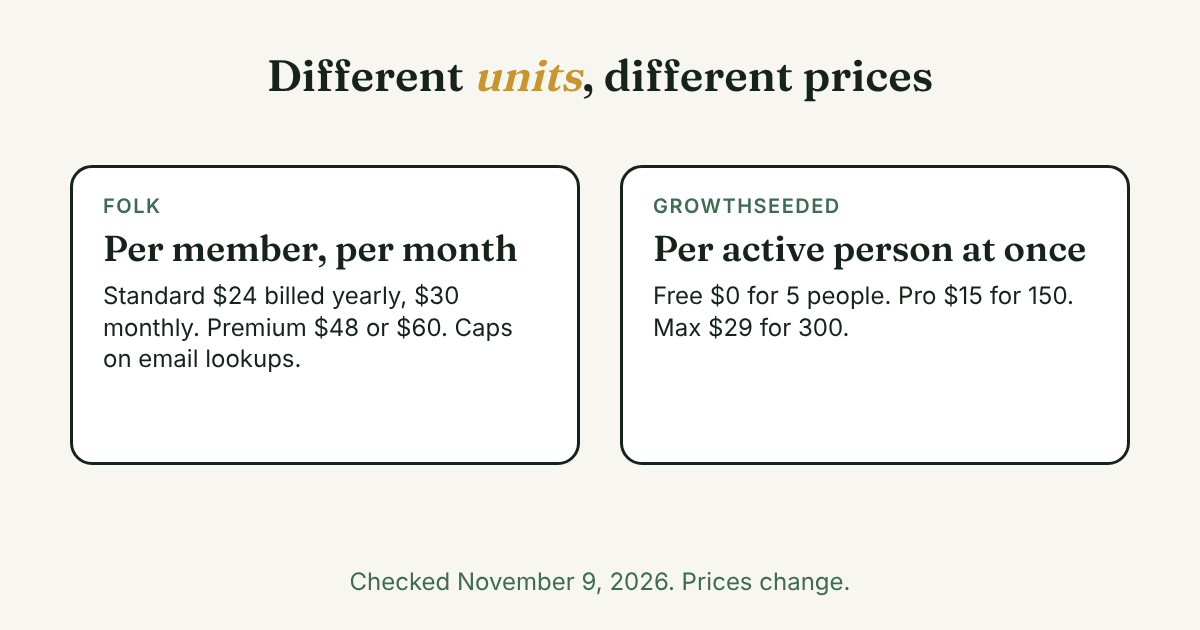
Folk (its pricing page, USD per member per month, checked November 9, 2026):
- Standard: $24 billed yearly ($288 a year), or $30 billed monthly.
- Premium: $48 billed yearly ($576 a year), or $60 billed monthly.
- Enterprise: from $80 billed yearly, or $100 billed monthly.
Every plan starts with a two-week trial and no card. The pricing page lists no free plan.
GrowthSeeded (our pricing page, checked November 9, 2026):
- Free: $0, 5 active people, up to 20 when friends you invite join. No card, no time limit.
- Pro: $15 a month, 150 active people.
- Max: $29 a month, 300 active people.
The units differ. Folk charges per member and caps things like email lookups. We cap active people, which means the people you are following up with now, not everyone you ever added. For one person over a year, Folk Standard is $288 billed yearly or $360 billed monthly. GrowthSeeded Pro is $180 at $15 a month, and Free is $0. Folk includes email lookup and a shared workspace, so this is not a like-for-like gap.
How does the same week look in each tool?
Priya (an example, not a real person) is a job seeker. Last week she sent 10 connection requests and 4 people accepted. One is a recruiter. One is an alum at a company she likes.
With Folk, she opens each of the four profiles and clicks the extension. She adds a note to each and sets a reminder for Thursday. On Thursday at 9:00 AM an email arrives for each one. If the recruiter replied on Tuesday, that email still arrives, because the reminder follows the date. She reads the thread and decides what to do.
With a simple tracker, she adds the four people by hand, with one line each on why they matter. On Tuesday the recruiter replies and she writes a note. That moves the recruiter's next step, so it is not waiting on a date she picked last week. On Thursday she opens one due-today list and writes each message herself.
Folk saves typing on setup and brings email lookup. The tracker has less to learn, but you add each person yourself. If you cannot decide, add the same four people to both for a week. See which list you actually open.
Which one fits you?
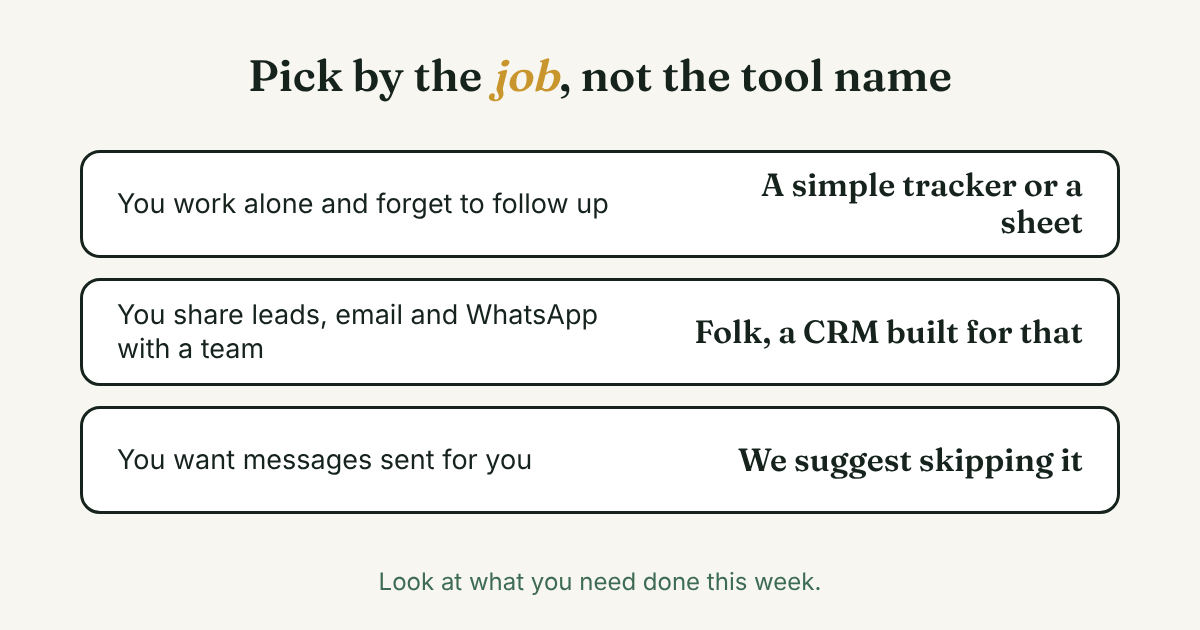
Look at the job, not the tool name.
- You work alone and forget to follow up. A list of people, a note after each talk and a daily reminder is enough. A spreadsheet works too. Our post on whether you need a CRM for this walks through it.
- You share contacts with teammates, and email and WhatsApp matter as much as LinkedIn. That is what Folk is built for, and it is a CRM. Pick it, and use the trial to check how it handles your LinkedIn threads.
- You want messages sent for you. Neither tool here is for that, and we do not recommend automation. See why we say skip it, and our Waalaxy comparison for a tool that does send.
Where does a simple follow-up tracker fit?
Full disclosure: we make GrowthSeeded, a simple follow-up tracker for LinkedIn, so we are biased. It tells you who to message each day, so you don't forget to follow up. You add a person and why they matter, write a note after each conversation, and the next step follows what happened. You send every message yourself.
It never connects to LinkedIn, so there is no extension that pulls profiles in. You type the name and the reason. That is slower than one click, and it is also why it adds no risk to your account. It does not find emails and it does not send anything. It is not a complex CRM, and it does not replace Folk for a team. More in how GrowthSeeded helps track LinkedIn follow-ups.
What do we not know?
- Whether Folk's Follow-up Assistant covers LinkedIn messages. The article we read lists inbox, calendar and WhatsApp.
- What LinkedIn thinks of any extension. Folk's pages are silent on it, and LinkedIn's Help pages block our fetch tool, so read them on your own account.
- Whether Folk has a free plan after the trial. Its pricing page lists none, and Capterra says "Free version not included," but one line in the pricing FAQ mentions a free plan.
- How either tool feels in your week. Prices, caps and review scores change.
FAQ
Is Folk a CRM?
Yes. Its LinkedIn page calls it "The #1 LinkedIn CRM," and its home page calls it "The AI CRM for your entire sales motion."
Does Folk send LinkedIn messages for you?
We found no Folk page that says so. Its extension adds contacts when you click. The FAQ mentions "personalized campaigns," so ask Folk what they cover.
How much does Folk cost?
Standard is $24 per member per month billed yearly, or $30 monthly. Premium is $48 or $60. We checked the pricing page on November 9, 2026, and prices change. There is a two-week trial with no card.
Is there a free alternative for LinkedIn follow-ups?
A spreadsheet is free. So is the GrowthSeeded Free plan: $0, 5 active people, no card. Neither one sends messages for you.
Does GrowthSeeded import LinkedIn profiles like Folk's extension?
No. It never connects to LinkedIn. You add each person and the reason yourself, and you send every message yourself.
Do I need a CRM instead?
Only if you need shared records, email and enrichment. For follow-ups alone, a simple list is often enough.
Do this today
- List four people you owe a follow-up, with one line each on why you wanted to talk to them.
- Weighing Folk? Start its two-week trial, add those four people and set one reminder. Read the 9:00 AM email when it comes.
- Write to the first person yourself, and note what happens next.
If you would rather keep it small, GrowthSeeded is a simple follow-up tracker for LinkedIn. Put those four people on the Free plan, and each day it shows who to message. You send every message yourself, and it never sends anything or touches your LinkedIn account.
Sources
- The #1 LinkedIn CRM, Folk, checked 2026
- The AI CRM for your entire sales motion, Folk, checked 2026
- Folk pricing, Folk, checked 2026
- Set reminders on your contacts, Folk Help Center, no date shown, checked 2026
- Follow-up Assistant, Folk Help Center, 2026
- Download the folkX extension, Folk Help Center, 2026
- Capture contacts from socials with folkX, Folk Help Center, 2026
- folk Software Pricing, Alternatives & More 2026, Capterra, 2026
- Folk CRM 2026: Lightweight CRM Reviewed, SyncGTM, 2026
- GrowthSeeded pricing, GrowthSeeded, checked 2026
About the author
Anisur Rahman Fagun is a marketing and content strategist with more than 9 years of experience in SEO, content, paid advertising and brand growth. He holds a master's degree in mass communication and journalism, and has led content and SEO strategy, built editorial teams and worked with product, design and sales teams. He also builds simple tools that turn marketing data into clear decisions. He writes the GrowthSeeded blog, which shares practical ways to follow up and stay in touch with people on LinkedIn.
Related reading
- LinkedIn Follow-Up Message: 4 Templates and When to Send
- Should You Use a CRM for LinkedIn Follow-Ups?
- Sent Invitations on LinkedIn: Find Them, Then Decide
- Expandi vs GrowthSeeded: Automation or a Simple Tracker?