Networking
Professional Networking Sites Like LinkedIn: Pick by Job
11 min read
Key takeaways
- LinkedIn is a good base. Add another site only when it does a job LinkedIn does not do for you, such as local events, niche talk, startup jobs or showing your work.
- Pick one site for one job. Give it two weeks and about 45 minutes a week, then keep it or drop it.
- On any site, your first message works best when it names something you both saw there: a talk, a thread, a project.
- Connect with the people who matter on LinkedIn, and keep one list of who you talked to, where, and when you will write next.
- Skip tools that message people for you or collect contacts from several sites.
Short answer: Match the site to one job. Meetup is for local events, Slack and Discord for niche talk, Wellfound for startup jobs, Behance and GitHub for showing your work, and XING for German-speaking markets. Test one for two weeks. Then connect with the people who matter on LinkedIn and keep one list.
In this article
Do you need a site other than LinkedIn?
Which site fits which job?
What do you write to someone you find on another site?
How do you test one new site?
How do you keep one list across all of them?
What should you skip?
What do we not know?
FAQ
Do this today
Do you need a site other than LinkedIn?
Marcus (an example, not a real person) sells software to small clinics. LinkedIn feels quiet, so he reads a list of alternatives and signs up for three. A month later he has three half-finished profiles, three inboxes and no new conversations.
The sites were not the problem. He had no job for them.
A 2025 list from Search Engine Journal names places such as Meetup, Eventbrite, Discord, Slack, Facebook Groups, Reddit, X and AngelList (source). It is a fair map of where people gather. As far as we could tell, it does not match each place to a goal, and it says little about what to do after you talk to someone. This post covers those two parts.
If you want the wider picture first, our guide to how to pick a professional networking site by job lists the main kinds.
Often the answer to the question above is no. If your clients, recruiters and peers are already on LinkedIn, making LinkedIn work as a network comes first. Add a second site for one reason only: it does something LinkedIn does not do for you.
Which site fits which job?
Each site below does one thing well, going by its own pages. We have not tested any of them for networking results, and we do not rank them. Prices and rules were checked on November 3, 2026, and they change.
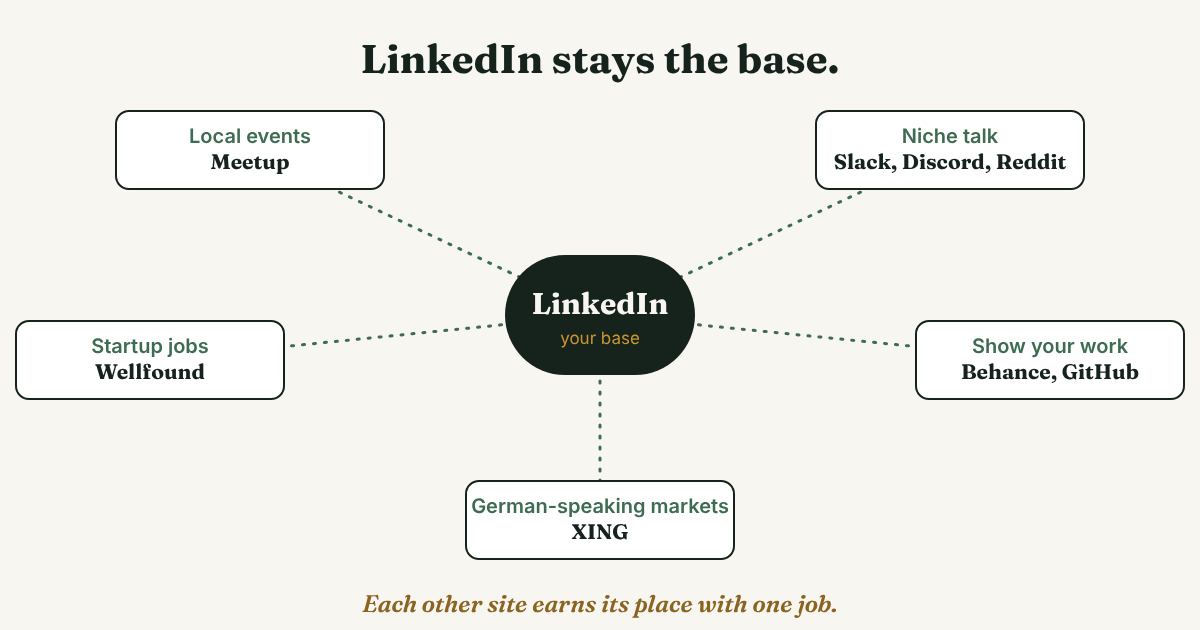
- Talk to people in your city: Meetup. Meetup's help page says a free account lets you browse groups, find events and RSVP, and that Meetup+ is not required. Some groups charge dues set by the organizer. Those show "Request to join" instead of "Join group." Our guide to picking a professional networking group and testing it covers the choice.
- Ask questions in a niche: Slack, Discord and Reddit communities. The Search Engine Journal list describes them as places for topic-specific talk. Slack's own community page mentions a Trailblazer Community, volunteer-led local chapters in more than 40 countries, and a Slack workspace to talk with peers. That page is promotional and does not describe rules or costs. Communities run by other people set their own rules, so read them before you post.
- Look for startup jobs: Wellfound. It was AngelList Talent until November 2022. Its about page says it connects "10M+ candidates with 27,000+ companies," and that the candidates have opted in to hear from startups. The page does not state a price for candidates, so check before you assume it is free.
- Show your work: Behance for creative work, GitHub for code. Behance calls itself "the world's largest creative network" and says members can share portfolios, get discovered by clients and offer services. Behance Pro has a 7-day free trial, and the page does not say what a basic account costs. GitHub's documentation says a public profile can show a README, your contribution activity and the repositories you pin. On both, your work is the introduction.
- Work in German-speaking markets: XING. Wikipedia describes it as focused on the German-speaking market, with about 90% of page views from Germany, Austria and Switzerland. That figure has no year, and the member counts in the article are from 2016 and 2019. It also says basic membership is free and that messaging people you are not connected to needs premium, listed at €6.35 to €9.95 a month. We could not open XING's own pages, so check its price page. If your clients are not in those countries, skip it.
What do you write to someone you find on another site?
The rules are the same as on LinkedIn: short, one person at a time, no pitch. What changes is your reason to write. On any of these sites, name something you both saw there. Our four-part frame for a professional LinkedIn message works here too.
Three notes you can edit. Check each community's rules on direct messages before you send one.
After an event on Meetup:
Hi [Name], I was at [group] on [day] and liked your question about [topic]. I'm working on [one line about your work]. Would you be open to comparing notes for 15 minutes?
After a thread in Slack or Discord:
Hi [Name], your answer in [channel] about [topic] helped me. I tried it on [one case], and [what happened]. Do you mind if I ask one follow-up question here?
After seeing a project on Behance or GitHub:
Hi [Name], I saw your [project]. I liked [one specific detail]. How did you decide to [one choice they made]?
Each one names the place, the thing and one detail. That is what makes it read like it came from a person.
How do you test one new site?
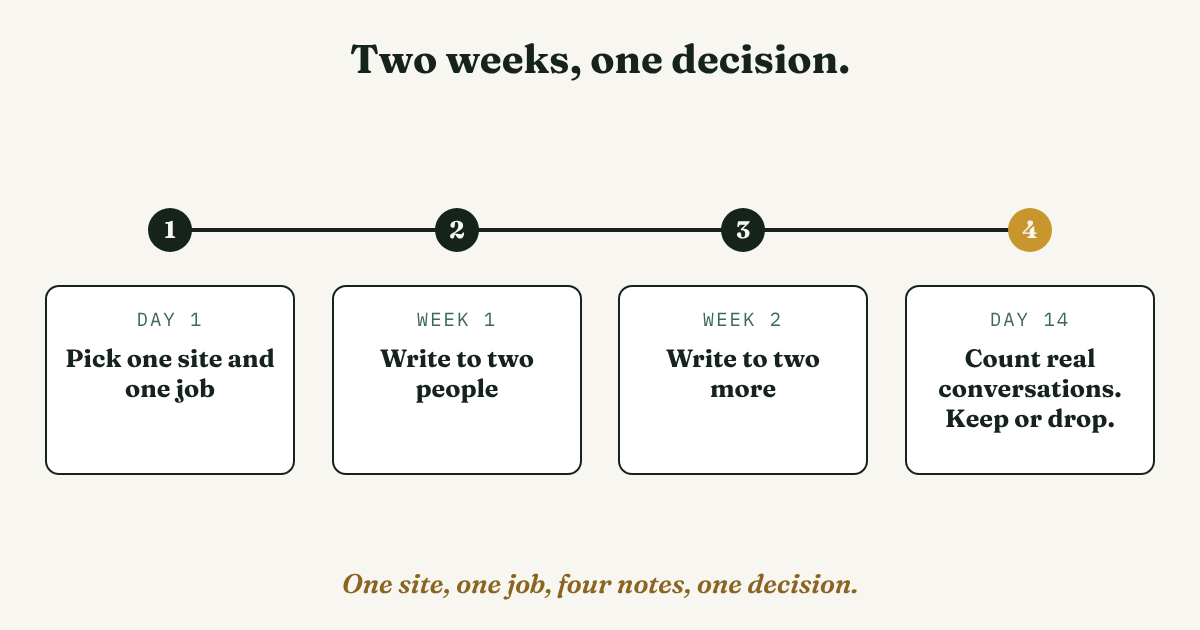
Give it two weeks. This is our suggestion, not a study.
Step 1: Write the job on a note
One site, one job. For example: "Meetup: talk to people who run clinics in Austin." If you cannot write the job in one line, you are not ready to pick a site.
Step 2: Set a time cap
About 15 minutes, three days a week. Stop when the time is up. A site with no cap grows into a second job.
Step 3: Write to four people
Two in the first week and two in the second, each note written for that person.
Step 4: Count real conversations on day 14
A real conversation is a person who answered with more than a line. If you have none, drop the site. If you have one or two, keep it and add nothing else yet.
How do you keep one list across all of them?
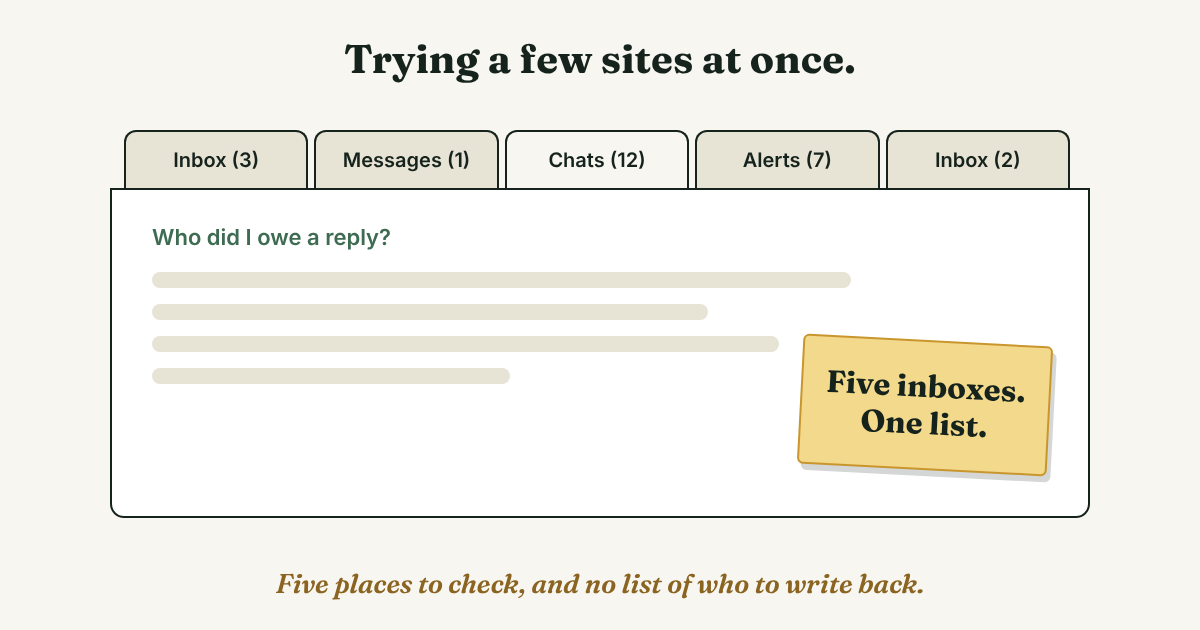
Every site has its own inbox, and none of them shows who you talked to somewhere else. That is where follow-ups get lost. Marcus liked a reply in a Slack thread, sent a note on Meetup, then could not remember which of the two people he owed an answer.
Keep one list. Each line holds the person, where you talked, what about, and the day you will write next. When someone matters, connect with them on LinkedIn, so the list and your base are in one place. Our guide to following up after you connect has four examples.
Three example lines (not real people):
- Aisha, Meetup data group, asked about pricing pages. Next: send her the article by Friday, then ask for 15 minutes.
- Jonas, Slack product community, answered my question on onboarding. Next: connect on LinkedIn, then ask one follow-up in two weeks.
- Lena, Behance, a packaging project I liked. Next: connect on LinkedIn and mention the label design.
Full disclosure: we make GrowthSeeded, a simple follow-up tracker for LinkedIn. It fits when you want a note on each person and a list of who to message today. You send every message yourself. A spreadsheet works fine if you only keep up with a handful of people. If you are deciding whether you need a tool at all, how to plan first and pick a networking tool second helps.
What should you skip?
- Tools that message people for you. Bots, auto-messaging and mass messaging. We do not recommend any of them, on any site, and readers can tell.
- Tools that collect contacts from several sites. We have not checked how each site treats them, and each site has its own rules. Skip them.
- Joining five sites in one week. You will keep up with none.
- One note pasted to a whole community. Write each message for the person who will read it.
What do we not know?
We have not tested any of these sites for networking results, and we found no study that compares them. Prices and features come from each site's own pages, or from Wikipedia for XING, and they change. The Meetup help page shows no date. The two-week test, the time cap and the list columns are our suggestions, not research.
FAQ
What is the best alternative to LinkedIn?
There is no single best one. It depends on the job: Meetup for local events, Slack or Discord for niche talk, Wellfound for startup jobs, Behance or GitHub for showing work, XING for German-speaking markets. We have not tested them against each other.
Are there free professional networking sites like LinkedIn?
Some have a free way in. Meetup's help page says a free account can browse groups and RSVP, though some groups charge dues. Wikipedia says XING's basic membership is free, but messaging people you are not connected to needs premium. The Wellfound and Behance pages we read do not state what a basic account costs, so check before you sign up.
Should I use more than one site at a time?
Test one at a time. Each new site needs a profile, a few weeks of regular use and its own inbox. One site tested for two weeks tells you more than three you check once.
Do I still need LinkedIn?
Nothing forces you to. But it helps to have one base where the people who matter end up. If your clients and peers are there, connect with the people you talked to elsewhere and keep your list in one place.
Is it okay to message someone I only saw in a community thread?
Usually yes, if the note is short, about one thing they said, and has no pitch. Read the community's rules on direct messages first, and write to one person at a time.
Do this today
- Write down the one job you want a new site to do for you.
- Pick one site from the list and spend 15 minutes on it, no more.
- Write one message to one person, naming something you both saw there.
If you connect with people from other sites on LinkedIn, GrowthSeeded can keep their follow-ups in one list. Add each person with a line on why they matter, and it tells you who to message each day, so you don't forget to follow up. You send every message yourself, and it never sends anything or touches LinkedIn. There is a free plan.
Sources
- 12 awesome professional networking alternatives to LinkedIn, Search Engine Journal, 2025
- Can I search for groups and events on Meetup for free?, Meetup Help Center, checked 2026 (page shows no date)
- About Wellfound, Wellfound, checked 2026 (page shows no date)
- About Behance, Behance, checked 2026 (page shows no date)
- About your profile, GitHub Docs, checked 2026
- Slack Community, Slack, checked 2026 (page shows no date)
- XING, Wikipedia, checked 2026 (member counts from 2016 and 2019)
About the author
Anisur Rahman Fagun is a marketing and content strategist with more than 9 years of experience in SEO, content, paid advertising and brand growth. He holds a master's degree in mass communication and journalism, and has led content and SEO strategy, built editorial teams and worked with product, design and sales teams. He also builds simple tools that turn marketing data into clear decisions. He writes the GrowthSeeded blog, which shares practical ways to follow up and stay in touch with people on LinkedIn.