Networking
Professional LinkedIn Message: A 4-Part Frame, 3 Examples
10 min read
Key takeaways
- A professional LinkedIn message is short, specific and written to one person. Professional does not mean stiff.
- Aim for polite and plain: a greeting with the name, simple words, and a sign-off such as "Best,".
- Use four parts: a greeting, one reason you chose this person, one small question, and thanks.
- Ask for a short conversation, never for a job. Skip LinkedIn's default text, and never paste one message to many people.
Short answer: A professional LinkedIn message greets the person by name, says in one sentence why you chose them, asks one small question they can answer in a minute, and ends with thanks. Keep the tone polite and plain, skip slang, and write each message by hand to one person.
In this article
What makes a LinkedIn message professional?
What tone should you use?
What are the four parts of the frame?
How long should it be?
What are three examples you can edit?
What should you skip?
Where does a tracker fit?
FAQ
Do this today
What makes a LinkedIn message professional?
You have a name on a profile, a reason to write, and an empty message box. Should it sound like a business letter or a text to a friend? Many people stall here.
A professional message is not a formal one. The career-center pages we opened share one idea: respect the other person's time. Write briefly, say why, make one small request and check your work. Bentley University's career blog adds that you do not need a prior connection, and says "You don't have to personally know who you are reaching out to".
This post covers the wording and tone of one first message to someone you know little. For what to send once they answer, or when they do not, see our guide to the LinkedIn follow-up message.
What tone should you use?
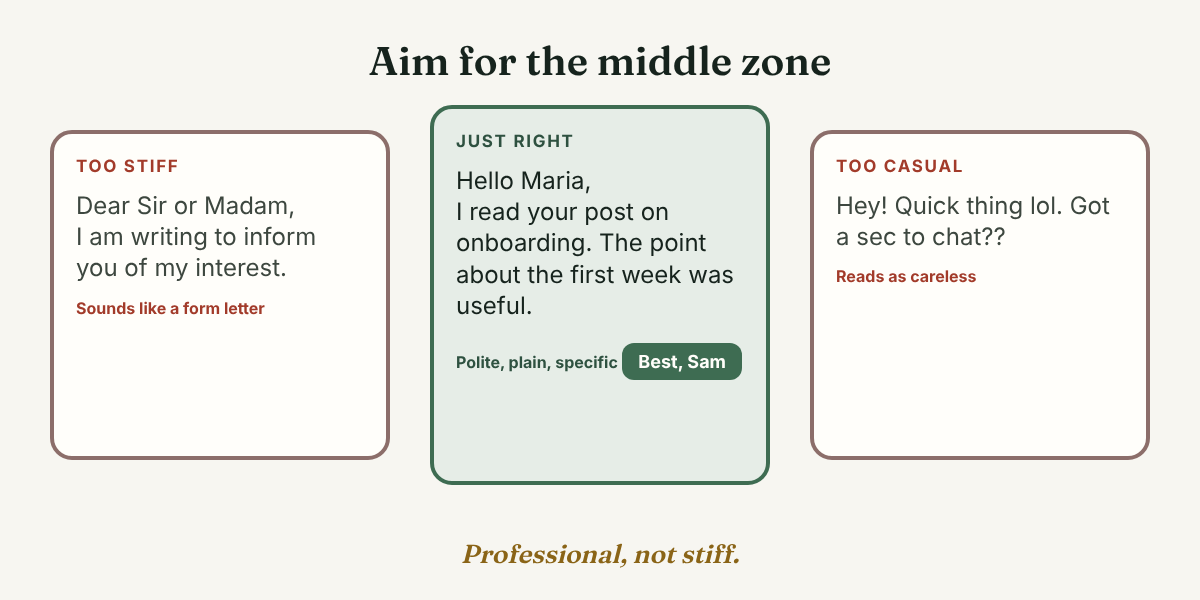
The sources agree on "professional" and differ a little on how formal that is. Bentley says to open with a proper greeting, close with a sign-off such as "Sincerely" or "Best," and avoid slang even when the other person writes in a relaxed way. The Muse, in an article republished by Yale School of Management's career office, says to "use a professional tone, but stay conversational," and to avoid overly formal language.
Our reading: pick the middle. "Hello Maria," at the top and "Best," at the end are polite without sounding like a form letter. Write the lines between in the plain words you would use with a respected colleague you have talked to only once.
What are the four parts of the frame?
Every source we opened builds a first message from the same few pieces. Northeastern lists five tips: research the person, greet them by name, find common ground, state your purpose, and thank them. Berkeley lists five too: keep it brief, state your connection first, say why you want to connect, control the follow-up, and proofread. We folded them into four parts, plus one check before you send.
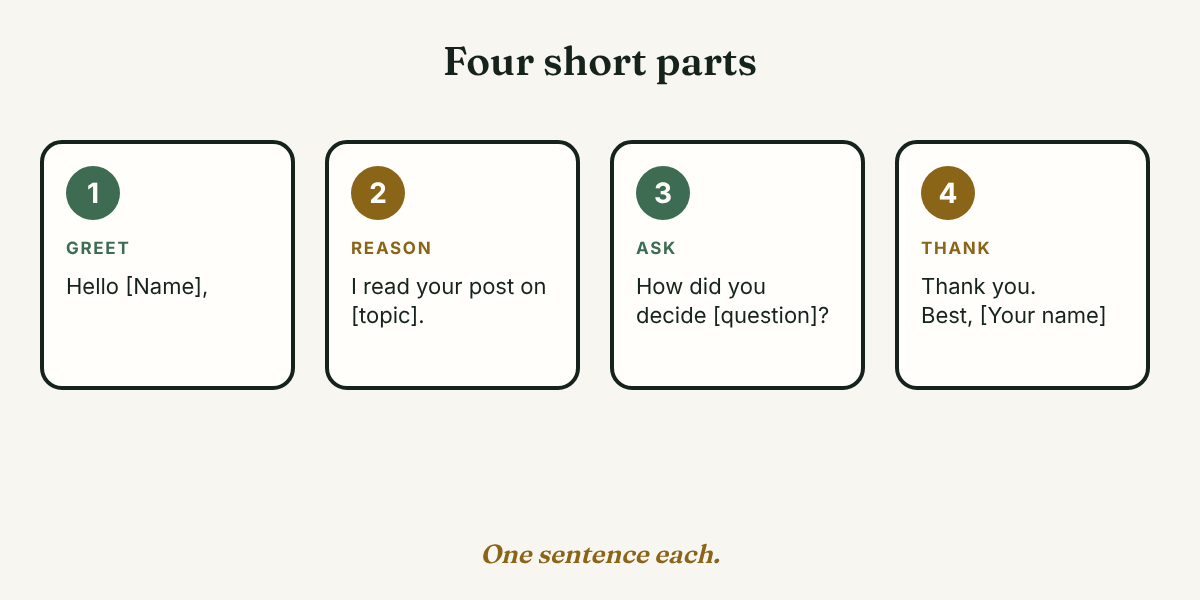
Part 1: Greet them by name
Use the name as it appears on their profile. Northeastern recommends a personalized greeting in a friendly but professional tone, and Bentley says to spell-check and fact-check names and details about the person or company.
Part 2: Give one reason you chose them
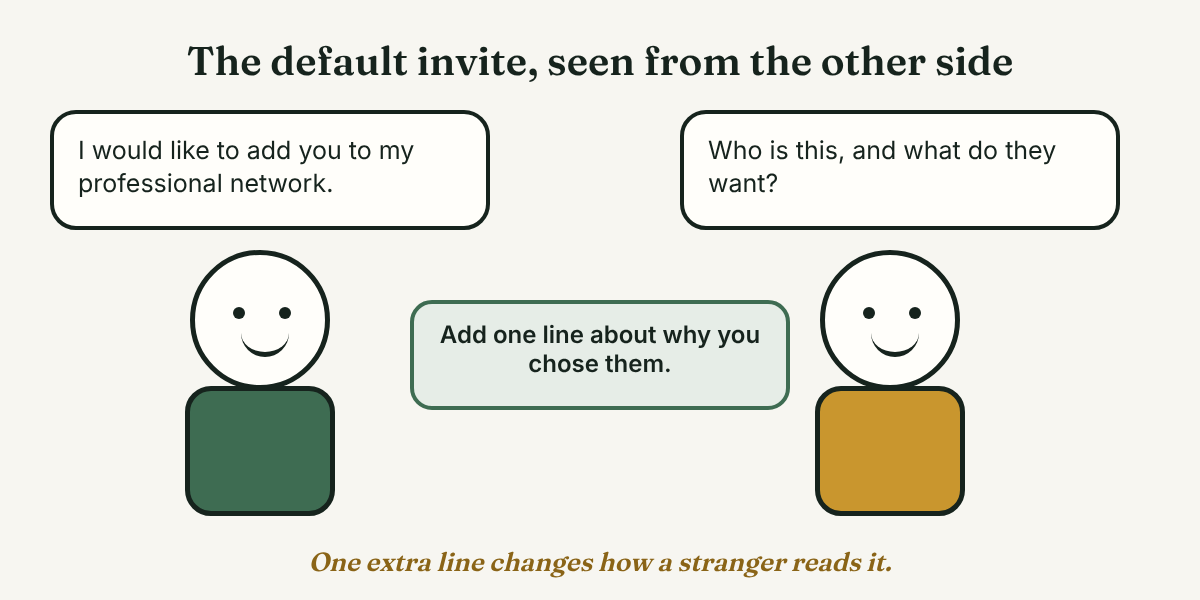
This is the part the default text leaves out. SJSU's School of Information career blog says "Simply asking to connect is not enough" and tells you to mention how you know the person or how you found them. Berkeley says to name your connection in the first line, such as a shared school, an interest in the same role or company, or someone who referred you. One sentence is enough: a post they wrote, a talk they gave, a group you share, a school you both attended.
Part 3: Ask one small question
SJSU says to "include a question in your message", because a question invites a reply. The Muse says a cold message should be "a starting point for a relationship," not "an immediate request for a job or favor." Berkeley says "Don't ask for a job specifically" and suggests asking for a conversation about the company, the industry or the person's path, such as a 20 to 30 minute chat.
Our reading: to someone you barely know, a question they can answer in one sentence is easier to say yes to than a call. Offer the call after they reply, or give both choices in one line, as in example 3 below.
Part 4: Thank them and sign off
The Muse says to thank the person whether or not they reply, and Northeastern ends its tips with thanks and a professional close. Write "Thank you," then "Best," and your first name.
Before you send: read it aloud
Berkeley says to "read it aloud or ask a friend to check it before hitting send". Our reading: the person may open your profile before they answer, so a message that points to a blank profile can stall. Our 7-day LinkedIn start plan for beginners helps you fix that first.
How long should it be?
None of the sources gives a word count for a first message. Berkeley says a short, tailored message is more likely to get a response, and that a LinkedIn connection note is limited to 200 characters. We could not open LinkedIn's Help pages, so check the limit in the invitation box, because it can change.
Our reading: after someone accepts, three to five sentences is plenty. For a connection note, count the characters after you fill in the brackets, and cut the reason to a few words if you must.
What are three examples you can edit?
Change every part in [brackets], and write each message to one person. Writing to a founder or business owner? How to write LinkedIn outreach for founders fits that reader better.
1. After you read their post
Hello [Name], I read your post on [topic]. The point about [one detail] was useful to me because [one short reason]. How did you decide [a specific question about their post]? Thank you for sharing it. Best, [Your first name]
2. A note with a connection request
Hello [Name], we both studied at [school], and I saw that you now work in [area]. What first drew you to it? Best, [Your first name]
With the brackets filled in, this stays under 200 characters.
3. A first message after they accept
Hello [Name], thank you for connecting. I work in [your field], and I am curious how you moved into [their area]. Could I ask you one question here, or would a short chat suit you better? Thank you. Best, [Your first name]
Example 3 is for the moment right after someone accepts. Our guide to the follow-up message after connecting has four more versions for that moment.
What should you skip?
- LinkedIn's default text. SJSU says that using the pre-filled script may lead someone you do not know to ignore your request.
- Copy and paste. SJSU says not to paste the same message again and again, and the Muse says to avoid copy-pasted templates and AI-generated messages. We never recommend automation, bots or mass messaging. Every message is written by you, one at a time.
- A job request in message one. Berkeley says it may scare off your contact.
- Pushing for a call. Bentley says not to force a call, and not to ask again if the person avoided the question.
- Message after message. Bentley says one or two messages on a topic is enough for a new contact.
Where does a tracker fit?
Full disclosure: we make GrowthSeeded, a simple follow-up tracker for LinkedIn. It does not write messages, send them or touch LinkedIn. It helps after you press send: who you wrote to, why you chose them, and what they said. You add each person, write a note after each conversation, and a due-today view shows who to follow up with. The next step comes from what happened, such as an accepted request or a reply, not from a fixed date.
Prices, checked October 26, 2026: Free is $0 for 5 active people at a time (up to 20 when friends join through invites), Pro is $15 a month or $150 a year, and Max is $29 a month. They change. If you write to three people this month, a notes file is enough.
FAQ
What is a professional LinkedIn message?
It is a short, polite message written to one person, with their name, a reason for writing, one small request and thanks.
How do you start a professional LinkedIn message?
Greet the person by name, then give your reason in the first sentence or two. Berkeley says to name your connection first, such as a shared school or interest.
What tone should you use with someone you do not know?
Professional but conversational. Bentley asks for a proper greeting and a sign-off such as "Best," and the Muse asks you to avoid overly formal language. Plain words with a polite frame fit both.
How long should a professional LinkedIn message be?
The sources give no exact count, only "short" and "concise." Berkeley notes a 200-character limit on connection notes, so check it in LinkedIn. After someone accepts, we suggest three to five sentences.
Can you message someone you have never talked to?
Bentley says you do not need to know the person. Whether you can message before connecting depends on your account and its settings, which we could not check, so see what LinkedIn lets you do. Berkeley notes that if someone has not accepted your invitation, you cannot send a follow-up.
Do this today
- Pick one person you would like to learn from, and open their profile or latest post.
- Write the four parts in four sentences: greeting, reason, one question, thanks. Read it aloud.
- Send it to that one person, and write down when you will check for a reply.
A good first message is only the start; the harder part is remembering who you wrote to and what you asked. In GrowthSeeded you can add the person, save the reason you chose them, and use the due-today view to see when a note to them is due. You send every message yourself. It never sends anything or touches LinkedIn, so your account stays safe. The Free plan covers 5 active people at a time.
Sources
- LinkedIn Message Tips: Do's and Do Not Do's, Bentley University Pulsifer Career Development Center, 2020
- 5 tips for reaching out, UC Berkeley Career Engagement, 2026
- 5 point message, UC Berkeley Career Engagement, 2026
- Break the Script: Connecting on LinkedIn, SJSU School of Information Career Blog, 2018
- Best Cold Outreach LinkedIn Messages for Seeking Advice, Jobs, and More, Yale School of Management Career Development, republished from The Muse, 2024
- How to Write Professional LinkedIn Request Messages, Northeastern University Career Services, checked 2026
About the author
Anisur Rahman Fagun is a marketing and content strategist with more than 9 years of experience in SEO, content, paid advertising and brand growth. He holds a master's degree in mass communication and journalism, and has led content and SEO strategy, built editorial teams and worked with product, design and sales teams. He also builds simple tools that turn marketing data into clear decisions. He writes the GrowthSeeded blog, which shares practical ways to follow up and stay in touch with people on LinkedIn.