Networking
LinkedIn Networking Groups: Worth It? A Two-Week Test
12 min read
Key takeaways
- LinkedIn said in 2024 that posts in public groups now reach beyond the group. Other writers say group posts get far less attention than feed posts. No independent study settles it, so test a group yourself.
- Do not judge a group by its member count. Check five things in about 10 minutes: a post this week, replies from several people, posted rules, a moderator who is there, and people like the ones you want to talk to.
- Reply before you post. A useful answer to someone else's question gets you noticed faster than an announcement from a stranger.
- Turn one thread into one conversation: when someone replies to you, send a short connection note that names the thread.
- Run a two-week test with three yes or no questions, then keep the group or leave it.
Short answer: LinkedIn networking groups can work, but only active ones, and only if you reply to people before you post. Search with the Groups filter, check each group for a post this week and replies from several members, join two or three, comment for a week, then move one good exchange into a one-to-one note.
In this article
Are LinkedIn networking groups still worth your time?
How do you find groups worth checking?
How do you tell an active group from a dead one?
What should you say in a group at first?
How do you turn a group thread into a conversation?
How do you test a group in two weeks?
How do you keep track of the people you talk to?
What do we not know?
FAQ
Do this today
Are LinkedIn networking groups still worth your time?
Marcus (an example, not a real person) joined a group for supply chain professionals three years ago. It has 40,000 members. He posted an article once, got two likes, and has ignored the group since. Is the feature dead, or did he pick the wrong group and use it the wrong way? Often it is the second. Here is what we found, and where sources disagree.
What LinkedIn changed. In 2018, LinkedIn rebuilt Groups on the same systems as the main feed. Groups got the feed's spam filters and a notification system meant to cut the excess alerts members had complained about. In 2024, Social Media Today reported that LinkedIn now sends posts from public groups to the main feed, so they can reach the author's first-degree connections as well as members. LinkedIn said this led to a 35% increase in daily group contributors and a rise of more than 10% in joins. That counts activity, not jobs or customers. We could not open LinkedIn's own post, because its site blocks our tool, so we cite the report.
The other view. A 2026 DemandBird article argues that group posts get 5 to 20 times fewer interactions than feed posts. That is the author's own observation, with no data. We found no independent study that compares group and feed results.
Our reading. A group is a place to find and talk to a few relevant people, not a place for reach. If you want a few good conversations, 10 to 15 minutes a day for two weeks is a fair price to find out. If you want your posts to travel, start with your feed: see how to get more LinkedIn followers. For the bigger picture of using LinkedIn as a working network, read how to make your LinkedIn professional network work.
How do you find groups worth checking?
Start with one sentence: I want to [talk to people who do my job / hear about openings / know people in my city / learn about a topic]. Resume Worded makes the same first move, defining your goal before you search.
Then search. Type a keyword into the LinkedIn search bar and choose the Groups filter. Try three searches: your job title with the word "professionals", your school with "alumni", and your city with your field. The Muse lists alumni, industry and skills groups as the kinds to look for. Specific beats broad. Taplio gives the example of email lead generation rather than lead generation.
Write down three to five candidates, and do not join yet. Public groups can be read by non-members, so you can check a public group before you join. Resume Worded says you can only search the content of groups you belong to, so a private group needs a join request first. Menu names on LinkedIn change, and we could not read LinkedIn's help pages, so follow what you see on screen.
How do you tell an active group from a dead one?
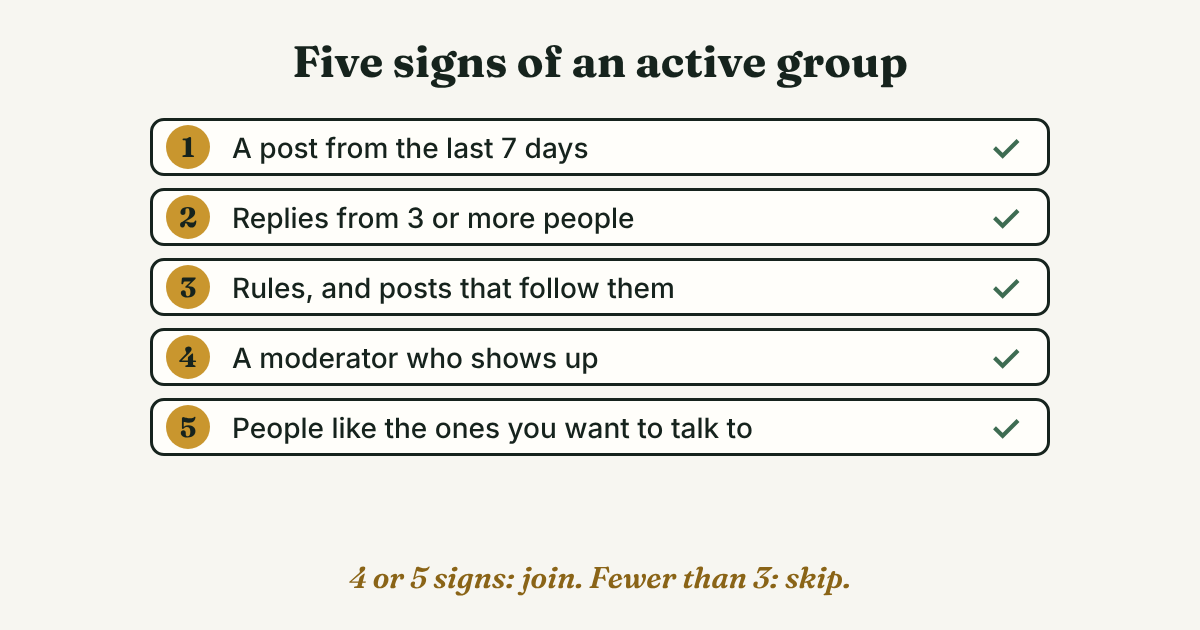
Size is a poor guide. Taplio says large groups tend to be more active. DemandBird says 500 engaged members beat 50,000 who never post. Look at five things instead, about two minutes each.
- A post from the last 7 days. linkedinpreview suggests this check. If the newest post is a month old, stop.
- Replies from three or more different people. A thread where only the author talks is a billboard.
- Posted rules, and posts that follow them. Resume Worded warns that groups full of ads and self-promotion rarely spark real discussion. If five of the last ten posts are sales links, move on.
- A moderator who is there. DemandBird notes that inactive groups often have no working admin. Look for an admin in the About section and for spam being removed.
- People like the ones you want to talk to. Open ten commenters. Do their headlines match the people from your goal sentence? A lively group of the wrong people is still the wrong group.
Score each group. Four or five signs: join. Three: join only if it is the only group in your niche. Fewer than three: skip it. The cut-off is our rule of thumb, not research.
What should you say in a group at first?
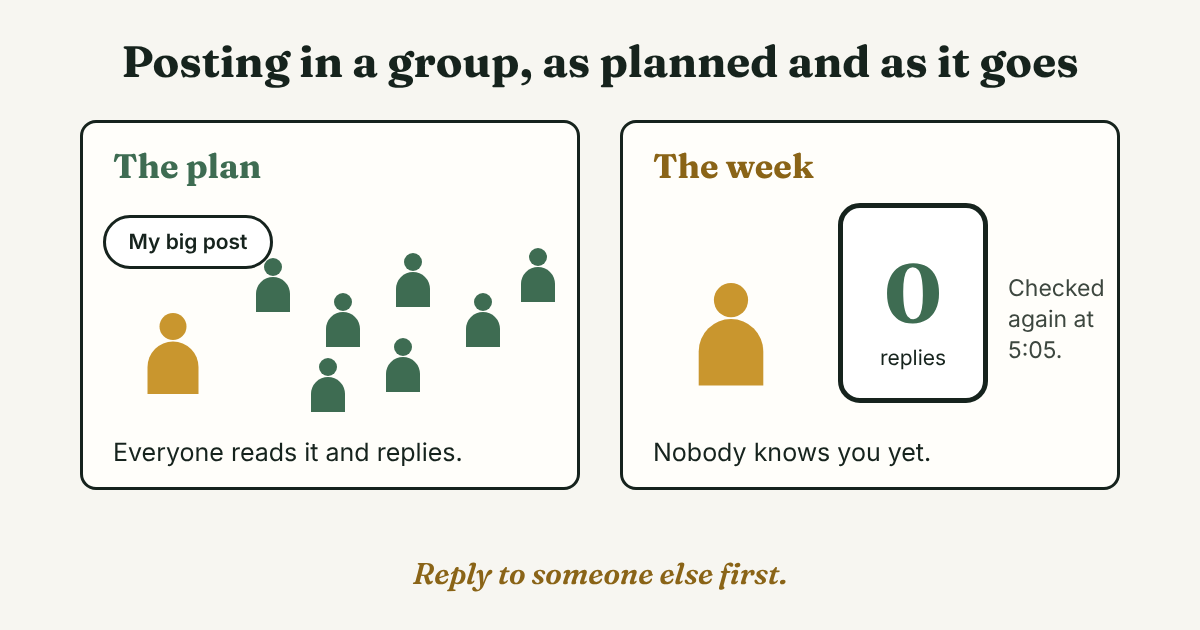
Reply first and post later. Taplio advises engaging with existing posts before you share your own, and warns that links to your own product or service pages can break group rules. A helpful reply costs the other person nothing and shows what you know. Here is one to edit:
[Name], I ran into the same problem with [situation]. What helped was [one specific step]. Did you already try [another option]?
After a week of replies, ask one question of your own. Make it specific, and say what you already tried:
I work as [role] and I am choosing between [option A] and [option B] for [situation]. I tried [A] for [time], and [what happened]. What would you check first?
Do not paste the same post into several groups. Taplio and linkedinpreview both warn that it looks like spam. Aim for three useful replies in each group in your first week, about 10 to 15 minutes a day. We suggest two or three groups so you can answer in each one.
Skip any tool that joins groups, comments or sends messages for you. Every reply is yours, written one at a time. If you are job hunting quietly, Resume Worded warns that group comments can still appear in your news feed, so check the group's settings first.
How do you turn a group thread into a conversation?
A conversation starts when you step out of the thread, with one person, about a topic you both just talked about. The order:
- Reply under someone's question with something useful.
- Wait until they answer you, or until you see them answer someone else with a point you liked.
- Send a connection request with a note that names the thread.
- When they accept, write one message that picks up the thread and asks one small question.
The connection note:
Hi [Name], we both replied under [Name]'s question about [topic] in [group]. Your point about [detail] was useful. I would like to stay in touch.
The message after they accept:
Thanks for connecting, [Name]. You said [detail] about [topic]. I am about to try [what you plan to do]. What would you do first?
Some guides say you can message group members you are not connected to. We could not confirm LinkedIn's rules for that. We suggest the connection note first. For more wording after someone accepts, see our follow-up message after you connect on LinkedIn. Write each note by hand, one at a time.
How do you test a group in two weeks?
Two weeks tells you whether anyone answers you, not whether the group pays off over a year. linkedinpreview suggests two to three months before judging. Two weeks is enough to drop a silent group.
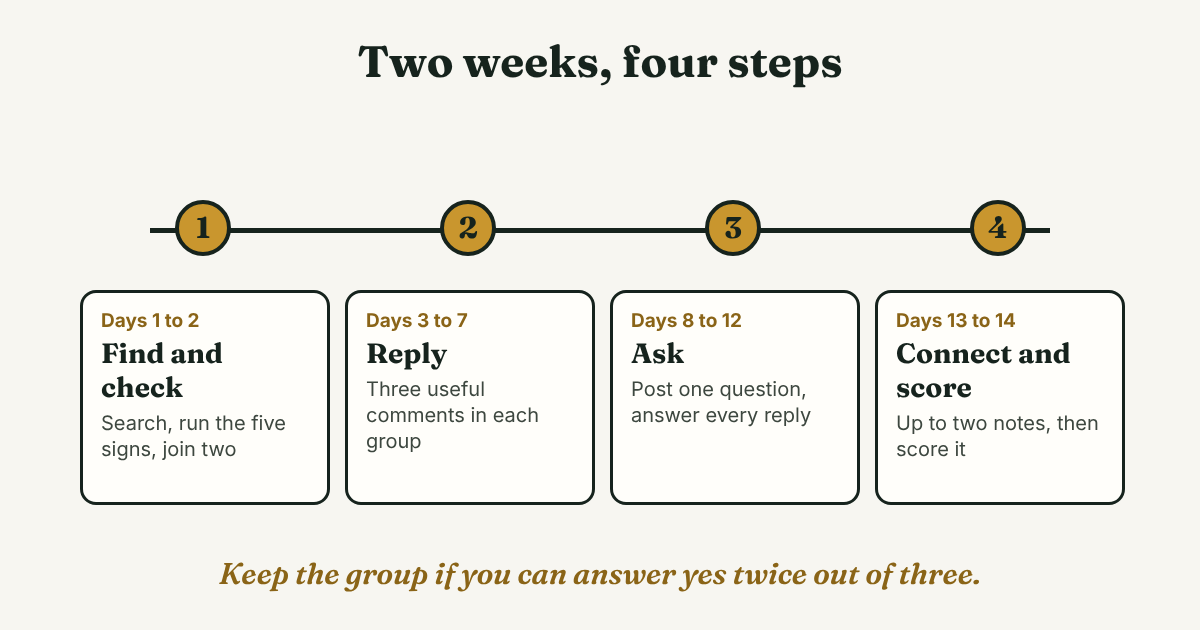
- Days 1 and 2. Run the five-sign check on three groups and join the best two. Set notifications to a digest or off, as DemandBird advises.
- Days 3 to 7. Read for five minutes a day. Leave three useful replies in each group.
- Days 8 to 12. Post one specific question in the better group. Answer every reply.
- Days 13 and 14. Send up to two connection notes to people who replied to you. Then answer three questions: Did at least two people reply to me? Did I learn one thing I used? Did one person agree to talk or connect?
Two yes answers: keep the group. Fewer: leave it quietly and test your next candidate. That is our method, not a result from research.
Prefer rooms to screens? See how to pick a professional networking group and test it in three meetings, or, early in your career, how to pick a networking group for young professionals.
How do you keep track of the people you talk to?
After each exchange, write one line: the name, the group, the thread topic, and what you said you would do next. A notes app or a sheet is enough for a few people. Without it, a good reply in week one is forgotten by week four.
Full disclosure: we make GrowthSeeded, a simple follow-up tracker for LinkedIn. It fits when people from groups become LinkedIn connections and you want a note for each person and a list of who is due for a message. It helps you keep track of people and follow up. It does not find groups, and a plain notes page is enough if you only talk to a handful of people.
What do we not know?
We found no independent study of what people get from LinkedIn groups, so every claim about results here is LinkedIn's own figure or an author's opinion. LinkedIn's help pages blocked our tool, so we state no limit on how many groups you can join or who you can message. Taplio and linkedinpreview sell LinkedIn tools, so treat their advice as advice. We checked all sources on October 30, 2026, and LinkedIn changes its features.
FAQ
What are LinkedIn networking groups?
They are spaces on LinkedIn where people who share a field, a school, a city or a goal post questions and replies. Public groups can be read by non-members, but only members can comment, per Social Media Today's report of LinkedIn's post. Private groups ask you questions, and a moderator approves you.
Are LinkedIn groups still worth it?
For some people. LinkedIn said in 2024 that public group posts reach beyond the group, while one critic says they get far fewer interactions than feed posts, with no data. The two-week test lets your own result decide.
How do I find active LinkedIn groups?
Search your topic, choose the Groups filter, and check each group for a post this week, replies from several people, posted rules, a present moderator and people like the ones you want to talk to. Join the best two or three.
Can I message people in a group if we are not connected?
Some guides say yes, within LinkedIn's own limits. We could not confirm the current rules, so check on screen. We suggest a connection request with a note that names the shared thread.
Do this today
- Write your one-sentence goal and search it with the Groups filter. List three groups.
- Run the five-sign check on each, about two minutes per group, and join the best one or two.
- Write one useful reply under a question in one group, using the reply template above.
When a group thread turns into a real connection, add that person to GrowthSeeded with one line about the thread. It keeps a note for each person and a list of who is due for a reply, so a good exchange does not go quiet. You send every message yourself, and it never sends anything or touches LinkedIn. Free is $0 for up to 5 active people at once (checked October 2026, and plans change).
Sources
- Rebuilding the Groups Experience on LinkedIn, LinkedIn Engineering Blog, 2018
- LinkedIn Shares Insights Into Public Group Posts Distribution, Social Media Today, 2024
- LinkedIn Groups: How They Work (And Why You Probably Shouldn't Bother), DemandBird, 2026
- LinkedIn Groups: How to Use Them for Growth in 2026, linkedinpreview, 2026
- How to Search for Groups on LinkedIn, Resume Worded, 2021, updated 2026
- How to use LinkedIn groups: Best Practices for Community Building, Taplio, 2026
- Which LinkedIn Groups Are Worth Your Time?, Lily Zhang, The Muse, updated 2020
About the author
Anisur Rahman Fagun is a marketing and content strategist with more than 9 years of experience in SEO, content, paid advertising and brand growth. He holds a master's degree in mass communication and journalism, and has led content and SEO strategy, built editorial teams and worked with product, design and sales teams. He also builds simple tools that turn marketing data into clear decisions. He writes the GrowthSeeded blog, which shares practical ways to follow up and stay in touch with people on LinkedIn.