Networking
Expandi vs GrowthSeeded: Automation or a Simple Tracker?
11 min read
Key takeaways
- Expandi is a cloud tool that sends connection requests, messages and email follow-ups for you, in one sequence. A simple tracker sends nothing. It shows you who to message.
- Expandi's Business plan is $99 a month per LinkedIn account, or $79 a month on annual billing (checked November 9, 2026). It has a 7-day trial and no free plan.
- Expandi's own pages say it is not an official LinkedIn product and that use is at your own risk. Its blog says no tool is zero-risk.
- We do not recommend automation. If you still want to try it, read LinkedIn's Help page on prohibited software first, and ask Expandi what happens to your plan if your account is restricted.
- If your problem is forgetting to follow up with people you already talk to, a simple tracker is enough.
Short answer: Expandi sends LinkedIn requests and messages for you from a cloud server, at $99 a month per account. A simple follow-up tracker sends nothing and only tells you who to message today. If you mostly forget to follow up, the tracker covers it. If you want sending done for you, Expandi does that, and its own pages admit the risk.
In this article
What is Expandi, and what does it do?
What does Expandi say about account safety?
What does each one cost?
What do reviewers say about Expandi?
How does the same week look in each one?
Which one fits you?
Where does a simple follow-up tracker fit?
What do we not know?
Last week you sent a batch of connection requests, and a good number of people accepted. Now you have a list of people to write to, and you already know you will lose track of a few. A friend says, "Just use Expandi." Its menu says you can send "up to 300+ connection requests weekly and book meetings." Is that the answer, or is it more than you need?
This post compares Expandi with a simple follow-up tracker, which is the other path. We read Expandi's pricing page and blog, plus three outside reviews. LinkedIn's own Help pages block our fetch tool, so we could not read them. Prices were checked on November 9, 2026, and they change. If your real question is what to write, start with our guide to LinkedIn follow-up messages. This post is about who does the sending.
What is Expandi, and what does it do?
Expandi describes itself as cloud-based LinkedIn software. Its pricing page says you can "send connection requests, messages, and email follow-ups in just one sequence." The sequence builder has if-then steps, so what happens next can depend on whether someone accepted or replied. LeadHaste, a review we read, describes branches "based on prospect behaviour," such as accepted, replied or viewed.
The feature list also names unlimited campaigns, a central inbox and dashboard, and integrations with other tools. The pricing page does not name them. Image and GIF personalization is a paid add-on.
In plain words: you set the steps once. Expandi runs them from its servers, on a schedule. The follow-ups go out even if you forget. That is the real appeal. It also means a tool is writing to people from your account, so what goes out is only as good as the template you wrote.
What does Expandi say about account safety?
Expandi's pricing page has an "Account Safety" section. It lists cloud-based software, a dedicated country-based IP address, a "Profile Auto Warm-up" that starts with a small number of messages, and "smart algorithms for limit ranges." Expandi's blog, published September 28, 2026, says its warm-up goes "from 5 actions a day to 21 over two weeks."
The same pages are careful. The pricing page says Expandi "is not an official product published by LinkedIn" and that use of it is at your own risk. The blog says "No tool is zero-risk, and none can override how you use the account." It also says cloud execution is "necessary but never sufficient."
Now LinkedIn's side. Expandi's blog quotes LinkedIn as restricting accounts that send "many invitations within a short amount of time." Kondo, an inbox tool that competes in this space, quotes LinkedIn's policy as not allowing third-party software "that scrape, modify the appearance of, or automate activity on LinkedIn's website." Kondo adds that LinkedIn's terms do not separate cloud tools from browser extensions. Kondo sells a rival product, and that last part is its own reading. We could not open LinkedIn's page to check it.
As we read these pages, the safety features are about pacing. We found nothing that says LinkedIn allows the tool. For the longer version, see why we say to avoid automating LinkedIn activities.
What does each one cost?
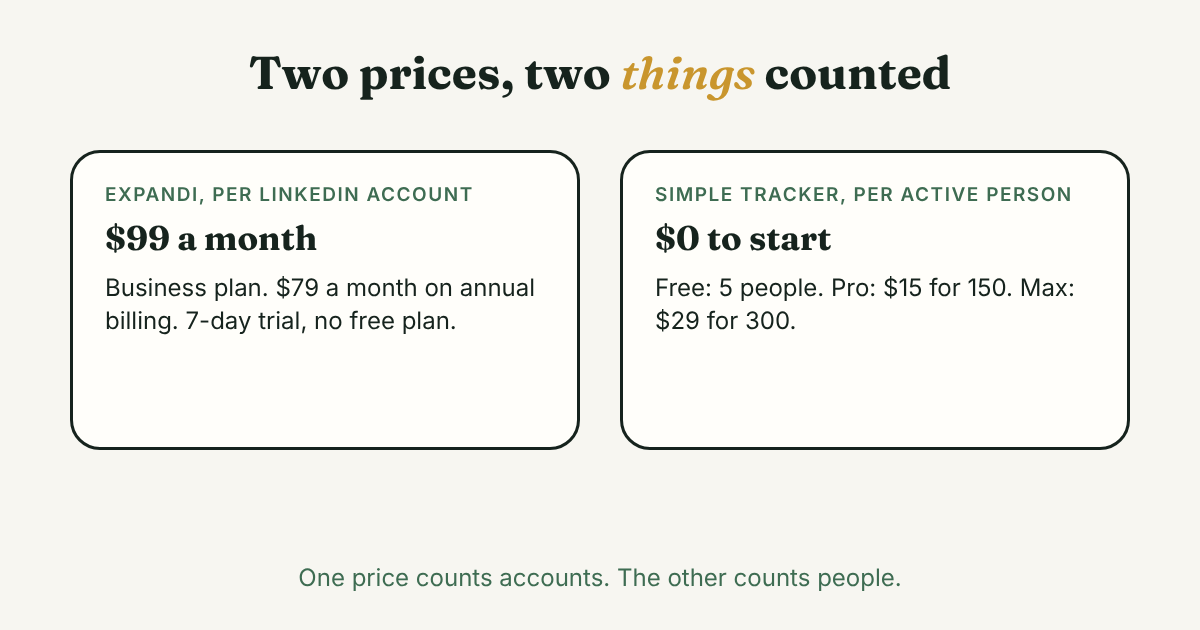
Expandi (its pricing page, checked November 9, 2026):
- Business: $99 a month per account. Annual billing takes 20% off, shown as $79 a month.
- Agency: custom price, for 10 or more seats.
- A 7-day free trial, and no free plan. After the trial you are charged for the billing period you chose, unless you cancel first.
- We found no refund terms on the pages we read. Image and GIF personalization costs extra.
GrowthSeeded (our pricing page, checked November 9, 2026):
- Free: $0, 5 active people, up to 20 when friends you invite join. No card, no time limit.
- Pro: $15 a month, 150 active people.
- Max: $29 a month, 300 active people.
The units differ. Expandi charges per LinkedIn account. For one person over a year, that is $1,188 billed monthly, or about $948 at the annual rate. GrowthSeeded Pro is $180 billed monthly. SyncGTM's example for a team of five is $495 a month billed monthly. LeadHaste calls the price a limit for solo users.
The money is not the main difference. Expandi's price buys sending. A tracker's price buys a list that tells you who to message.
What do reviewers say about Expandi?
Two outside reviews are worth a look, and both sell something. SyncGTM (updated September 30, 2026) sells a rival product. It cites a G2 rating of 4.0 out of 5, with no review count. It says G2 users report two to three hours of setup and testing for branching sequences, and it calls the 7-day trial short for testing a warm-up. LeadHaste (updated September 21, 2026) sells done-for-you outbound. It names price and the learning curve as the two limits, and says that "like every tool in the category it cannot exceed LinkedIn's own hard limits."
We could not open Capterra, so we have no second review score. Read a few recent reviews yourself before you pay.
How does the same week look in each one?
Amira (an example, not a real person) sent 12 connection requests last week. Five people accepted. Two of them are people she really wants to stay in touch with.
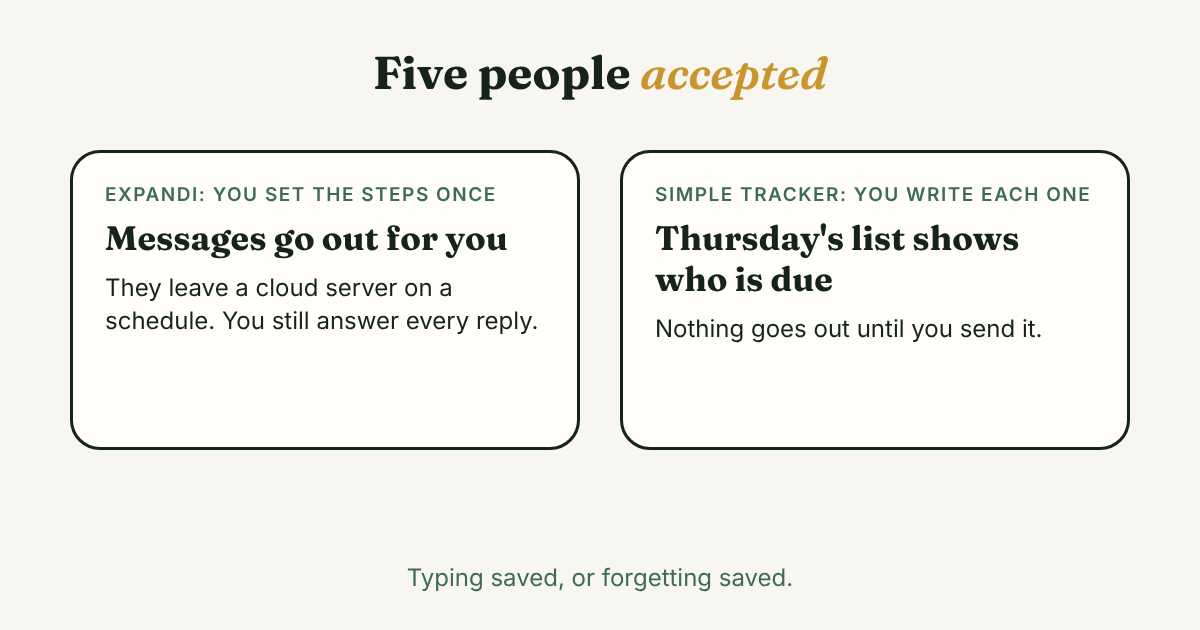
With Expandi, she builds a sequence once: a first message after someone accepts, a follow-up a few days later, another after a week. Expandi sends them on its own schedule. If one person replies, the if-then steps can change what happens next. She still has to answer that reply herself, because only she knows what the person asked. And all five people get messages built from her template, including the two she cares about.
With a simple tracker, she adds the five people by hand, with one line each on why they matter. Nothing goes out for her. On Thursday she opens one list, sees who is due, and writes each message herself. When someone replies, she writes a note, and that person's next step moves. It takes her longer per message. It also means no message goes out that she did not read.
Expandi saves the typing. The tracker saves her from forgetting. Those are different jobs. If you cannot decide, ask which one you actually lose sleep over.
Which one fits you?
Look at the job, not the tool name.
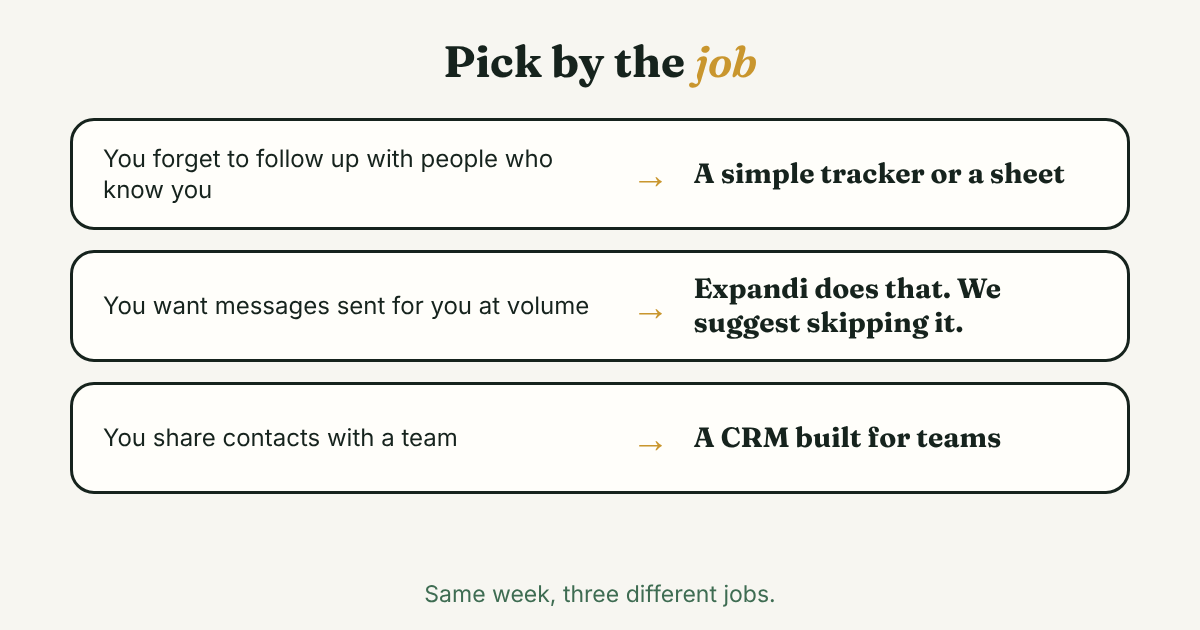
- You forget to follow up with people who already know you. A list, a note after each talk and a daily reminder is enough. A spreadsheet works too. For spacing your own requests by hand, see our post on LinkedIn connection limits.
- You want sending done for you, at volume. Expandi is built for that, and we do not recommend it. If you still weigh it, ask Expandi three things: what happens to my plan if LinkedIn restricts my account, is there a refund after the trial, and can I stop a sequence the moment someone replies? We found answers to none of these on the pages we read. For a comparison with another automation tool, see our Waalaxy post.
- You run outreach for a team that shares contacts. That is a different job from either one here. Our Folk comparison covers a CRM built for teams.
Where does a simple follow-up tracker fit?
Full disclosure: we make GrowthSeeded, a simple follow-up tracker for LinkedIn, so we are biased. It tells you who to message each day, so you don't forget to follow up. You add a person and why they matter, write a note after each conversation, and the next step follows what happened. You send every message yourself. We wrote more about how it works day to day.
It never connects to LinkedIn and it sends nothing. That is why it adds no risk to your account. It is also why it cannot do what Expandi does: it cannot send a request, find an email or run a sequence. It is not a complex CRM, and it does not write the message for you.
What do we not know?
- How Expandi behaves on your account. Its pages describe limits and a warm-up. We did not test it.
- What LinkedIn says today. Its Help pages block our tool, so read the page on prohibited software and extensions on your own account.
- Whether Expandi refunds after the trial. We found no refund terms on the pages we read.
- Expandi's review scores today. We saw one G2 score second-hand, and Capterra would not open.
- Prices change, so check both pricing pages before you decide.
FAQ
Is Expandi safe for my LinkedIn account?
Expandi's own pages say it is not an official LinkedIn product, that use is at your own risk, and that no tool is zero-risk. Outside sources say LinkedIn's rules do not allow tools that automate activity. We cannot promise either way, and we do not recommend automation.
How much does Expandi cost?
The Business plan is $99 a month per account, or $79 a month on annual billing. Agency pricing is custom, for 10 or more seats. There is a 7-day trial and no free plan. We checked the pricing page on November 9, 2026, and prices change.
Is there a free alternative for LinkedIn follow-ups?
A spreadsheet is free. So is the GrowthSeeded Free plan: $0, 5 active people, no card. Neither one sends messages for you.
Does GrowthSeeded send messages or connect to LinkedIn like Expandi?
No. It never connects to LinkedIn and never sends anything. You add each person and the reason yourself, and you send every message yourself.
Do I need Expandi to follow up on LinkedIn?
No. A follow-up is a short message to someone who already knows you. A list of who is waiting, and a reminder of who is due, is enough to keep it going.
Do this today
- List the five people you most owe a message to, with one line each on why you wanted to talk to them.
- Write to the first one yourself, in your own words. Then note what happens next.
- Weighing automation anyway? Open LinkedIn's Help page on prohibited software and extensions on your own account, and read it before you start any trial.
If forgetting is the problem, GrowthSeeded is a simple follow-up tracker for LinkedIn. Put those five people on the Free plan, and each day it tells you who to message. You send every message yourself, and it never sends anything or touches your LinkedIn account.
Sources
- Expandi pricing, Expandi, checked 2026
- The safest LinkedIn automation tools, Expandi, 2026
- Is Expandi Safe? Navigating LinkedIn's Terms of Service, Kondo, 2025
- Expandi 2026: Safe LinkedIn Automation, review with pricing and safety features, SyncGTM, 2026
- Expandi review 2026, LeadHaste, 2026
- GrowthSeeded pricing, GrowthSeeded, checked 2026
About the author
Anisur Rahman Fagun is a marketing and content strategist with more than 9 years of experience in SEO, content, paid advertising and brand growth. He holds a master's degree in mass communication and journalism, and has led content and SEO strategy, built editorial teams and worked with product, design and sales teams. He also builds simple tools that turn marketing data into clear decisions. He writes the GrowthSeeded blog, which shares practical ways to follow up and stay in touch with people on LinkedIn.