Networking
Follow-Up Email After a LinkedIn Connection: 4 Examples
10 min read
Key takeaways
- Email fits when you have a real reason to write and an address the person chose to share.
- Four parts do the work: a clear subject line, how you are connected, one detail, and one small ask.
- Send it a day or two after you talk. Wait about a week to ten days, send one follow-up, then stop.
- Write every email yourself, to one person at a time. Skip tools that guess addresses or send for you.
Short answer: Email the person a day or two after you connect, when you have a reason to write and their address. Use a clear subject line, say how you are connected, add one detail from your last contact, and make one small ask. Keep it to a few sentences, and write it yourself.
In this article
- Why send an email when you are already connected?
- How do you find the email address?
- When should you send the email?
- What should the email include?
- What are four examples you can edit?
- What should you skip?
- Where does a tracker fit?
- FAQ
- Do this today
Why send an email when you are already connected?
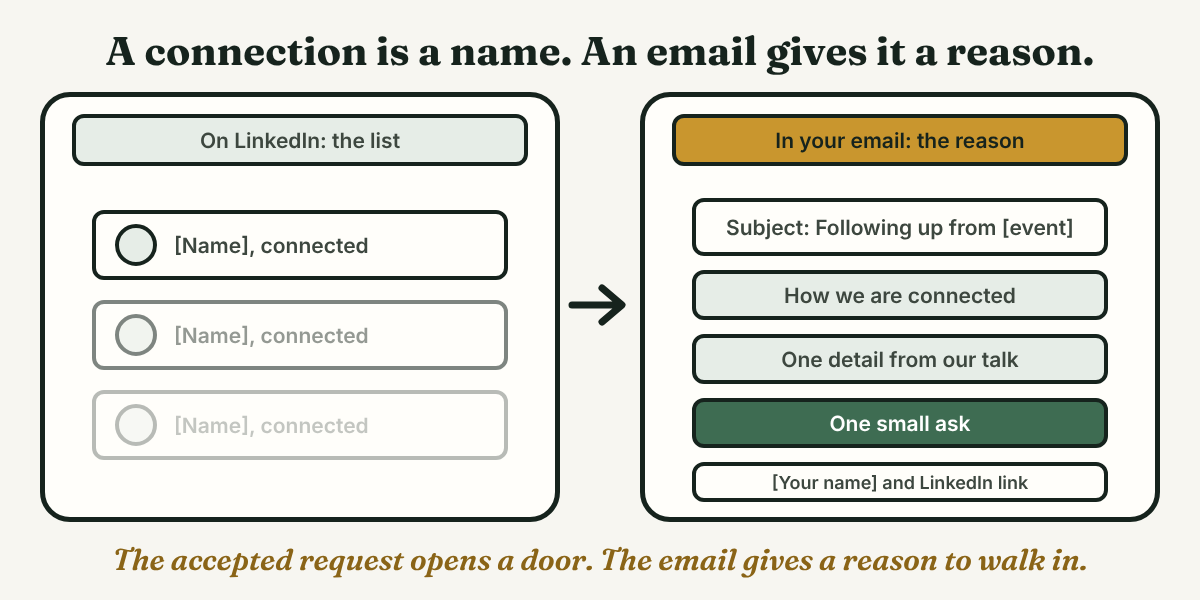
An accepted request is a name added to a list. It does not mean the person remembers you. An email can hold a full thought, and that is the main reason to write one.
The sources we read all start from a reason. The Johns Hopkins Carey outreach templates begin with a shared context, such as an event, a LinkedIn group or a school. So if the connection is your only reason, send a short LinkedIn message first and keep the email for when you have more to say.
This post covers the email. For the note you send inside LinkedIn, read our guide to the follow-up message after connecting.
How do you find the email address?
Start with what the person chose to share. Job-Hunt.org says the Contact info section of a LinkedIn profile is visible to first-level connections, and that by default LinkedIn shows only the profile link. So the section may hold an email address, or it may be empty. The article is from 2021, so trust what you see on the profile.
Places to look, in order:
- Contact info on their profile. If they added an address, you can use it.
- Their About section. Job-Hunt.org advises members to put contact details there for people who are not connections, so some profiles list an address in that section.
- A message or event page you already have. An address they gave you is fine to use.
- A short question on LinkedIn. If you cannot find an address, ask in one line: "What is the best way to send you a longer note?"
Skip tools that scrape LinkedIn or guess addresses. We never recommend automation, and an address a person did not share is not an invitation.
When should you send the email?
The sources give different timings because they describe different situations:
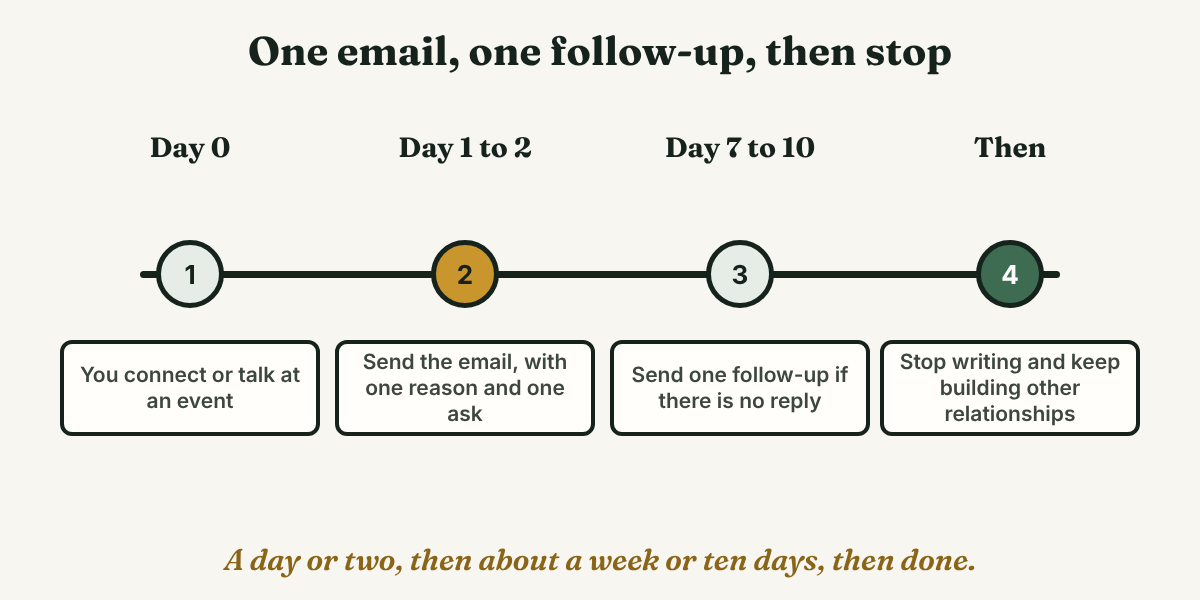
- After you talk in person. Wentworth says to send it "a day or two after" the conversation. The Illinois Writers Workshop says to follow up within 24 hours after a career fair, and Hofstra says to thank someone within 24 hours of an informational conversation.
- After a first email with no reply. CUNY says to wait at least ten days. Hofstra says no sooner than one week, and SCLA says about a week.
- After an accepted request with no talk. None of the sources give a number. Our suggestion is a day or two after the accept, while the person can still place your name.
Both CUNY and SCLA allow one follow-up. CUNY says that if there is still no reply, stop.
What should the email include?
Keep it short. UIC says 3 to 5 sentences for a follow-up, while SCLA suggests 150 to 250 words for a first email. We suggest the shorter one. Four parts are enough.
Step 1: Write a subject line that says why
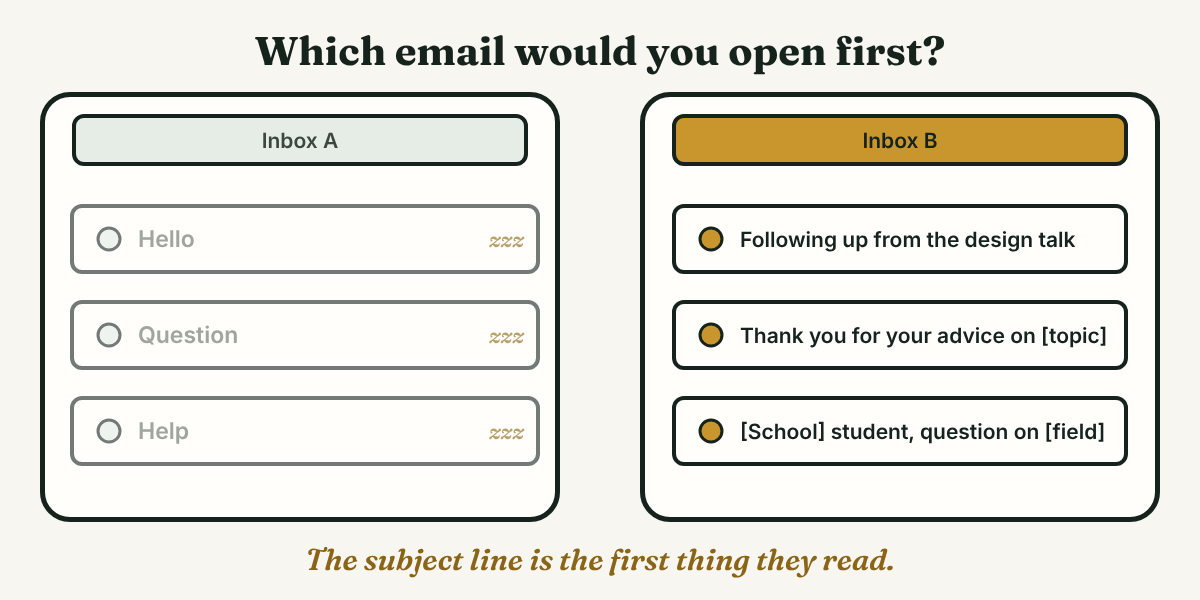
Hofstra asks for a clear subject line. The Carey page shows the pattern, such as "Following Up from XXXX Event," and notes that a LinkedIn message does not allow a personalized subject line. SCLA warns against vague ones, such as "Hello," "Question" or "Help."
Step 2: Say how you are connected
CUNY says to name a mutual contact if you have one, and the Illinois page says to mention something specific from the conversation. One sentence is enough: where you talked or how you found them, and the day.
Step 3: Add one detail
Pick one topic from your talk, or one item from their profile, such as a project. Wentworth says it helps them remember you.
Step 4: Make one small ask
SCLA says each email needs one purpose and a small ask, such as a brief conversation, not a job or a referral. CUNY's sample asks for a half hour. The Illinois page says not to ask for a job directly on LinkedIn. End with your name and your LinkedIn link, which Hofstra suggests putting in a footer.
What are four examples you can edit?
Mara (an example, not a real person) is finishing a communications degree and writes four emails to four people. Change every part in [brackets], and send each one to one person.
1. You talked at an event and connected the same day
This follows the Carey event template: name the event and one topic, then say you would like to stay in touch. Send it a day or two later.
Subject: Following up from [event name]
Hi [Name], thank you for talking with me at [event] on [day]. I especially enjoyed hearing about [topic]. I also connected with you on LinkedIn, and I would like to stay in touch. [Your name], [LinkedIn link]
2. They accepted your request, and you share a school
This follows the Carey alumni template: name the shared school and a common interest, then suggest a short chat. SCLA's version asks for about 20 minutes.
Subject: [School] student with a question about [field]
Hi [Name], thank you for accepting my request on LinkedIn. I am studying [subject] at [school], and I saw you moved from [step on their profile] to [current role]. Would you be open to a 20-minute call in the next few weeks? [Your name], [LinkedIn link]
3. You emailed once and heard nothing
Wait the time the sources give, at least a week, then send one note. CUNY's follow-up sample starts by saying the person must be very busy. Reply in the same thread so your first email sits below it (our suggestion).
Hi [Name], I know your days are full, so I will keep this short. I wrote on [day] about [one-line reason]. If a call is hard to fit, I can send two questions by email instead. Thank you either way. [Your name]
4. They helped, and you want to say thanks
CUNY says to thank people after any job-search help, mention something specific you learned, and say you will keep them updated. Send it within a day, as Hofstra suggests.
Subject: Thank you, [Name]
Hi [Name], thank you for your time on [day]. Your point about [specific thing] changed how I will [what you will do]. I will let you know how [next step] goes. [Your name]
What should you skip?
Skip these:
- A vague subject line. SCLA says "Hello," "Question" and "Help" do not set expectations.
- A big ask in the first email. SCLA says to ask for something small, like a brief conversation.
- More than one follow-up. CUNY and SCLA both stop at one.
- Guessing or scraping addresses. Use what the person shared.
- The same email to many people. If you could paste it to ten people, it is not written for the one.
- Tools that send it for you. We do not recommend automation, bots or mass messaging for notes like these.
Where does a tracker fit?
Full disclosure: we make GrowthSeeded, a simple follow-up tracker for LinkedIn. It does not write emails, send them or touch LinkedIn. The harder part is often remembering who you wrote to and what you asked. You add each person and write a note after every conversation, such as "emailed Oct 24, no reply yet." A due-today view shows who is waiting on you, and the next step follows what happened, like an accepted request or a reply, not a date you picked.
Prices, checked October 24, 2026: Free is $0 for 5 active people at a time (up to 20 when friends join through invites), Pro is $15 a month or $150 a year, and Max is $29 a month. They change.
It tracks people, not email threads. Your email app is the better place for those, and with three or four contacts a notes app is enough.
FAQ
Should you email someone after connecting on LinkedIn?
Only when you have a reason to write. If the accepted request is all you have, send a short LinkedIn message first. The Johns Hopkins Carey templates all start from a shared context, such as an event, a group or a school.
How many times can you follow up?
Once. CUNY and SCLA both allow one follow-up, after about a week to ten days. If there is still no reply, stop and move on to other people.
What if you cannot find the email address?
Do not guess it or use a scraper. Check the Contact info and About sections, ask in one line on LinkedIn, or send a short LinkedIn message instead.
Do this today
- Pick one person you connected with recently, and write down your reason for writing: an event, a school or a question.
- Find the address where they shared it, then write 3 to 5 sentences in your own words: subject, how you are connected, one detail and one small ask.
- Send it to that one person. Then write down the date and a check date about a week to ten days later.
One follow-up is easy to plan and easy to forget. In GrowthSeeded you can note who you emailed and what you asked, and the due-today view shows who is waiting on you. You write every email yourself. It never sends anything and never touches LinkedIn, so your account stays safe. Free costs $0 for up to 5 people at a time, enough for the few emails you have out right now.
Sources
- Email Best Practices for Networking, CUNY Graduate Center Career Planning and Professional Development, 2020
- Networking Emails, Writers Workshop at the University of Illinois, checked 2026
- Following Up & Thank You Messages, University of Illinois Chicago Engineering Career Center, checked 2026
- Career Fair or Networking Follow-Up, Wentworth Institute of Technology Co-ops & Careers, 2024
- LinkedIn Outreach Email Templates, Johns Hopkins Carey Business School, checked 2026
- Email Tips for Job and Internship Searches, Hofstra University, checked 2026
- How to Write Emails That Get Responses (Templates Included), Society for Collegiate Leadership & Achievement, 2026
- Safely Publish Your Phone Number and Contact Information on LinkedIn, Job-Hunt.org, 2021
About the author
Anisur Rahman Fagun is a marketing and content strategist with more than 9 years of experience in SEO, content, paid advertising and brand growth. He holds a master's degree in mass communication and journalism, and has led content and SEO strategy, built editorial teams and worked with product, design and sales teams. He also builds simple tools that turn marketing data into clear decisions. He writes the GrowthSeeded blog, which shares practical ways to follow up and stay in touch with people on LinkedIn.