Networking
LinkedIn Follow-Up Message After a Career Fair: 4 Examples
Updated: October 24, 2026 · 10 min read
Key takeaways
- Write within a day or two of the fair. Career offices give that window, but none measured replies.
- Name the fair and one detail from your talk. That is what lets a person who spoke with many people place you.
- Use the way the person prefers. Email if you have the address, a LinkedIn request with a short note if you only have a name, or the way they told you at the fair.
- Write every note yourself, to one person at a time. Skip tools that send it for you.
Short answer: Within a day or two of the fair, send one short note to the person you talked to. Name the fair, mention one detail from your talk, and say what you want next, such as the role you applied for. Use the way they prefer to be reached, and write it yourself.
In this article
- Why does a follow-up after a career fair matter?
- When should you send it?
- Should you use LinkedIn or email?
- What should the message include?
- What are four examples you can edit?
- What should you skip?
- Where does a tracker fit?
- FAQ
- Do this today
Why does a follow-up after a career fair matter?
A career fair is a few minutes at a booth. The person you talked to may talk to many people in a day, and your name is one of them. A short note afterward gives them a reason to place you.
Amherst College's career center puts it this way: following up is "your chance to turn a brief encounter into a lasting impression." McMaster University's Student Success Centre describes successful job seekers as people who keep in touch with their employer contacts "for days and weeks after the fair." Both are advice from career offices, not measured results.
This post covers the note after a fair. If you sent a request to someone you did not talk to, or you want the note for a request that was just accepted, read our post on the follow-up message after connecting.
When should you send it?
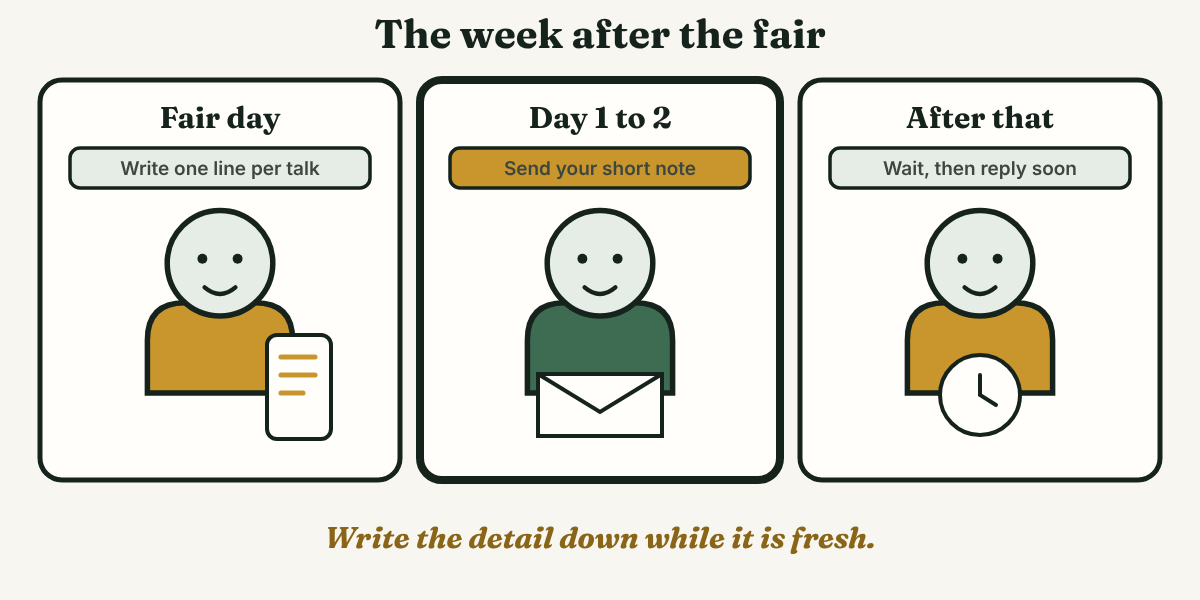
Three career offices give almost the same window. Amherst's page says to send thank-you emails and LinkedIn requests within 24 to 48 hours. Wentworth Institute of Technology says "a day or two after speaking with employers." A UMKC career blog is tighter for email: aim to send it within 24 hours, because recruiters often need a couple of days to work through their inbox after a fair, so an early email is more likely to be seen.
If you were told to apply: Amherst says not to delay. Submit the application, then mention the conversation in your note.
Our suggestion is to write one line per conversation in your phone before you leave the fair. By the second day the talks blur together, and the detail is what makes the note worth reading.
Should you use LinkedIn or email?
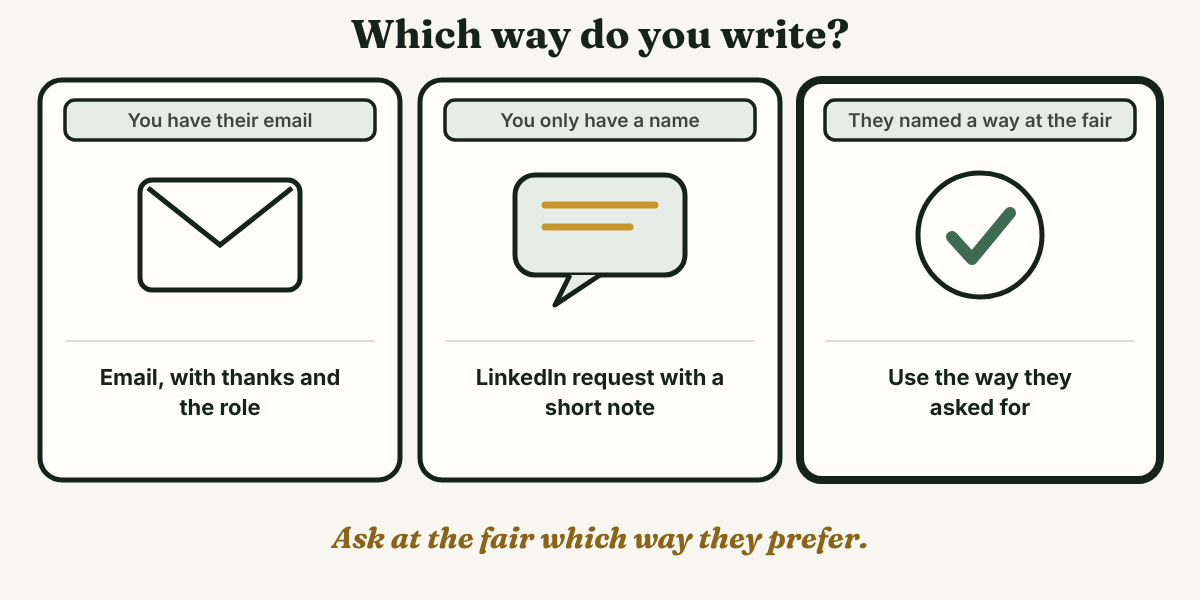
The sources agree on a simple order: use the channel the employer prefers, and ask at the fair if you can. McMaster says to ask which contact method an employer prefers. Wentworth says to email if you have the contact's address, and to send a short message with a connection request on LinkedIn if you do not.
If you missed the person, Amherst says to look for their website or Handshake profile and follow up through their preferred channel.
One practical limit: McMaster says to send the request from the person's profile page on a computer, because "the LinkedIn app doesn't let you" add a note. We could not check this on LinkedIn's own help pages, and LinkedIn changes its screens, so look at your own screen before you decide.
What should the message include?
Every source we read asks for the same few parts.
Step 1: Say where you talked
Name the fair and, if you can, the day. Amherst's LinkedIn example does exactly this: it opens with the event and then says you want to stay connected.
Step 2: Add one detail from your talk
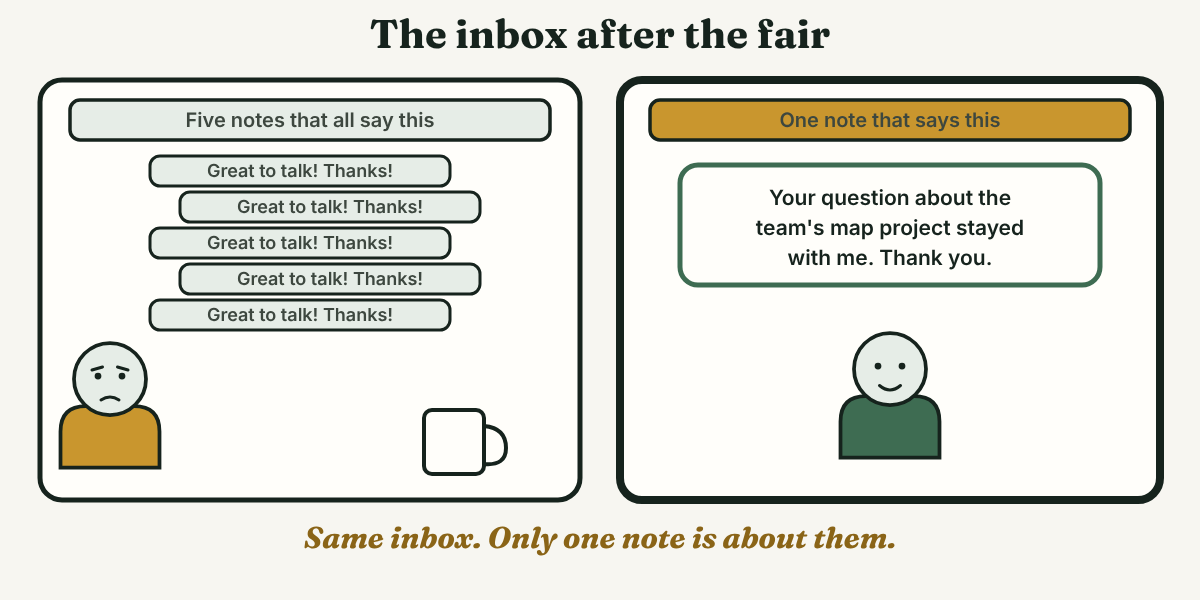
Wentworth says to mention a specific topic so the person remembers you. UIC says to lead with thanks and focus on specifics from your conversation. One detail is enough. It can be a project they described or a question you asked.
Step 3: Say what you want next
If you applied or plan to, Wentworth says to name the position. If you did not, keep the ask small: UIC suggests asking whether someone else in their network could talk to you. Do not ask for a job in the first note.
Step 4: Keep it short
UIC recommends three to five sentences for an email. Amherst says "short and genuine works best." A LinkedIn note should be shorter still.
What are four examples you can edit?
Daniel (an example, not a real person) is a junior who talked to three people at a fair. He wrote a different note for each. Change every part in [brackets], and write each note for one person.
1. You talked to a recruiter and only want to connect
This is the note you add to the request. Amherst's example is a single sentence about the fair and a wish to stay connected. Add your one detail and a thank you.
Hi [Name], we talked at [fair] on [day] about the [role] internship. You said [detail], and I have thought about it since. I would like to stay in touch. Thank you for your time. [Your name]
2. You applied, or you were told to apply
Wentworth says to name the position, and Amherst says to mention that you applied. Send this after the person accepts, or as an email if you have the address.
Hi [Name], thank you for accepting. We talked at [fair] about [detail]. I applied for [role] on [day] and wanted you to know it was me. Is there anything else I should send? [Your name]
3. You missed the person at the fair
Amherst has a missed-conversation template for this. It says you came by hoping to talk, why you are interested, and asks for the best next step.
Hi [Name], I came to [fair] hoping to talk about [role or team], but I missed you at the booth. I am interested because [one reason]. What is the best next step? Thank you. [Your name]
4. You talked to a team member, not a recruiter
An engineer or analyst at a booth is not hiring you, so ask for a little advice, not a job. UIC's idea of asking who else you could talk to fits here.
Hi [Name], I enjoyed hearing about [project] at [fair]. I am learning how people start in [field]. Whenever you have a minute, who on your team would be good to hear from? Thank you either way. [Your name]
If the person writes back, answer soon and say what you did with their reply. That is our suggestion.
What should you skip?
Skip these:
- A copy of your whole story. UIC says three to five sentences. The UMKC blog adds that you do not have to attach your resume to a follow-up email, since the recruiter should already have it, though it will not hurt.
- A casual opening in an email. The UMKC blog says to use "hi" or "hello," not "hey," and Mr. or Ms. with a last name unless you know the company is informal.
- The same note to every booth. If you could paste it to ten people, it is not about the one person reading it.
- Tools that send it for you. We do not recommend automation, bots or mass messaging for notes like these. A person at a booth can tell when a note was not written for them.
Where does a tracker fit?
Full disclosure: we make GrowthSeeded, a LinkedIn relationship tracker. It does not write notes, send them or touch LinkedIn. After a fair you may hold a pile of names, cards and half-remembered talks. You add each person and write a short note about what you talked about, and a due-today view shows who you still owe a message. The next step follows what happened, such as an accepted request or a reply, not a date you picked.
Prices, checked October 24, 2026: Free is $0 for 5 active people at a time (up to 20 when friends join through invites), Pro is $15 a month or $150 a year, and Max is $29 a month. They change.
If you talked to three or four people, a notes app or a spreadsheet is enough. A tracker helps when the list outgrows your memory.
FAQ
How soon should you follow up after a career fair?
Within a day or two. Amherst says 24 to 48 hours, Wentworth says a day or two, and a UMKC career blog says within 24 hours for email. None of them tested the window.
Should you connect on LinkedIn or send an email?
Use the way the person prefers. If you did not ask, Wentworth says to email when you have the address and to send a short message with a LinkedIn request when you do not.
What if you did not get a name or a card?
Amherst says to find the person's website or Handshake profile and follow up through their preferred channel.
Can you add a note to your LinkedIn request?
McMaster says to use a computer, because the app does not let you add one. We could not confirm this on LinkedIn's help pages, and screens change, so check your own.
What if the person never replies?
Silence often means busy. No source we read gives a number of days. Our suggestion is to wait about a week and send one short note with something new in it, as in our post on the LinkedIn follow-up message.
Do this today
- Open your notes from the fair and pick the one conversation you remember best. Write one line about what you talked about.
- Check how that person wanted to be reached, then write a short note in your own words: where you talked, one detail, one next step.
- Send it to that one person, and write the date somewhere you will see it, so you know when to check back.
A fair gives you many conversations in an afternoon and only a day or two to follow up on them. GrowthSeeded keeps each person next to your own note about what you talked about, and its due-today view shows who is still waiting for a message. You write every message, and it never sends anything or touches LinkedIn. Free costs $0 for up to 5 people at a time.
Sources
- Career Fair or Networking Follow-Up, Wentworth Institute of Technology Co-ops & Careers, 2024
- Career Fair: After the Fair, McMaster University Student Success Centre, 2025
- How to Follow Up After a Job Fair, Amherst College Loeb Center for Career Exploration and Planning, 2025
- Following Up & Thank You Messages, UIC career tools page, checked 2026
- How to follow up after a career fair?, UMKC Bloch career blog, 2023 (year from the page address)
About the author
Anisur Rahman Fagun is a marketing and content strategist with more than 9 years of experience in SEO, content, paid advertising and brand growth. He holds a master's degree in mass communication and journalism, and has led content and SEO strategy, built editorial teams and worked with product, design and sales teams. He also builds simple tools that turn marketing data into clear decisions. He writes the GrowthSeeded blog, which shares practical ways to build professional relationships on LinkedIn.