Networking
How to Identify Startup Founders on LinkedIn: 5 Steps
Updated: October 22, 2026 · 10 min read
- A founder title on LinkedIn is a claim. Rework says there is no legal test and no registry for "founder", so people give the title to themselves.
- Start with the company, then the person. Search companies of 1 to 50 people, then search for people with title words such as founder and co-founder.
- Write search terms in capital letters for AND, OR and NOT, and put exact phrases in quotation marks. Cleverly says LinkedIn reads them that way.
- Look for proof beyond the headline: a team page that names the person, recent activity, and a second source that agrees.
- Skip scrapers and bulk lists. Five founders you can write to one at a time beat five hundred names in a tab.
Short answer: To identify startup founders on LinkedIn, search for companies of 1 to 50 people, then search people with title words such as founder and co-founder. Open each profile and company page and look for proof beyond the headline: a team page, recent activity, or a second source. Save one line of notes on each person.
In this article
- What does "founder" mean on LinkedIn, and is the title proof?
- How do you identify startup founders on LinkedIn, step by step?
- How can you tell a startup is early and real?
- Which shortcuts should you skip?
- Where does a tracker fit?
- FAQ
- Do this today
What does "founder" mean on LinkedIn, and is the title proof?
A founder is someone who took part in creating a company in its earliest stage. Rework calls it a fact about the past, not a job the company gives you. The same page says "founder" has no legal test and no registry, so people choose it for themselves, although others can dispute it. Founders Network adds that a founder and a co-founder are not higher or lower, and that the CEO is a different thing: a job with formal authority that can change hands.
That matters when you search. A person can be the CEO and not a founder, or a founder who left the CEO role long ago. A headline that says "Founder" tells you what the person wrote. It does not tell you what the person built. So treat the title as the start of your check, not the end of it.
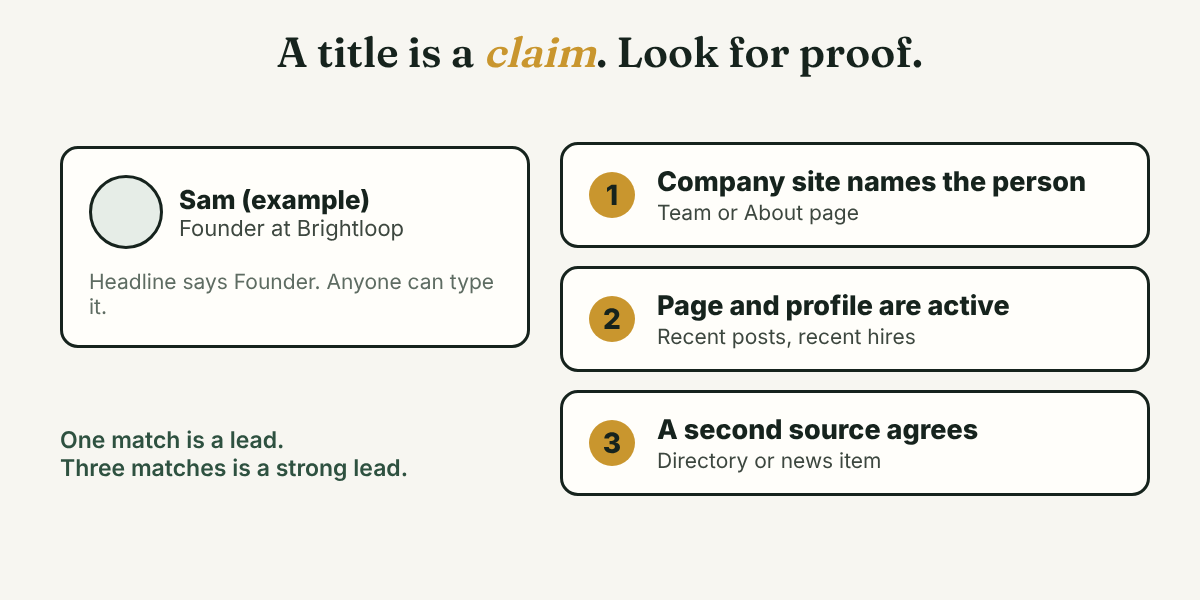
Here is an example. Sam (an example, not a real person) has the headline "Founder at Brightloop". You find no team page, no posts since last year, and no other source that names Sam. That is a lead you may keep for later. It is not yet a founder you write to.
How do you identify startup founders on LinkedIn, step by step?
Use these five steps. They use only search and reading. You do the typing and the judging yourself.
Step 1: Pick the founder you want to find
Without a target, "founder" gives you a very long list. Write one sentence with three parts: the kind of company, the place, and the reason you want to talk.
I want to find founders of [kind of company] in [place] because I want to learn [one thing].
Here is an example. Priya (an example, not a real person) wants to learn how first-time founders pick their first hire, so she writes: founders of small software companies in Austin. Now every later filter has a reason.
Step 2: Search companies before people
Artisan, a vendor that sells sales software, suggests this order: type a word such as "startup" into the search bar, choose Companies, open All filters, and set industry, company size and location. For early-stage companies it suggests 1 to 10 and 11 to 50 employees. Reply, also a vendor, adds that newer companies may show a founding date or years active, and that their pages tend to be lean and still gaining followers. Read both as ideas, not rules.
Step 3: Search people with title words
Now search people. Cleverly says LinkedIn reads three operators in people search: AND, OR and NOT. They must be in capital letters. Quotation marks match an exact phrase, and parentheses group words. Cleverly also says braces, brackets and wildcard characters are not supported. Cleverly cites LinkedIn's Help Center, which we could not open, so test any string on your own account.
A simple string looks like this:
("founder" OR "co-founder") AND "startup" AND NOT "recruiter"
Artisan suggests adding words people use about themselves, such as "bootstrapped" or "building in public", and then using the Location, Industry and Profile language filters. Start with one string and look at the first 20 results before you change it.
Look at the company page too. Job-Hunt, in an article from 2021 that its publisher updated in 2022, says to open a company page and use the link that shows all its employees. You can then filter that list by keyword, such as "founder", and by location. LinkedIn may have changed these screens since then, so use it as a guide to what to look for.
Step 4: Check the proof
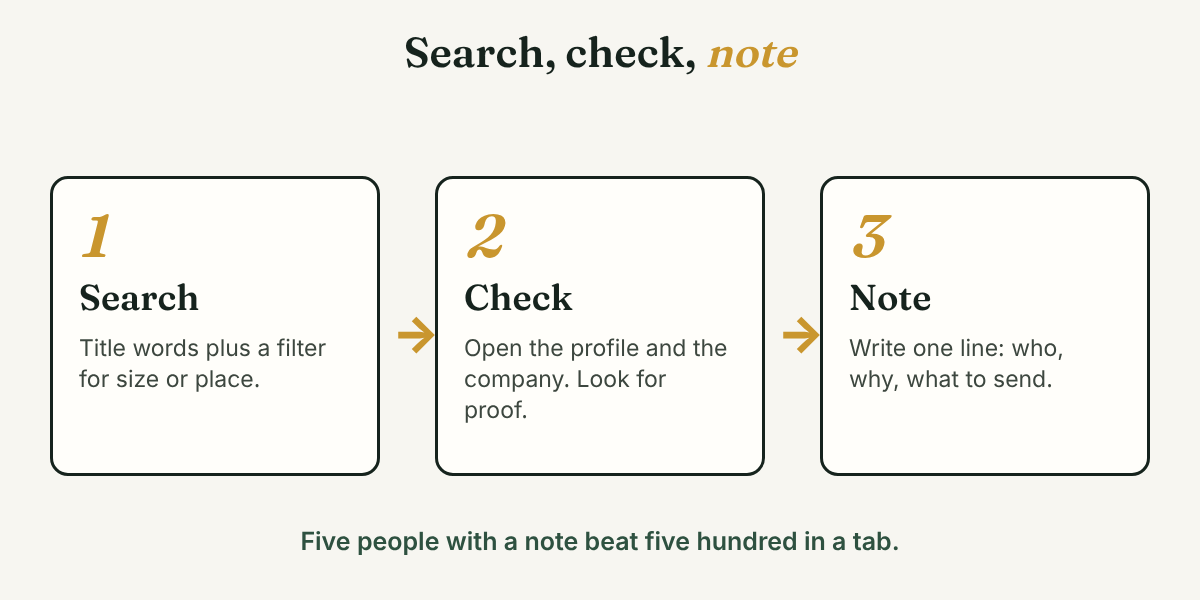
For each person on your list, run three checks:
- The company names the person. Open the company website and look for a team or About page. If a founder claims a company that does not list them, ask why before you write.
- The profile and the page are active. Look for recent posts, a recent job post, or a company page that is still being updated. Reply points to the activity sections of company pages and founder profiles as the source of real signals.
- A second source agrees. For companies backed by Y Combinator, the public YC Founder Directory lets you filter founders by university, past company or region. Artisan suggests cross-checking leads with Crunchbase. The YC post is from 2023, so the directory may look different now.
When two of three checks pass, treat the person as a probable founder. When none pass, skip the person. You do not need to prove anything, and you do not need to accuse anyone. You only need enough proof to write a fair message.
Step 5: Write one line before you write to them
Before you send any request, write one line for each person: who they are, why they are on your list, and one thing from their own page you can mention.
[Name], founder of [company]. On my list because [reason]. Their recent post was about [specific thing].
Then write your message yourself, to that person only. Never copy one message to many people. A line like the one above is what makes the message sound like it was written for them, because it was.
How can you tell a startup is early and real?
No single sign settles it, so look for a few together. Reply names these signs: a company of roughly 1 to 50 people, a recently created page, words such as "seed" or "early-stage" in descriptions, and job posts for early roles. Artisan adds funding or launch posts from accelerator pages and hashtags such as #SeedFunding.
Read them with care. These are the vendors' own lists, and neither article says how often the signs are right. A company can be real and quiet, and a loud page can be thin. That is why Step 4 asks for a second source.
Which shortcuts should you skip?
Skip these:
- Scrapers and bulk exports. Tools exist that pull founder names and profile links into a sheet. We do not recommend them. A list you did not read is not a list of people you can help.
- Automation and mass messages. Tools that send requests or messages for you remove the one thing a founder can tell is real: that a person wrote to them.
We could not open LinkedIn's own rules for this post, so we make no claim about how LinkedIn treats any of these tools. Check LinkedIn's pages yourself before you use one.
Where does a tracker fit?
Full disclosure: we make GrowthSeeded, a LinkedIn relationship tracker. It does not find founders for you, and it never sends anything or touches LinkedIn. It helps after Step 5: you add each person, write a note after each conversation, and a due-today view shows who to follow up with. The next step comes from what happened, such as an accepted connection or a reply, and not from a fixed date.
Free is $0 for 5 active people at a time, and up to 20 when friends join through invites. Pro is $15 a month or $150 a year. Max is $29 a month. We checked these on October 22, 2026, and they change.
A different kind of tool fits better if you need verified contact details, funding alerts or lists built for you. Reply and Artisan both describe LinkedIn Sales Navigator, a paid product, for that kind of work. We have not tested it and do not know how it works inside.
FAQ
How do I find startup founders on LinkedIn?
Search companies of 1 to 50 people, then search people with title words such as founder and co-founder. Open each profile and company page, look for proof beyond the headline, and keep only the people you can write to for a clear reason.
Can anyone call themselves a founder on LinkedIn?
Rework says "founder" has no legal test and no registry, so it is self-assigned, though others can dispute it. That is why a headline alone is not proof. Check the company site and a second source.
What is the difference between a founder and a CEO?
A founder helped create the company at the start, and that stays true. A CEO is a job with formal authority that can change hands. One person can be both, or only one. Founders Network and Rework describe it this way.
Do I need Sales Navigator to find founders?
No source we opened says you need it. The steps above use LinkedIn's standard search. Reply and Artisan describe Sales Navigator as paid, and Reply says it is worth it mainly for daily prospecting or team use. We have not tested it.
Do this today
- Write one sentence that names the kind of founder you want to find and why.
- Run one companies search with a size filter, and one people search with a title string. Read the first 20 results.
- Pick three people, run the three proof checks, and write one line about each.
You now have a short list of founders and a reason to write to each one. Add them to GrowthSeeded with that one-line note, and when someone replies, the next step comes from what happened. You write every message, and it never sends anything or touches LinkedIn. The Free plan covers 5 active people at a time.
Sources
- How to Find Startups on LinkedIn and Save Hours in 2026, Reply.io, 2026
- How to find startups on LinkedIn: Prospecting tips, Artisan, 2025
- LinkedIn Boolean search, Cleverly, 2025
- Advanced LinkedIn Strategies for Company Research, Job-Hunt, 2021
- The YC Founder Directory, Y Combinator, 2023
- Founder vs Co-Founder vs CEO: What Each Title Means, Rework, 2026
- Founder vs. Cofounder, Founders Network, 2021
About the author
Anisur Rahman Fagun is a marketing and content strategist with more than 9 years of experience in SEO, content, paid advertising and brand growth. He holds a master's degree in mass communication and journalism, and has led content and SEO strategy, built editorial teams and worked with product, design and sales teams. He also builds simple tools that turn marketing data into clear decisions. He writes the GrowthSeeded blog, which shares practical ways to build professional relationships on LinkedIn.